7 Test Procedure
© b2 electronic GmbH DHV0017 b2 EN 37
7.10 Report
The BA units can generate one type of reports. Every test will be reported. You
have to title the Report before starting a test.
Reports can be viewed directly on the BA display and they can be exported on
a USB memory stick. For other type of files, please check operation manual of
software “BA ControlCenter”.
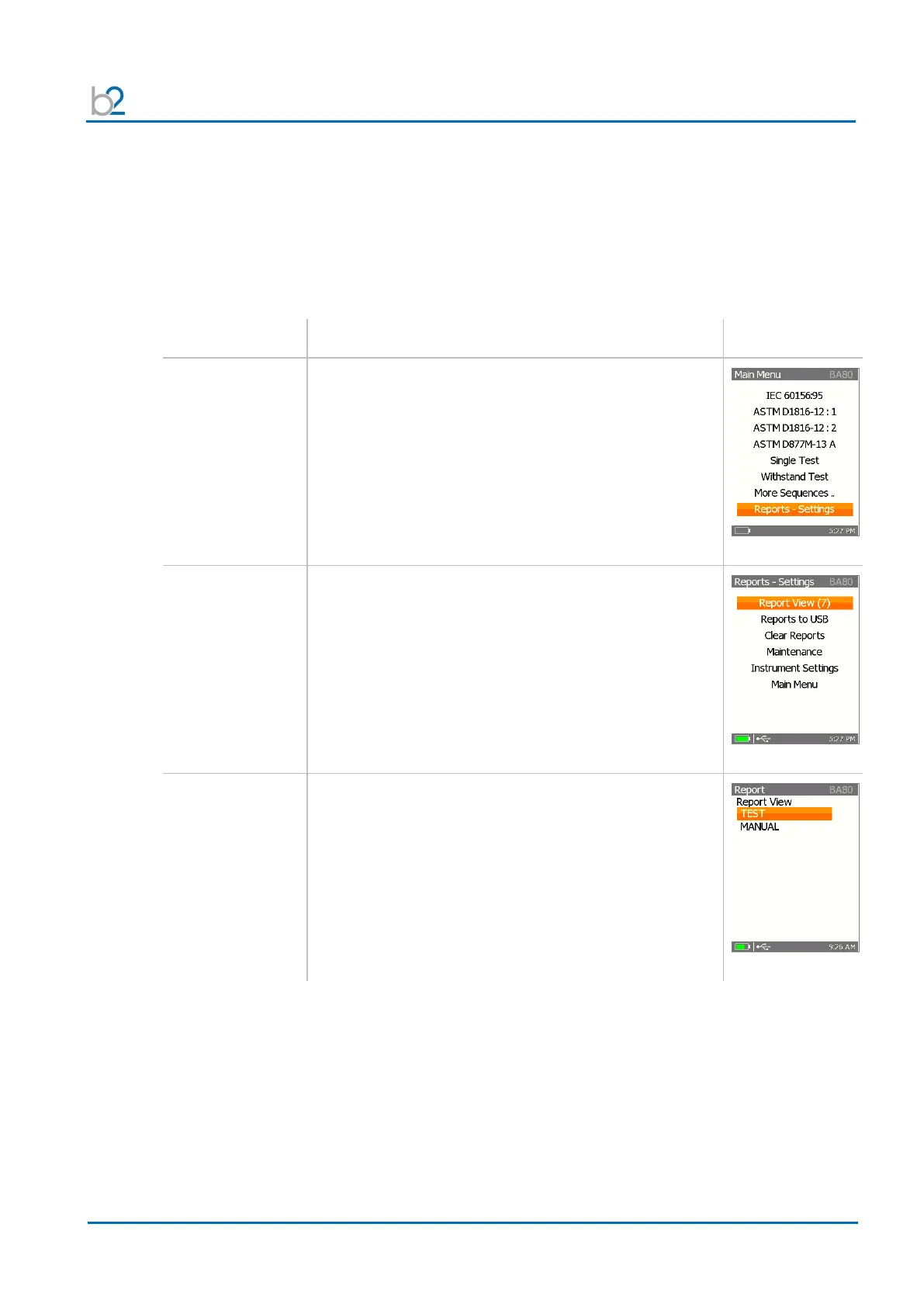
Use the up / down arrows to place the cursor on
“Reports-Settings” and click “OK”.
To view all stored reports, click “Report View”.
All stored reports are listed.
To get the details of the reports, click “OK”.
Use the left arrow to get back to the Report menu.


 To Next Page