EasyManua.ls Logo

b2 electronic BA60 - Error Messages

b2 electronic BA60
51 pages
Print Icon
To Next Page IconTo Next Page
To Previous Page IconTo Previous Page
Loading...
7 Test Procedure
© b2 electronic GmbH DHV0017 b2 EN 35
7.9 Error Messages
Step
Message
Example
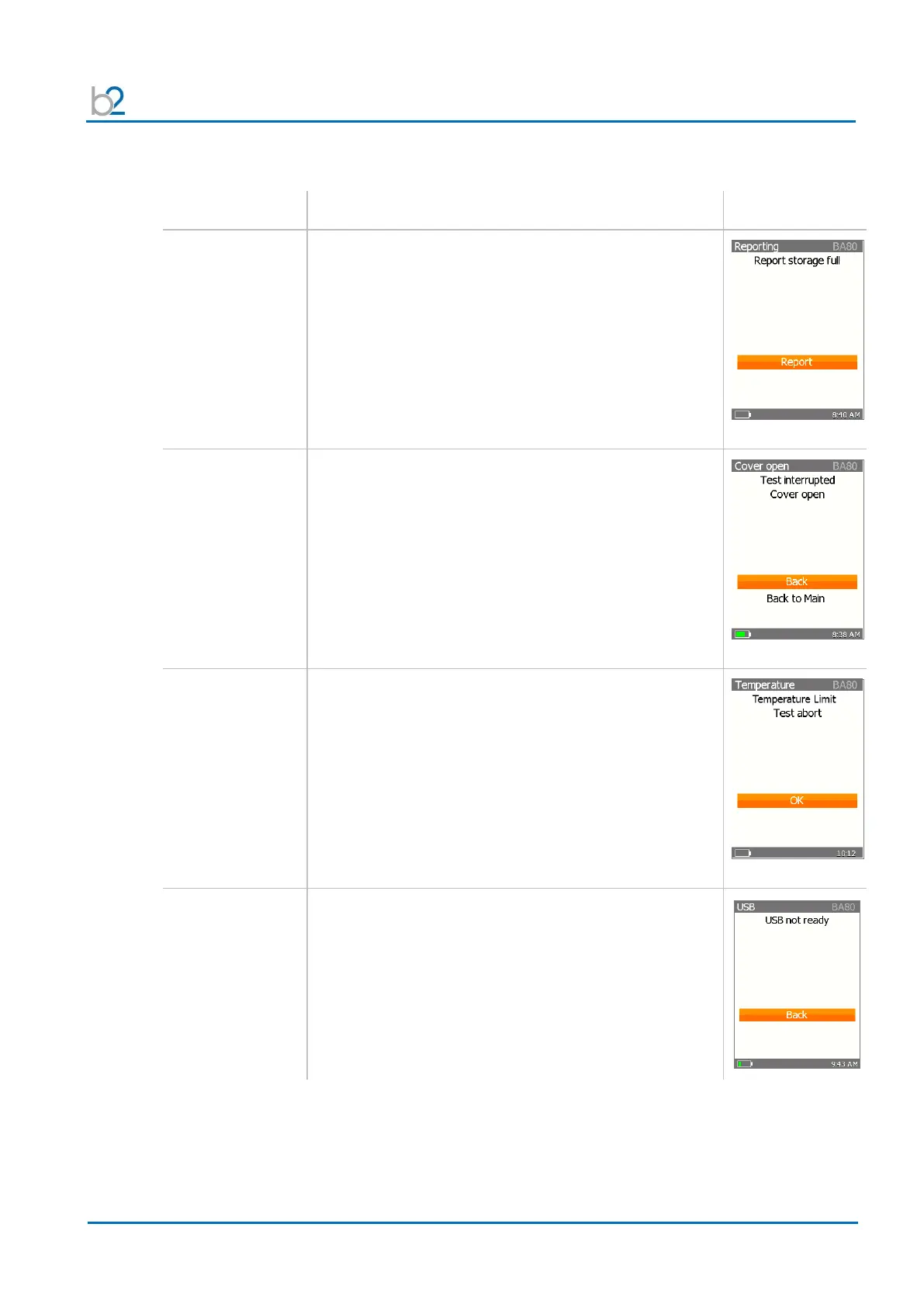
Full storage
The internal storage of the BA unit is full.
More than 50 Reports are stored on the device.
Please delete Reports before starting a new test.
Cover Open
The cover of the BA unit is open. Please close the cover
to continue the test.
Temperature
The unit is too hot.
Please wait a few minutes for the unit to cool down.
USB not ready
To store the reports on a USB memory stick put in the
USB memory device in the communication port.
If unit doesn’t find a connection with an USB memory stick
the error message “USB not ready” appears.
Please put in the USB memory stick.

Related product manuals