Design and Construction
© b2 electronic GmbH DHV0086 Rev06 23
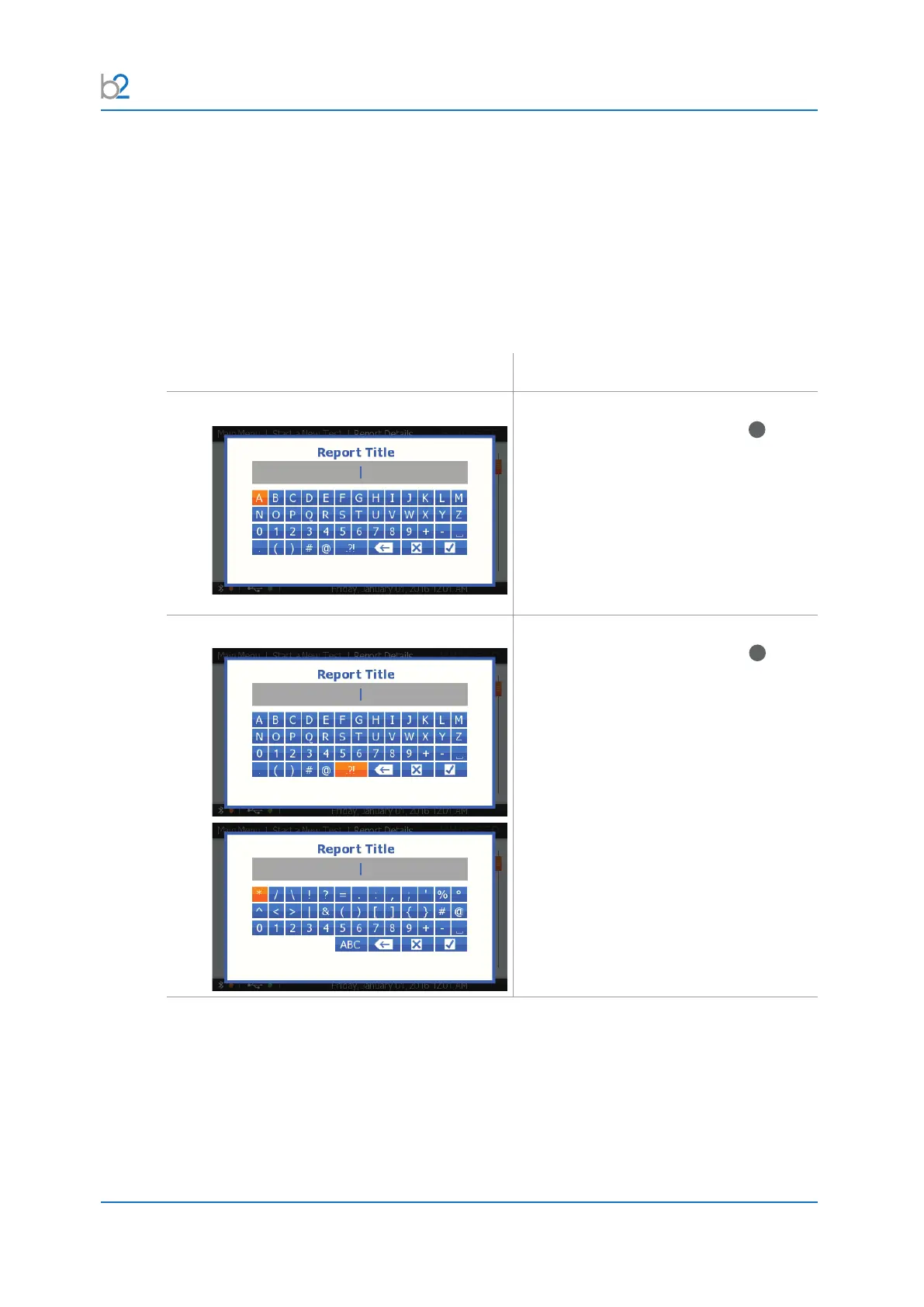
4�2�4 Keyboard functions
To enter information for some steps in the settings sequences and reports,
the operator is required to enter a user-selected name.
Possible entries are:
• A B C D E F G H I J K L M N O P Q R S T U V W X Y Z
• - + ‘ 0+ - ‘space’ _ ( ) # @ - + * / \ ! ? = : , ; “ % ° < > | & [ ]
• 0 1 2 3 4 5 6 7 8 9
Situation Procedure
Activate Naming
To select characters, rotate knob
41
then
push in/click.
Press and hold the “Enter” button for auto-
repeat.
Activate Symbols
To select characters, rotate knob
41
then
push in/click
For special characters, press the button
.?!.



 To Next Page