BABOLAT PLAY and Coaching:
ABOLAT PLAY is an exciting tool for those coaches looking for a new way of monitoring their
pupil’s performance. With BABOLAT PLAY, you will have access to factual information
designed to help you learn more about your pupil’s game, wherever you are and whenever
you want. Monitoring Player performance becomes possible not only after training sessions
but also after matches. PLAY is authorized in competition tennis and approved for by the
International Tennis Federation. The ITF have created a new rule within the Rules Of Tennis,
Rule 31. This rule lays down the boundaries with which Player Analysis Technology can be
used in competition tennis.
The following guidelines will help you, as a Coach get the most out of BABOLAT PLAY.
Creating a Coach account:
You can create your own account on the BABOLAT PLAY website with or without a Play
Racket. Creating your account will enable you to access your pupil’s data.
When creating your profile, you’ll be asked whether you are a Player or a Player/Coach.
Click on player/coach.
Using Coach Mode available at www.babolatplay.com:
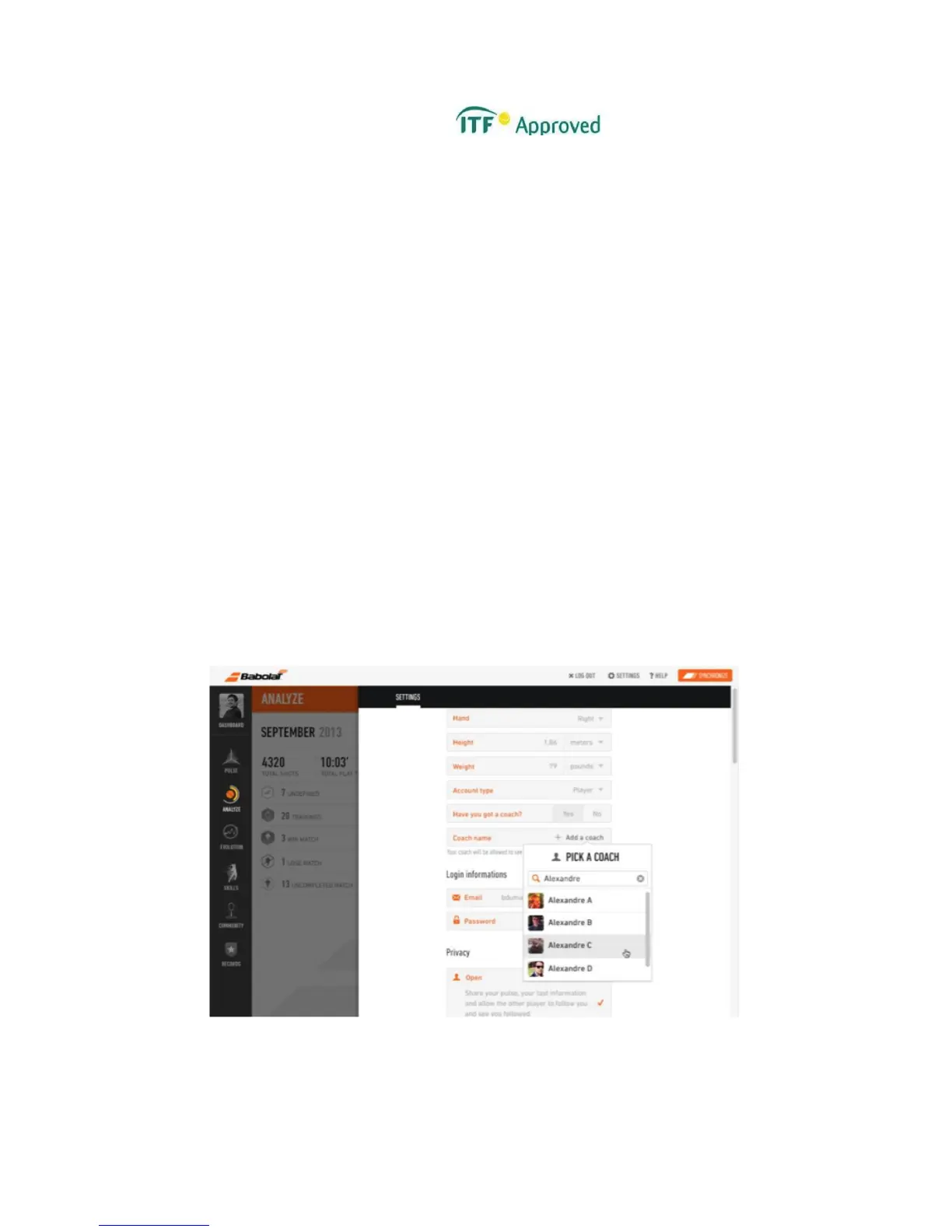
BABOLAT PLAY includes a Coach Mode feature. The Coach Mode allows you to access each
of your pupil’s data. In order for you to access your pupil’s data, you first need to ask each
one of your pupils to declare they have a coach in the settings menu (figure 26).
Figure 26



 To Next Page