MODEL 300 COMBUSTION ANALYZER
1-8 Instruction 24-9223
1.4.4 Right Display and Select Key
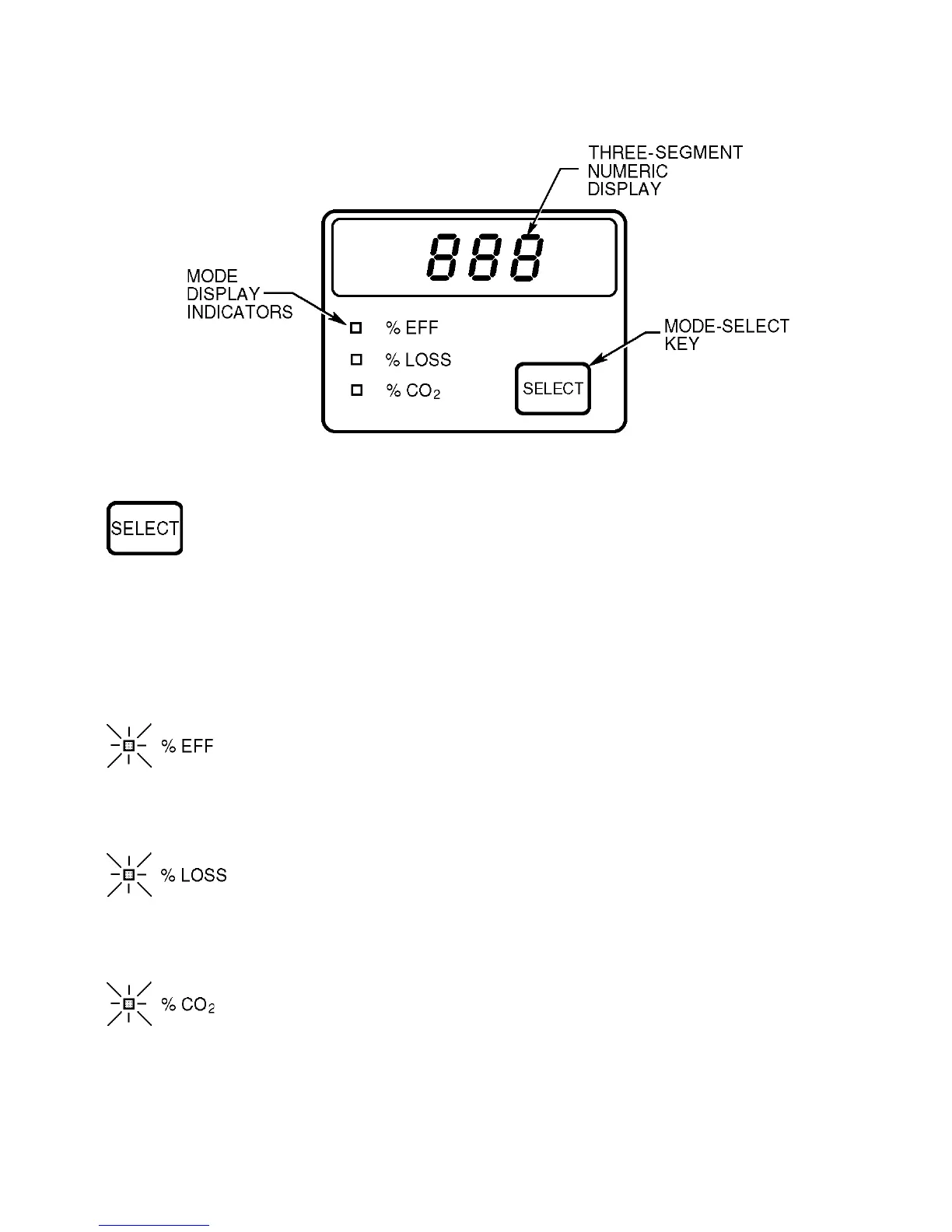
Figure 1-4. Right Display
Press to show %EFF, %LOSS, or %CO
2
information on the
three-segment numeric display. The Display Mode Indicators
identify what is being shown on the display.
Display Mode
Indicator Lit Meaning of Display Indication
Counts down 60 second calibration time.
Combustion efficiency percentage. Computed value
based on %O
2
detected, CO detected, net stack
temperature measured, and fuel selected. Display
shows three dashes if %O
2
is above 15%.
Stack loss percentage. Computed value based on %O
2
detected, CO detected, net stack temperature mea-
sured, and fuel selected. Display shows three dashes
if %O
2
is above 15%.
Carbon dioxide percentage. Computed value based on
%O
2
detected, CO detected and fuel selected. Display
shows three dashes if %O
2
is above 15%.
None



 To Next Page