MODEL 300 COMBUSTION ANALYZER
Instruction 24-9223 1-9
1.5 OPTIONAL AUXILIARY PANEL FUNCTIONS & DISPLAYS
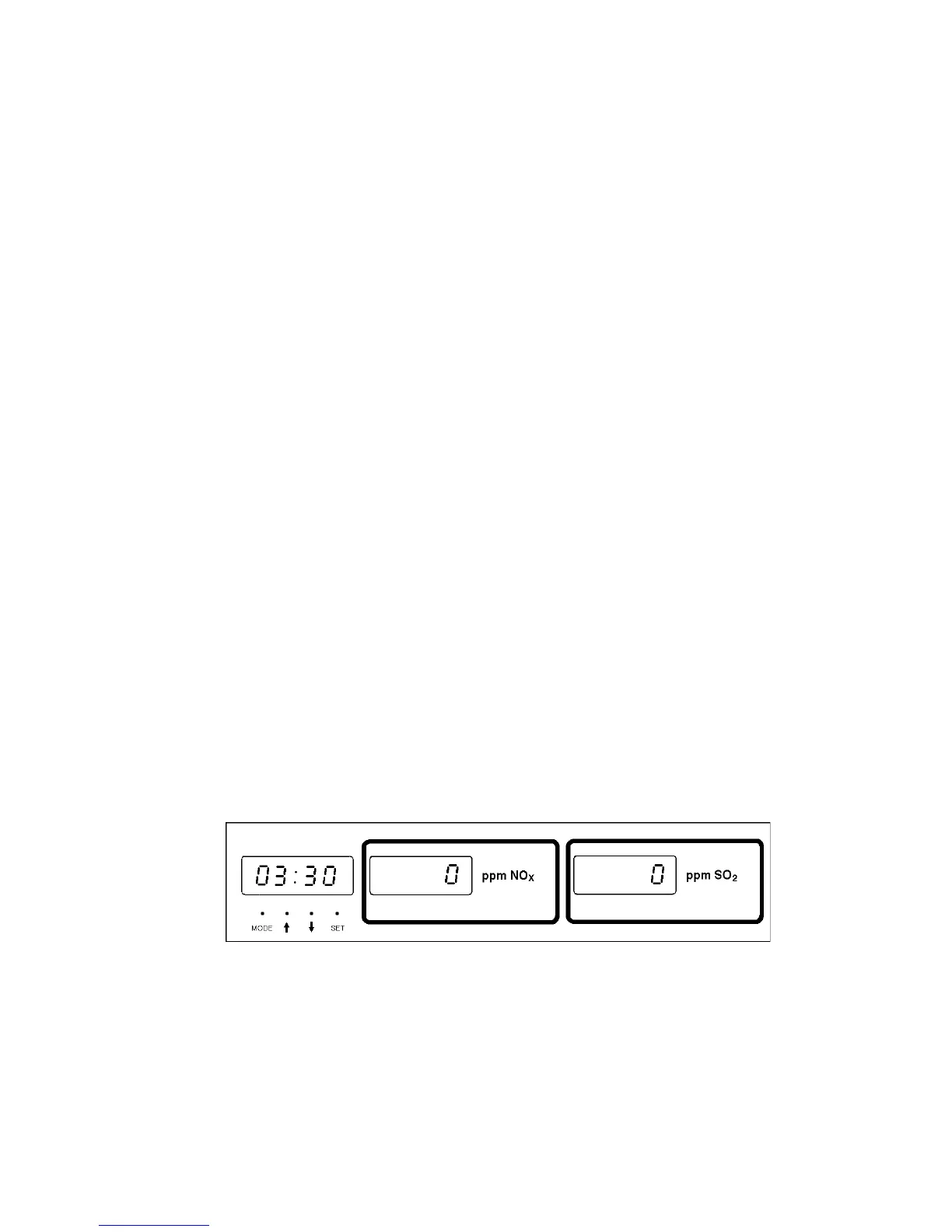
Functions of the three display windows on the auxiliary display panel are
described in Sections 1.5.1 thru 1.5.3 below.
NOTE: With or without an NO
X
(middle display) and/or SO
2
(right display) sensor installed, each display shows warning,
failure, and error messages (refer to Section 3.5) that pertain to
the NSX portion of the analyzer.
1.5.1 Left Display - Clock
Shows current time in hours and minutes in either a 12 or 24 hour
format. Refer to Section 2.7 for information on how to set the clock.
1.5.2 Middle Display - ppm NO
X
When an NO
X
sensor is installed, the middle display shows the measured
concentration of gaseous NO
X
during an efficiency test.
1.5.3 Right Display - ppm SO
2
When an SO
2
sensor is installed, the right display shows measured
concentration of gaseous SO
2
during an efficiency test.
Figure 1-5. Optional Auxiliary Display Panel



 To Next Page