MODEL 300 COMBUSTION ANALYZER
2-6 Instruction 24-9223
5. At the end of the calibration cycle, the left display should show FUEL,
with the middle and right displays blank, the Optional clock will show
the time, and Optional auxiliary panel middle and right displays will
read 0 ppm. Now press the FUEL key until the left display shows your
choice of any one of the analyzer’s seven programmed fuels.
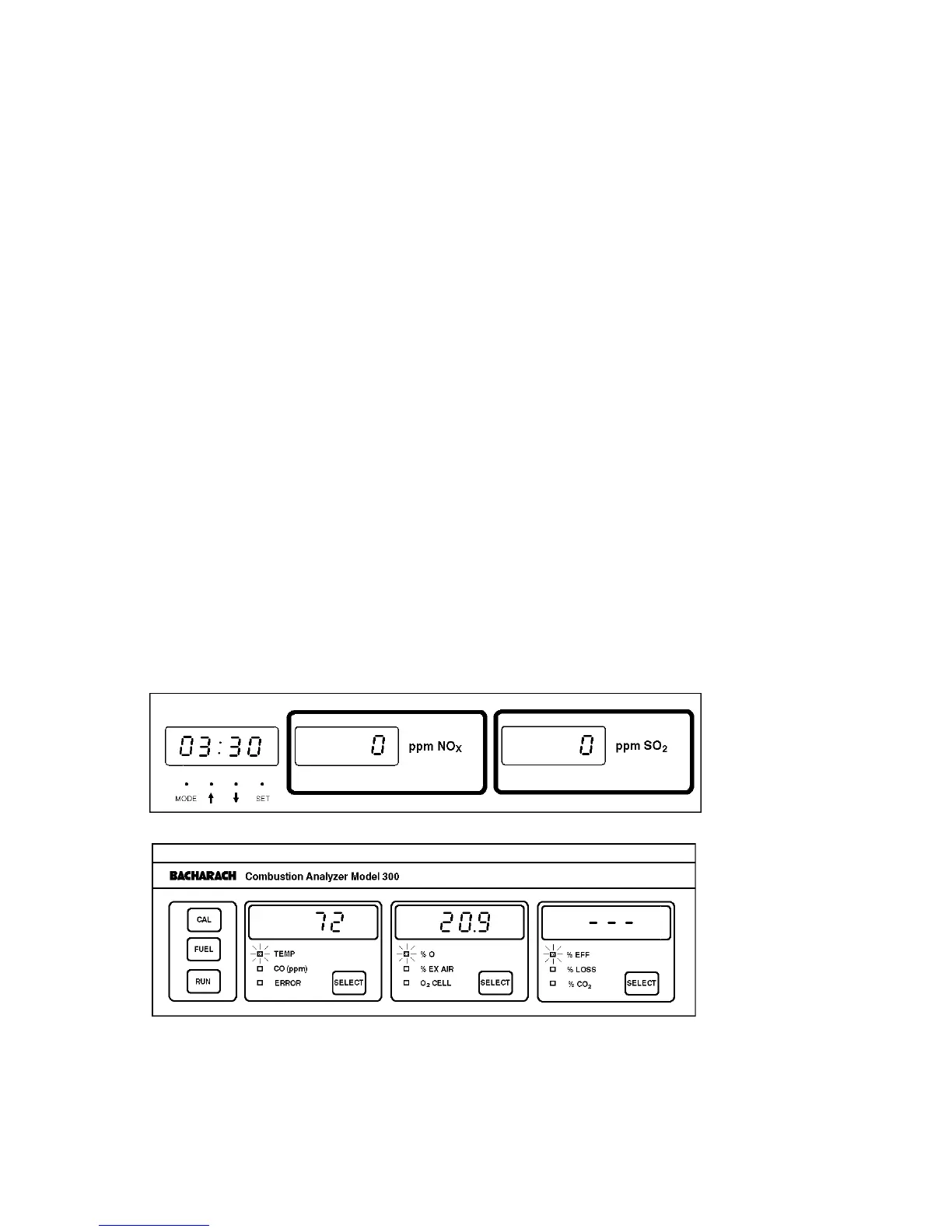
6. Press RUN key to start pump. Allow pump to run for 30 seconds; after
which, stop pump by again pressing the RUN key. Then check for the
following (Fig. 2-4):
• Left display should show a temperature that is within ±2° of the
actual room temperature. (Temperature indication is in either °F or
°C. To change temperature scale, move jumper W1 on connector J4
per Fig. 6-1A.).
• Middle display should show a %O
2
indication of 20.9.
• Right display should show three dashes.
• Optional clock reads the correct time.
• Optional auxiliary panel middle and right displays read 0 ppm.
Figure 2-4. Display Indications After a Run Under
Ambient Conditions



 To Next Page