Page 10 of 28 BACTcontrol – Software Manual – V0.1.15 microLAN b.v.
5. INTRODUCTION TO THE BACTCONTROL
SOFTWARE
5.1 LOG IN
The operating terminal is a touchscreen that can be operated through finger contact or
with a touchscreen pen. Do not touch the screen of the operating terminal with hard
objects, this might damage the terminal.
5.2 Menu structure
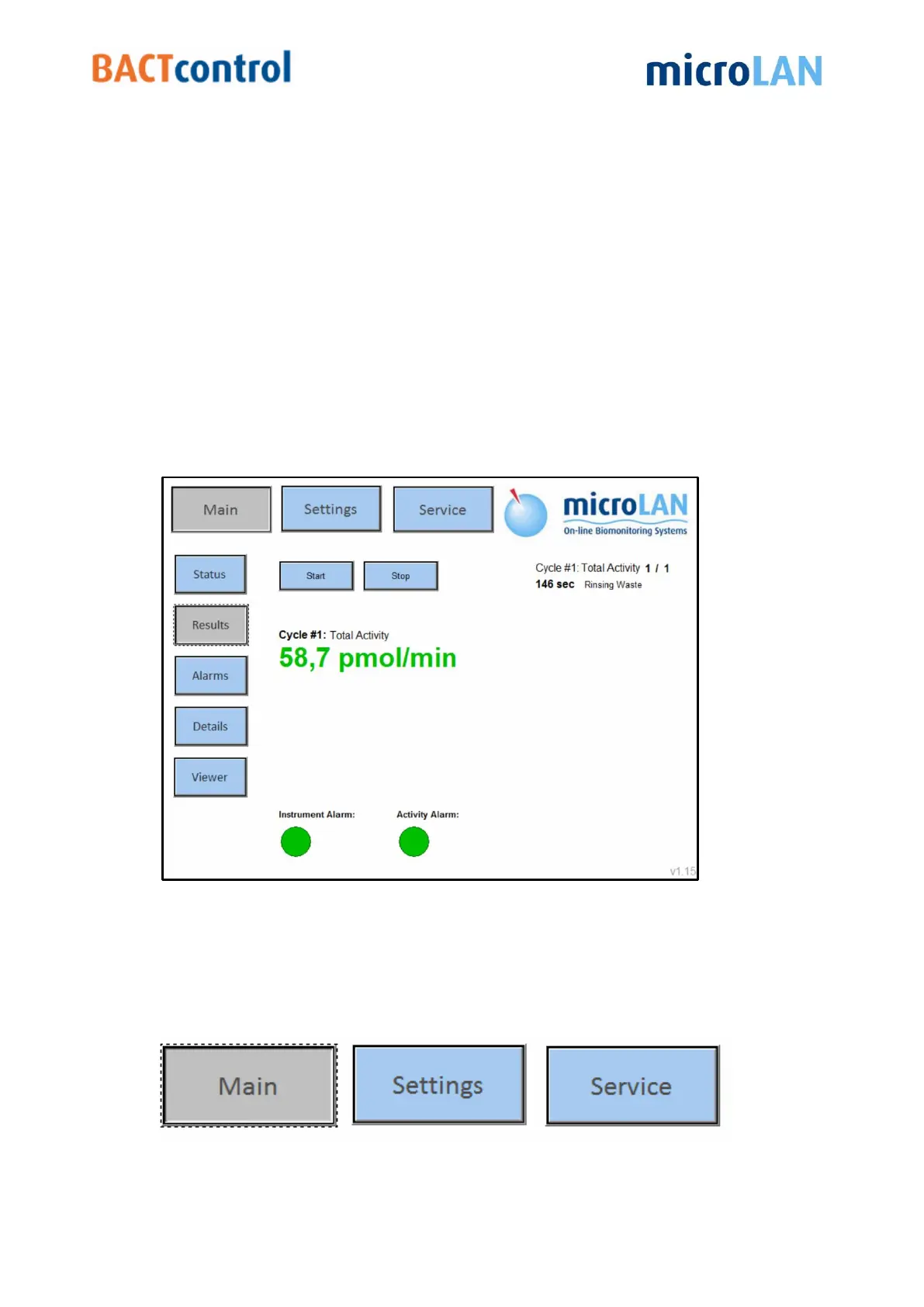
The BACTcontrol software is built up in menu’s which can be selected by buttons.
There are three head menu’s. Each head menu has several submenu’s.
Similarly extra buttons and additional information will be displayed.
Figure 4:Main screen BACTcontrol software
5.3 HEAD MENU’S
There are three head menu’s: MAIN, SETTINGS and SERVICE


 To Next Page