microLAN b.v. BACTcontrol – Software Manual – V1.15 Page 17 of 28
measured in the last measurement are displayed under
7.2 STOP A MEASUREMENT
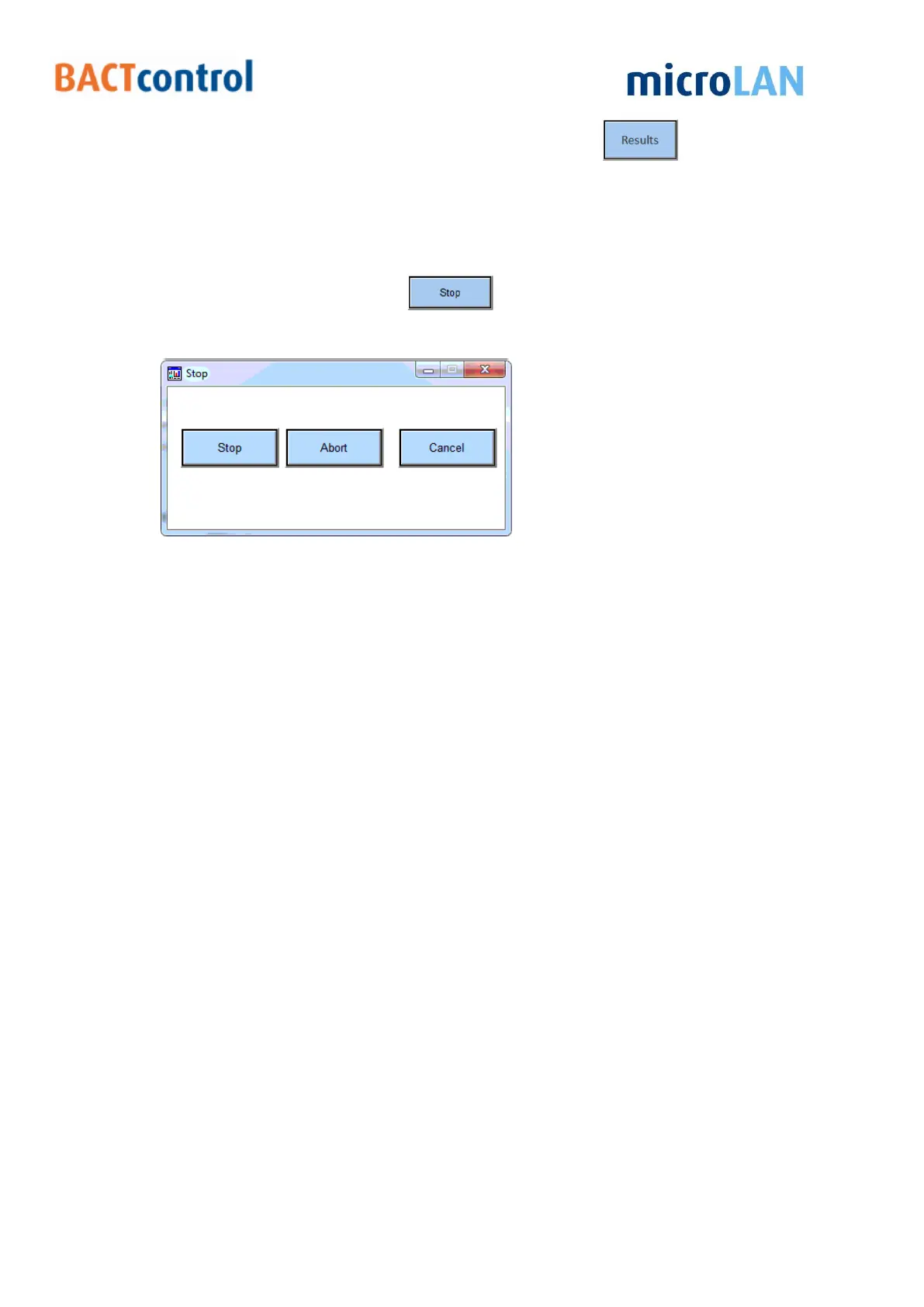
To Stop a measurement press
Now a pop-up window appears
Figure 12 measurement stop menu
There are three options available:
I. Stop, the BACTcontrol will finish the current measurement according to the normal
procedures;
II. Abort, the BACTcontrol will immediately stop with the current measurement, no data
or results are saved;
III. Cancel, no measurement will be stopped or aborted. The BACTcontrol will finish the
current measurement and will go further with a next measurement.


 To Next Page