microLAN b.v. BACTcontrol – Software Manual – V1.15 Page 27 of 28
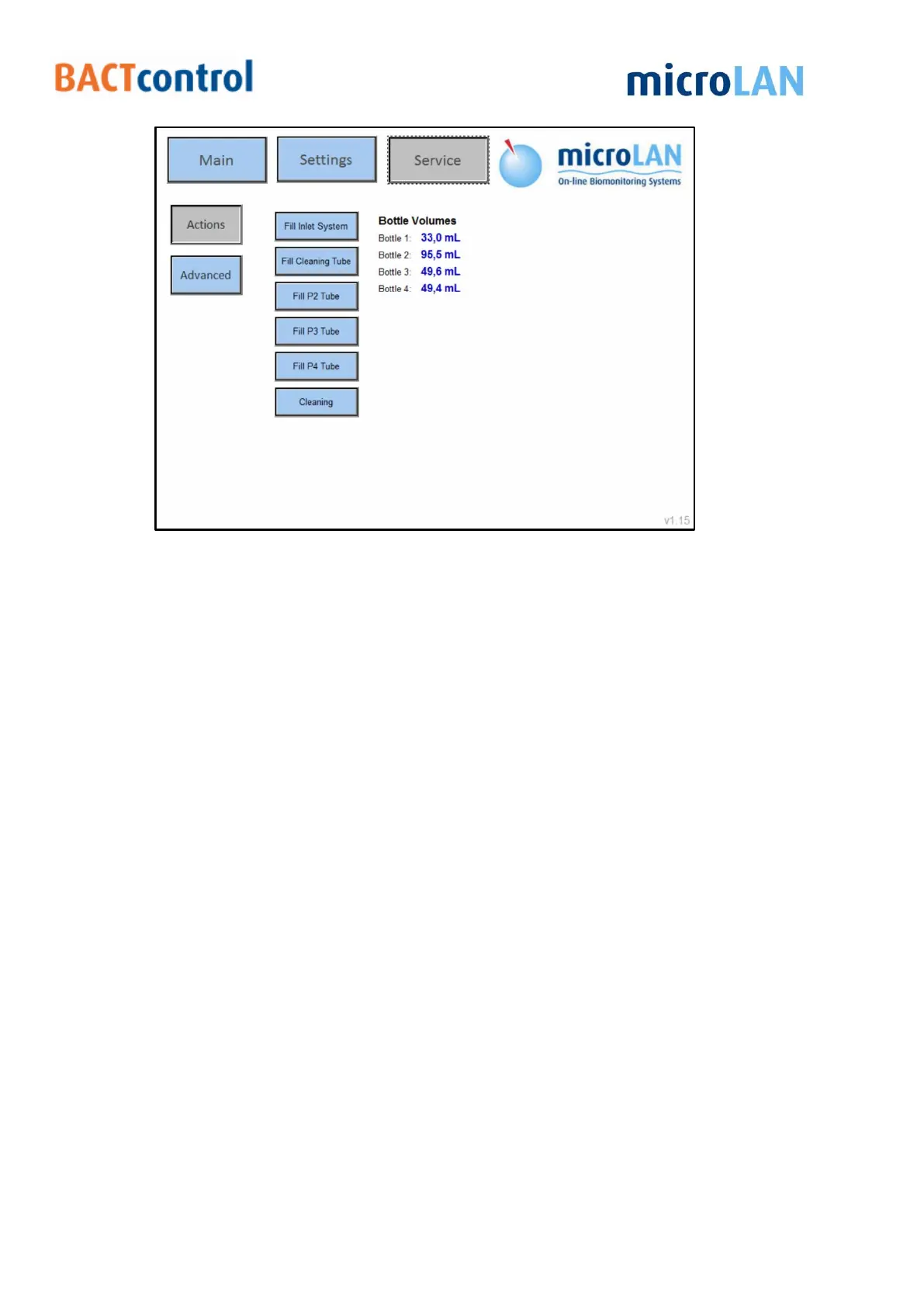
Figure 20 Service menu
9.2 ADVANCED
In the Advanced menu pumps, valves and other components ca be started or
operated manually
Main Pump Control P1:
1. Pressing Start will start the main pump manually at the set speed value
(%) and steps. The pump will stop after the amount of steps is reached
2. Always on will turn on the main pump continuous, the pump will not
stop automatic!
Dosing pump Control P2: Will start the left dosing pump manually at the set
speed value (%) and steps.
Dosing pump Control P3: Will start the middle dosing pump manually at the
set speed value (%) and steps.
Dosing pump Control P4: Will start the right dosing pump manually at the set
speed value (%) and steps.
Valves control: Pressing a button will open the selected valve manually
(See scheme for valve numbers)
Stirrer: Will activate the stirrer manually (Stirrer will turn of at the set reactor
temperature)


 To Next Page