microLAN b.v. BACTcontrol – Software Manual – V1.15 Page 11 of 28
6. MAIN MENU
In the main menu, measurement procedures can be operated and data is displayed.
The main menu is build up in five submenu’s.
1. STATUS
2. RESULTS
3. ALARMS
4. DETAILS
5. VIEWER
6.1 STATUS
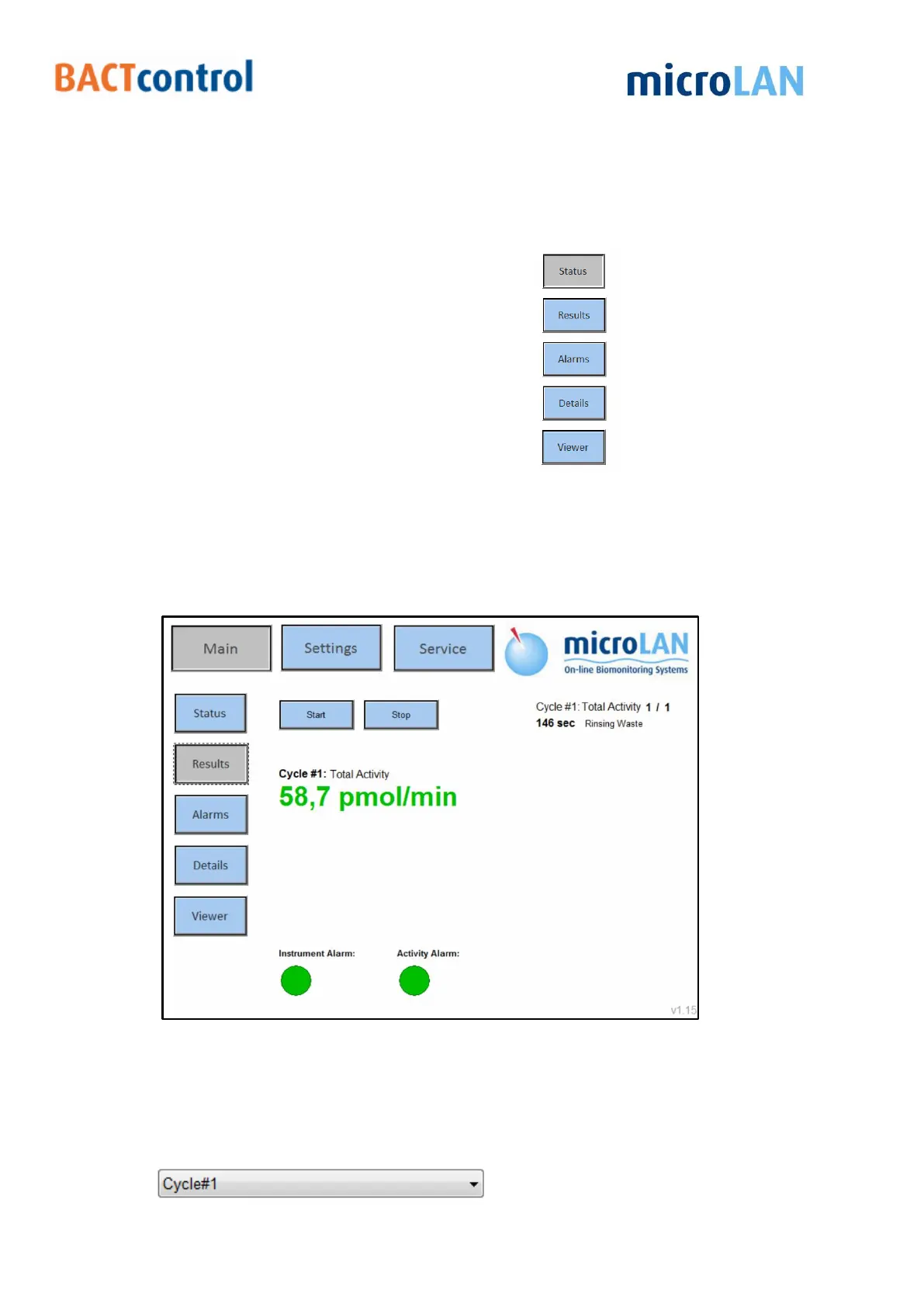
In the status section, the main procedures can be operated. Measurement results and
possible alarms are displayed. Figure 5: Status menu shows the different options that
are available in the status screen together with the information of the current or last
measurement.
Figure 5: Status menu
6.2 RESULTS
Historic measurement Cycle or blank Cycle results are displayed.


 To Next Page