Page 16 of 28 BACTcontrol – Software Manual – V0.1.15 microLAN b.v.
7. START AND STOP OF A MEASUREMENT
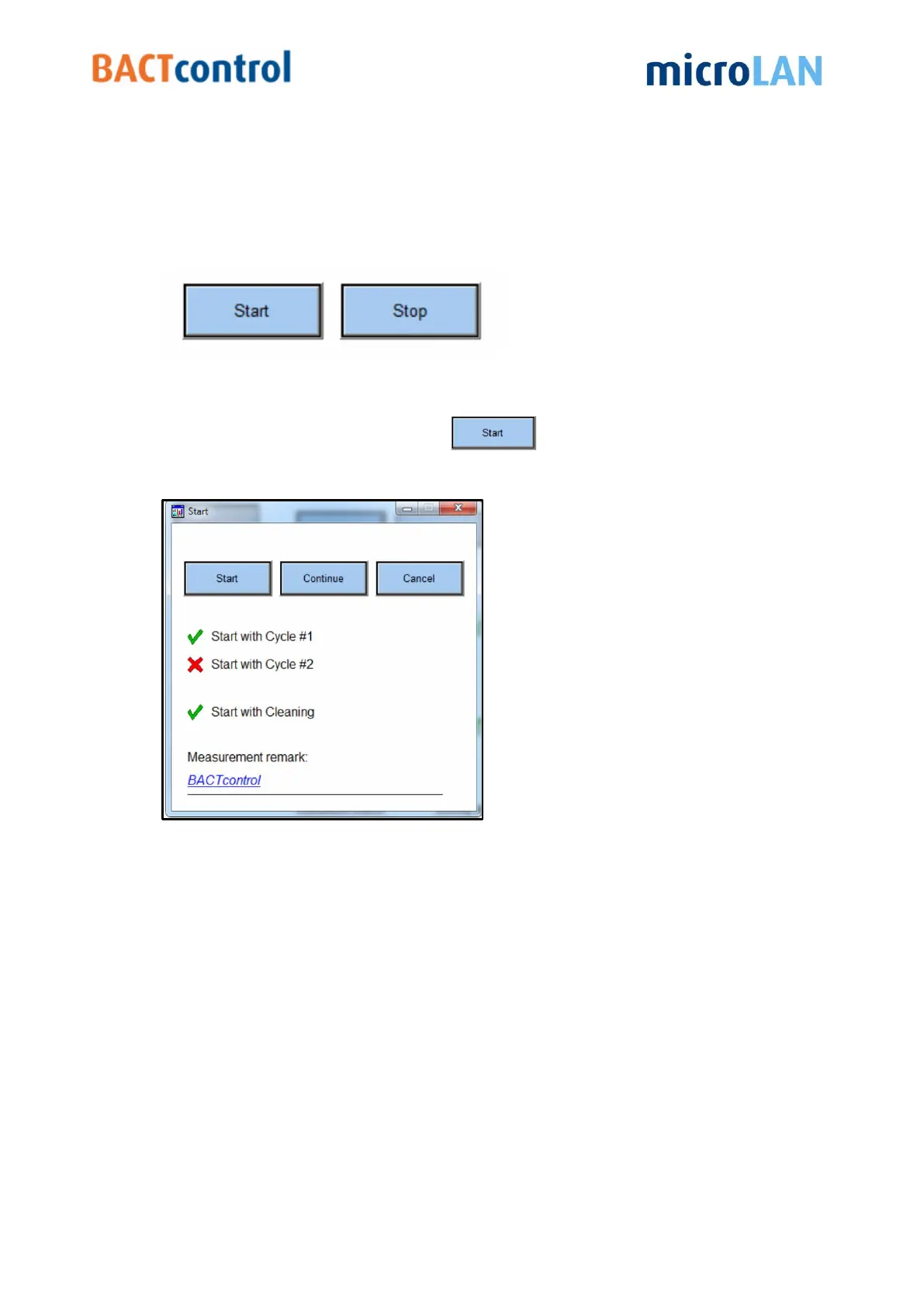
In the main menu also the start and stop buttons are displayed.
7.1 START A MEASUREMENT
To start a new measurement click on
Now a pop-up window appears
Figure 11 Measurement start menu
There are three options available:
I. Start will start a new measurement
II. When Continue is pressed the BACTcontrol starts the next cycle, proceedings
regarding the preparation of the sample, such as heating, are skipped.
III. Pressing Cancel will close the pop-up window.
(no further actions will take place)
The set points and current status of the measurements are displayed on the main
window.
Further details of the last measurement, especially the activity that is


 To Next Page