
 Need help?
Do you have a question about the BACTcontrol microLAN and is the answer not in the manual?
Safety precautions including handling potential hazards like water contamination, electric shock, and hot surfaces.
Copyright notice for the manual and its contents, including reproduction restrictions.
Details the warranty period, terms, conditions, and exclusions for the BACTcontrol system.
Explains the use of Notes, Cautions, and Warnings within the manual for user guidance.
Describes the ISO 15839 standard for on-line sensors and analyzing equipment for water quality.
Lists other relevant documentation for the BACTcontrol system, such as software manuals.
Specifies environmental and placement conditions for operating the BACTcontrol, including temperature and ventilation.
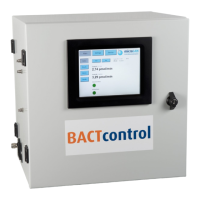
Details the materials used for the cabinet and its protection classification, along with its weight.
Provides dimensional information and floor space requirements for the BACTcontrol unit.
Outlines the specifications for sample inlet, second inlet, and outlet/waste connections, including tube size and flow.
Specifies the electrical requirements, including operation voltage, power consumption, and recommended protection.
Details the recommended environmental conditions for operation, such as temperature, humidity, and protection from elements.
Lists optional features and add-ons available for the BACTcontrol system.
Describes the specifications of the integrated PC, including operating system and user interface.
Lists detailed system specifications including processor, chipset, RAM, graphics, and connectivity options.
Provides specifications for the display screen, including size, resolution, color depth, viewing angle, brightness, and contrast.
Identifies and describes the physical connections available on the BACTcontrol's touch panel interface.
Outlines the communication capabilities, including network connectivity and data output formats.
Provides an overview of the internal components of the BACTcontrol analyzer with a labeled diagram.
Explains the function of the reaction chamber, including the use of ceramic filters for sample concentration and detection.
Describes the photodiode sensor unit responsible for detecting fluorescence and converting it to enzymatic activity.
Explains the role of the temperature sensor in ensuring accurate measurements and calibration.
Details the pressure sensor's function in monitoring sample pressure and preventing issues with filter blockage.
Describes the bubble sensor's function in monitoring sample flow and preventing measurement disturbances.
Details the different types of pumps used in the BACTcontrol system, including sample and reagent pumps.
Lists and describes the buffer and reagents used in the BACTcontrol for detecting bacterial activity.
Explains the role of the fluorogenic substrate in detecting enzymatic activity and its pH dependency.
Provides recommended storage conditions and usage guidelines for the various reagents to ensure stability and accuracy.
Illustrates and identifies the various connection ports on the BACTcontrol unit.
Details the procedure for connecting the water sample inlet, outlet, and waste tubing to the BACTcontrol.
Explains how to connect alarms and the analog output (4-20 mA) to external systems.
Describes the power supply connection requirements and recommendations for electrical protection.
Provides instructions for locating and replacing the main power fuse and PCB fuses.
Describes how to log in to the BACTcontrol system via the touchscreen interface.
Explains the Status screen, which displays measurement details and current alarms.
Details the Alarms screen, showing instrument and activity alarms with potential causes.
Describes the Details screen, which shows process parameters like temperature, pressure, and bottle volumes.
Introduces the Settings menu for adjusting process parameters and configurations.
Explains how to configure measurement sequence parameters like reaction temperature and incubation time.
Describes how to change settings for different measurement cycles (E.coli, Coliform, Total Activity).
Details how to adjust pump settings such as speed, pressure limits, and filtration speed.
Explains how to configure cleaning settings, including heating temperature and dosing volumes.
Covers miscellaneous settings in the menu, including limits, delays, and detection thresholds.
Describes how to set up contact details for automatic alarm notifications via email.
Guides on how to change parameter values using the pop-up window interface.
Explains the process of starting a new measurement, including options for cleaning and remarks.
Details the options available for stopping a measurement: Stop, Abort, or Cancel.
Describes the Service menu for manually activating program steps, useful after maintenance.
Explains how to view measurement results displayed in a graph format.
Guides on exporting stored data to a USB-stick, including selecting measurement cycles.
Outlines daily maintenance tasks, including visual checks and ensuring proper connections.
Details visual inspection procedures for tubes, leakages, and general condition of the BACTcontrol.
Describes how to check and replace reagent and cleaning solution bottles.
Provides guidance on checking and maintaining sample supply and waste containers.
Instructs on checking data and alarms displayed on the BACTcontrol unit.
Outlines monthly maintenance procedures, focusing on cleaning the reaction chamber.
Provides detailed steps for opening the reaction chamber, removing, and inspecting the filter.
Details quarterly maintenance tasks, including replacing tubing and pump tubes.
Explains the procedure for removing and installing new tubing for sample inlets and outlets.
Guides on how to switch off, disassemble, and replace the peristaltic pump tubes.
Describes yearly preventive maintenance performed by distributors, including checks and software updates.
 General
| Measurement Time | 10 seconds |
|---|---|
| Sample Volume | 100 µl |
| Application | Water quality monitoring |
| Technology | ATP bioluminescence |
| Measurement Principle | Bioluminescence |
| Data Storage | Internal memory with data logging |
| Connectivity | USB |
| Power Supply | Rechargeable battery or USB |
| Operating Temperature | 5 - 40 °C |
| Operating Humidity | 10% to 90% non-condensing |

 To Next Page
