microLAN b.v. BACTcontrol – User Manual – V0.4.4 Page 37 of 59
The set points and current status of the measurements are displayed on the main
window.
Further details of the last measurement, especially the activity that is
measured in the last measurement are displayed under
7.7 STOP A MEASUREMENT
To Stop a measurement press
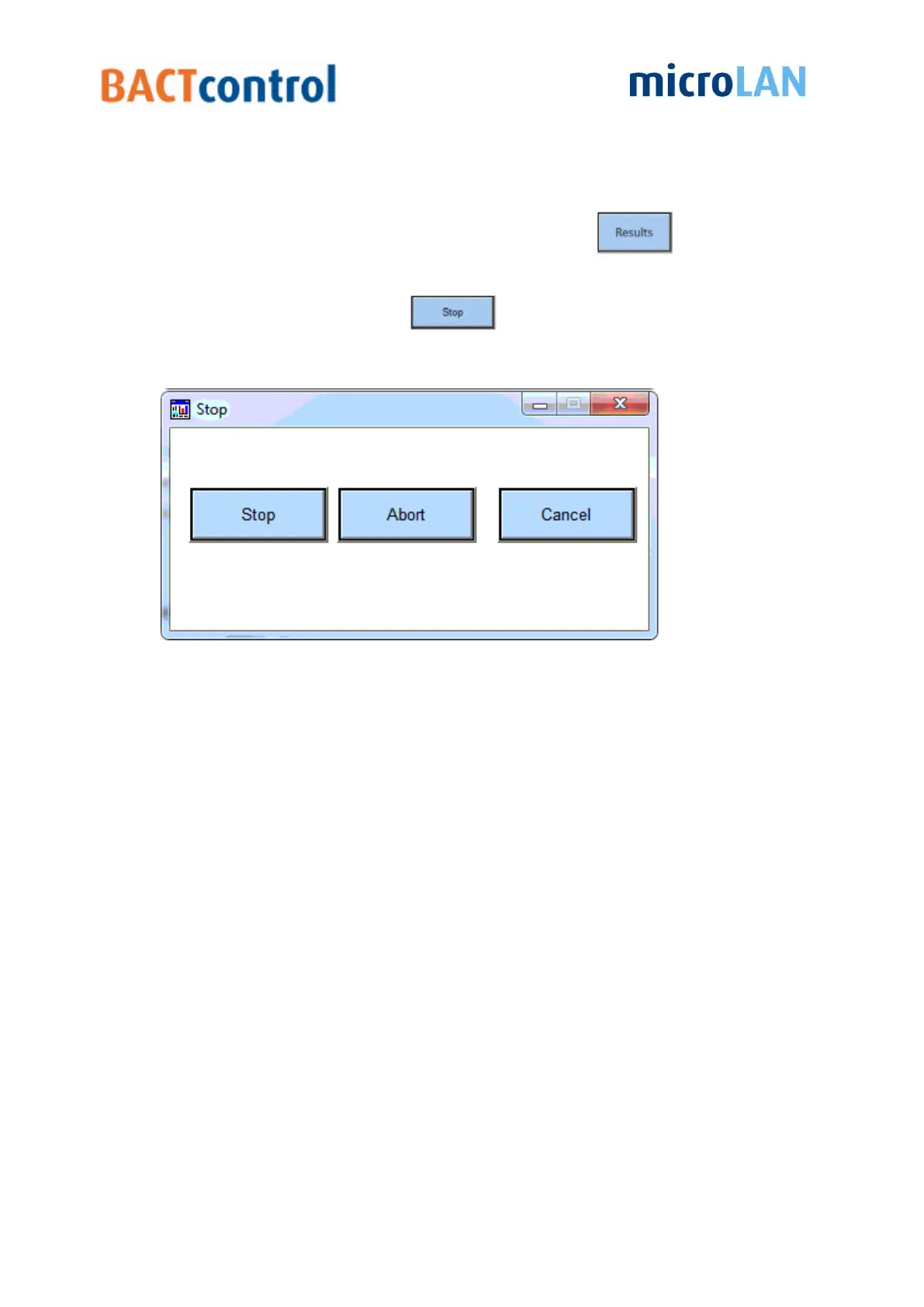
Now a pop-up window appears
Figure 24 measurement stop menu
There are three options available:
I. Stop, the BACTcontrol will finish the current measurement according to the normal
procedures;
II. Abort, the BACTcontrol will immediately stop with the current measurement, no data
or results are saved;
III. Cancel, no measurement will be stopped nor aborted. The BACTcontrol will finish the
current measurement and will go further with a next measurement.


 To Next Page