Page 36 of 59 BACTcontrol – User Manual – V0.4.4 microLAN b.v.
7.6 START A MEASUREMENT
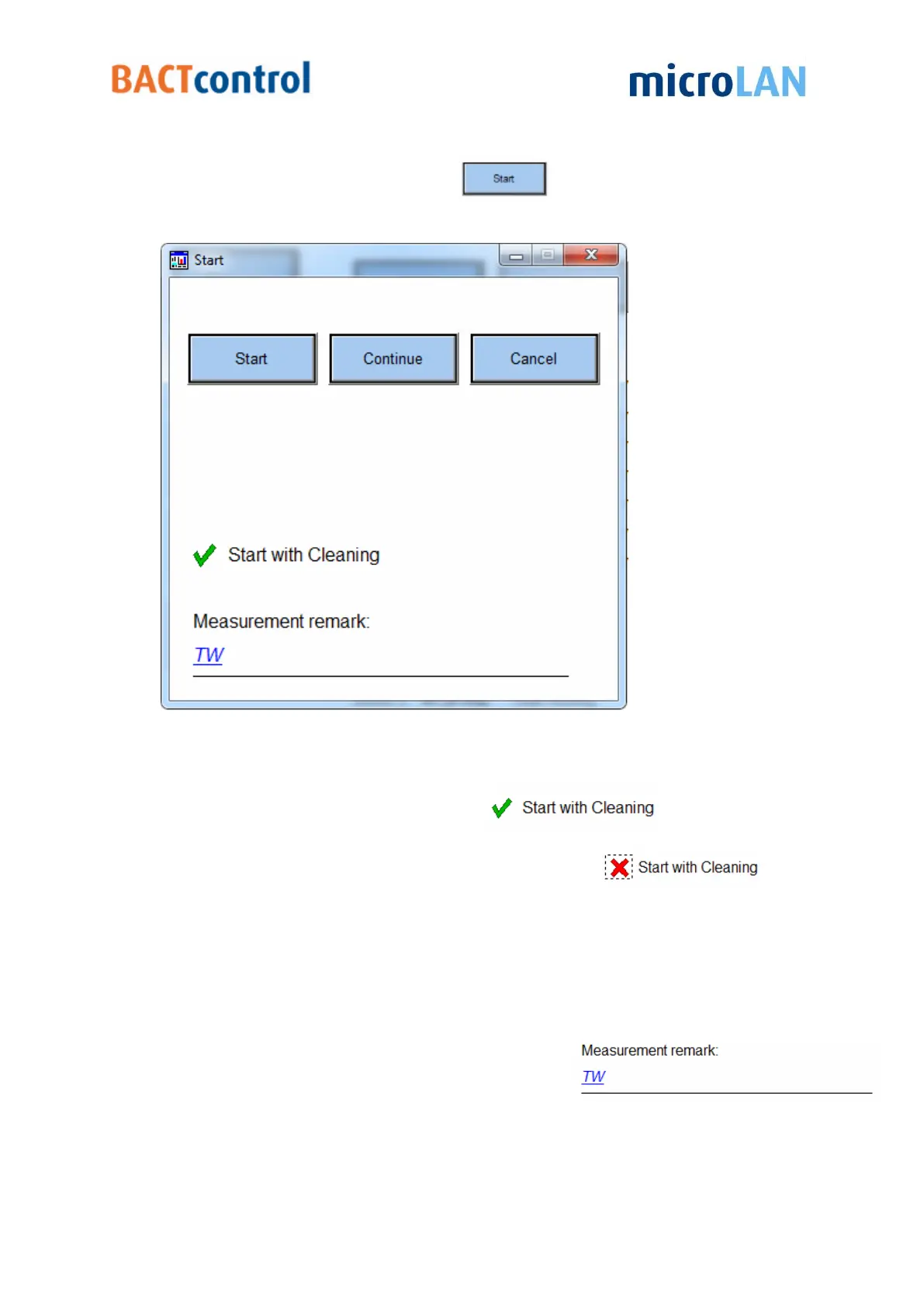
To start a new measurement click on
Now a pop-up window appears
Figure 23 Measurement start menu
There are three options available:
I. Start will start a normal measurement. In
mode the
measurement starts with a cleaning first.
To start a measurement without cleaning double click to
II. When Continue is pressed the BACTcontrol immediately will start measuring the next
sample, proceedings regarding the preparation of the sample, such as heating, are
skipped.
III. Pressing Cancel will close the pop-up window.
(no further actions will take place)
Remark:
Before starting a measurement a remark can filled in


 To Next Page