Page 16 of 59 BACTcontrol – User Manual – V0.4.4 microLAN b.v.
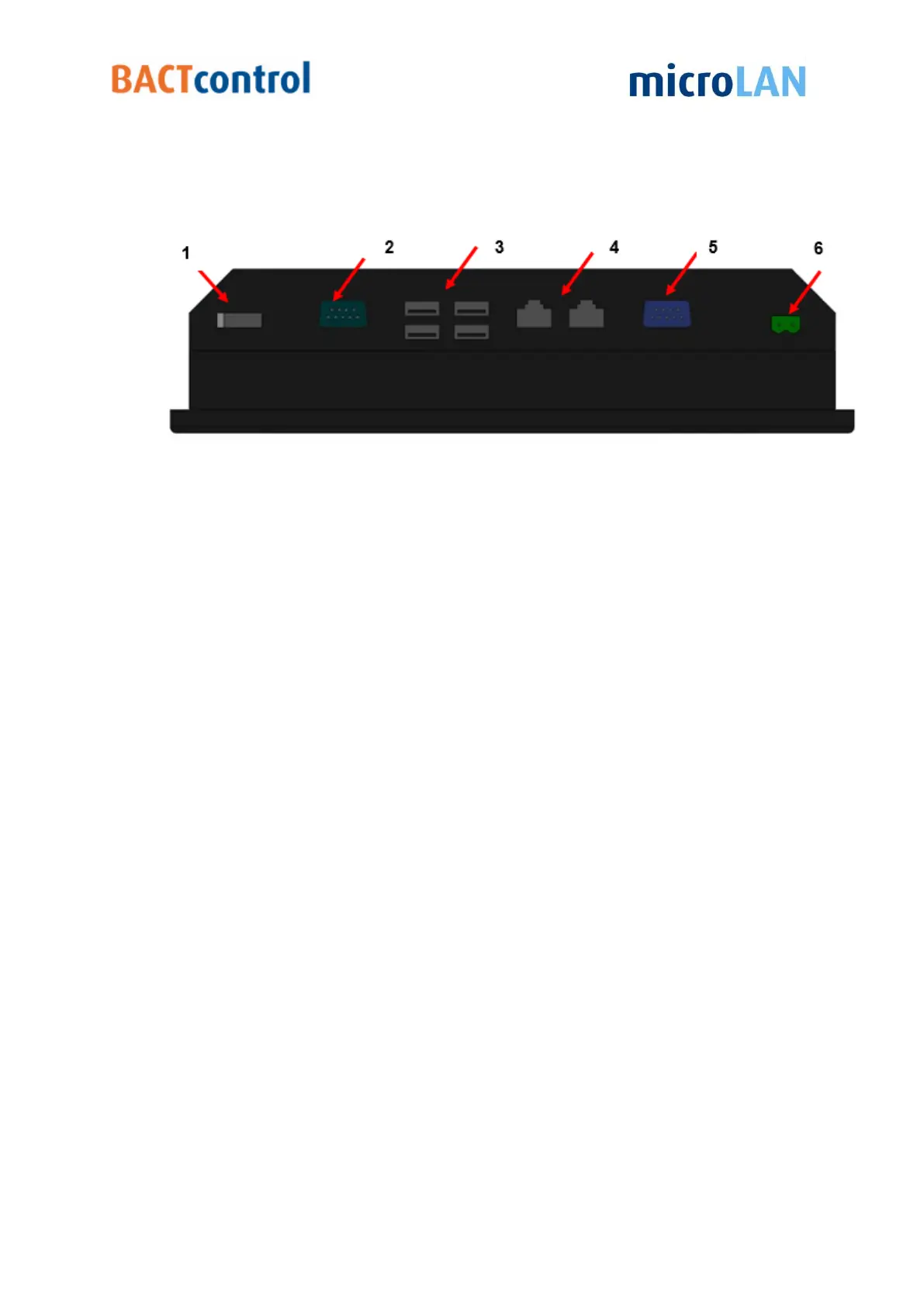
4.11 CONNECTIONS TOUCH PANEL
Figure 7 Connections touch panel
1 On/Off button
2 Com port (COM1)
3 USB ports (4)
(one port is used for software log, other three ports are available for external use)
4 Network connections (2)
5 Com port (COM2)
6 Power input DC12V/5A
4.12 COMMUNICATION SPECIFICATIONS
Full network capability via direct LAN
Data output:
Digital: Modbus
Analog: 1x 4 - 20mA output


 To Next Page