Care2
Installation Instructions
Care2 issue 7 19
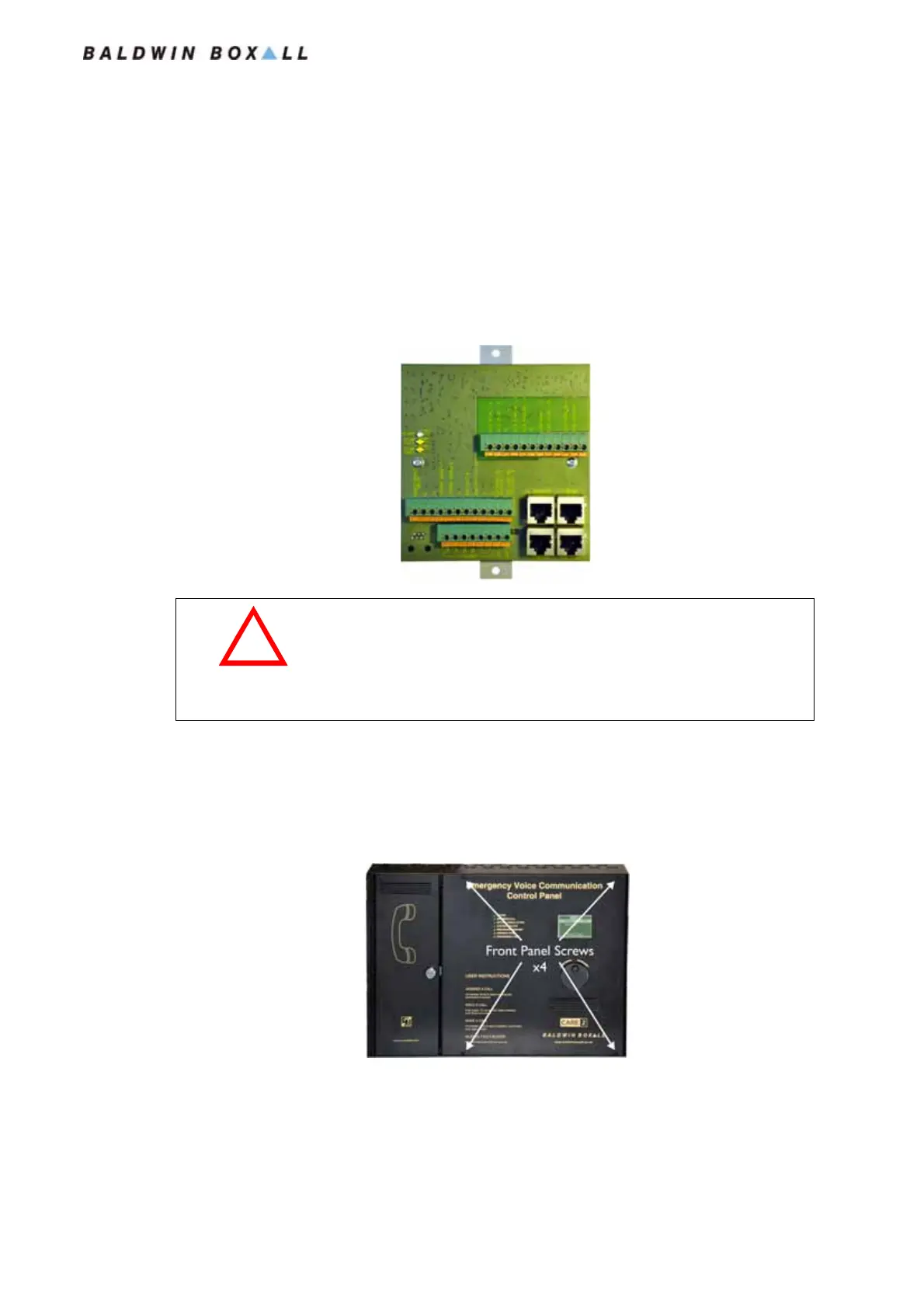
2.4 INSTALLING C2CN NETWORK CARD
The C2CN Network Card enables Consoles & Network
Expansion Panels (C2CBNEPs) to be connected together.
The C2CN also includes the C2CFPE Fire Panel terminations and
connections (see
Figure 2.26 and Figure 2.27).
Figure 2.18 — Typical C2CN Network Card
1. Ensure the Mains 230V supply is isolated.
2. Remove the 4 off M3x10 screws securing the front door of
the Console.
Figure 2.19 — Remove 4 x Front Panel Screws
3. Carefully open the hinged door.
4. Disconnect and isolate the battery backup supply.
!
WARNING
Before attempting to fit this component, ensure the Mains Power
Supply and Battery Backup have been disconnected as described
in the following procedure.
www.acornfiresecurity.com
www.acornfiresecurity.com


 To Next Page