Care2
Installation Instructions
Care2 issue 7 43
4.4 INTERNAL DEVICE DETECTION
P
ROCEDURE
1. Connect the 230V Mains Supply to the Console.
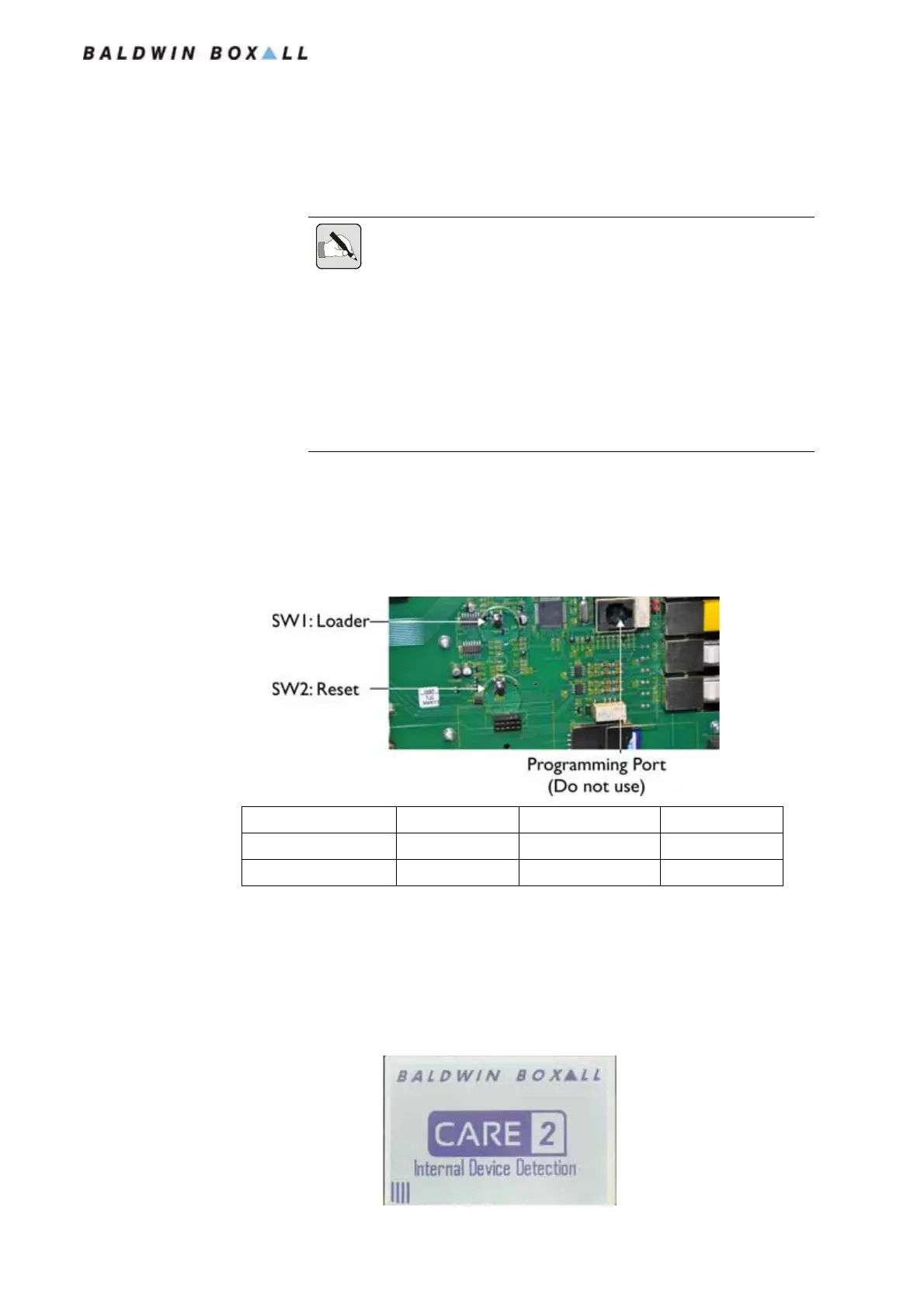
2. On the rear of the Front Panel SW1 & 2 are used to initiate
the Device Detection Routine or perform a System Reset.
Figure 4.4 — Internal Reset & Loader Buttons
To perform the Device Detection Procedure, press & hold
SW1, press & release SW2, then release SW1.
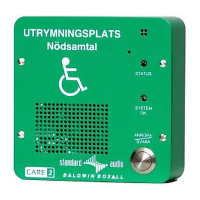
3. The Front Panel Display should indicate the system is in
Device Detection Mode as shown in
Figure 4.5.
Figure 4.5 — LCD Display showing Device Detection
NOTE: Always "Clear Device Assignments" (see Section 7.6 on page 81)
before running the Device Detection Procedure.
NOTE: This procedure is necessary during Commissioning, if a Line Card
(C2CKE4) or a Network Card (C2CN) has been added, or if a faulty card
is replaced within the Console.
This procedure also writes the Network Address to the Network Card (see
Section 2.4.1 on page 21).
Network Cables MUST be disconnected for this procedure.
Press & Hold Press & Release Release
Device Detection SW1 SW2 SW1
System Reset SW2 SW1 SW2
www.acornfiresecurity.com
www.acornfiresecurity.com


 To Next Page