Care2
Installation Instructions
Care2 issue 7 23
2.4.3 Fire Panel Connections on C2CN
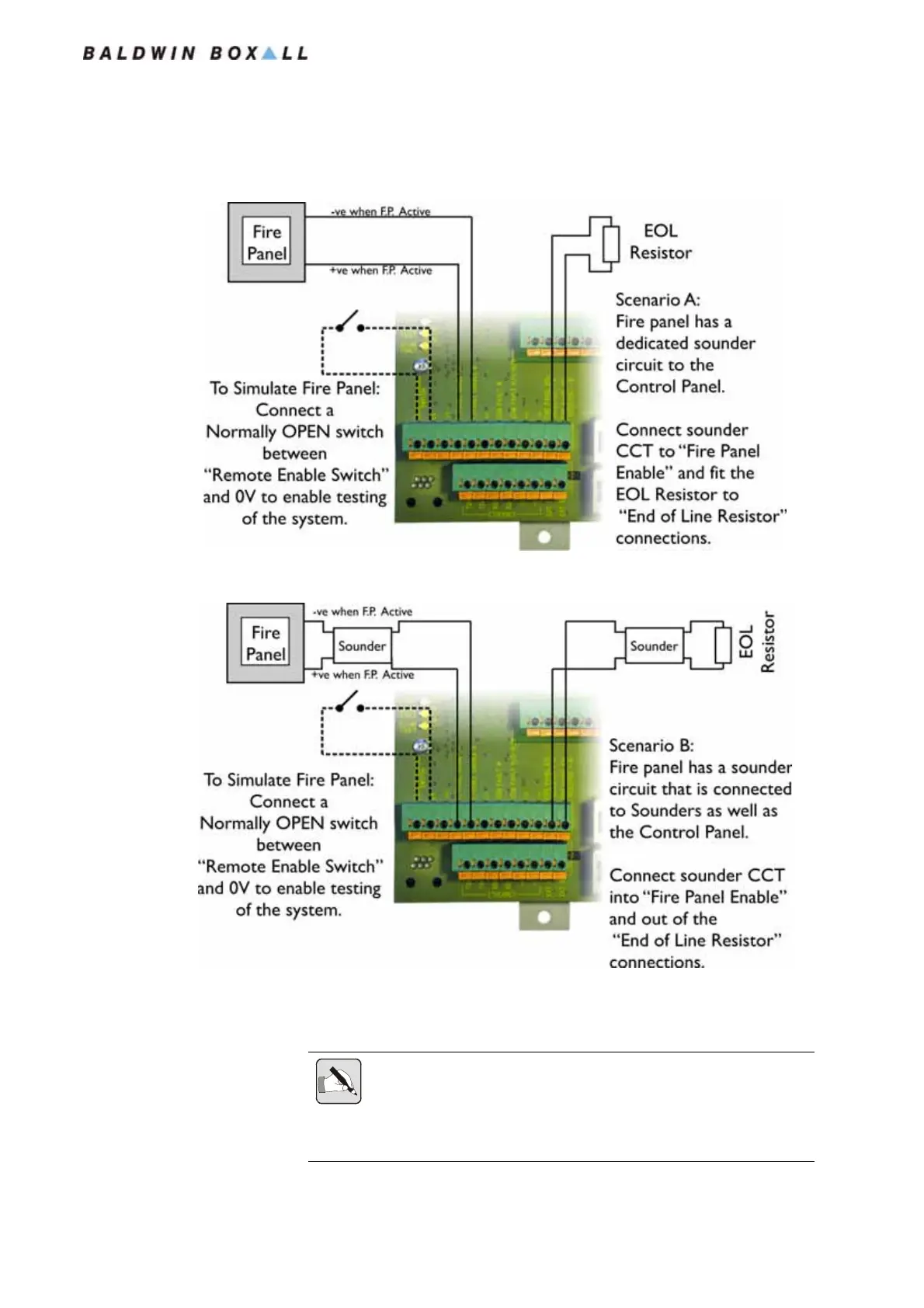
Figure 2.26 — Connection Details for Fire Panel with Dedicated CCT
Figure 2.27 — Connection Details for Fire Panel with Sounders in CCT
To enable the Fire Panel input set the “DRS Enable” option in the
System Menu to “N - Closed” (see
Section 4.9.1 on page 55).
NOTE: In a Networked System with a Master and a Slave console both
will have a C2CN module fitted.
The Fire Panel connections (and Remote Enable Switch if required) must
be connected to both the Master and Slave consoles.
www.acornfiresecurity.com
www.acornfiresecurity.com


 To Next Page