Care2
Installation Instructions
62 Care2 issue 7
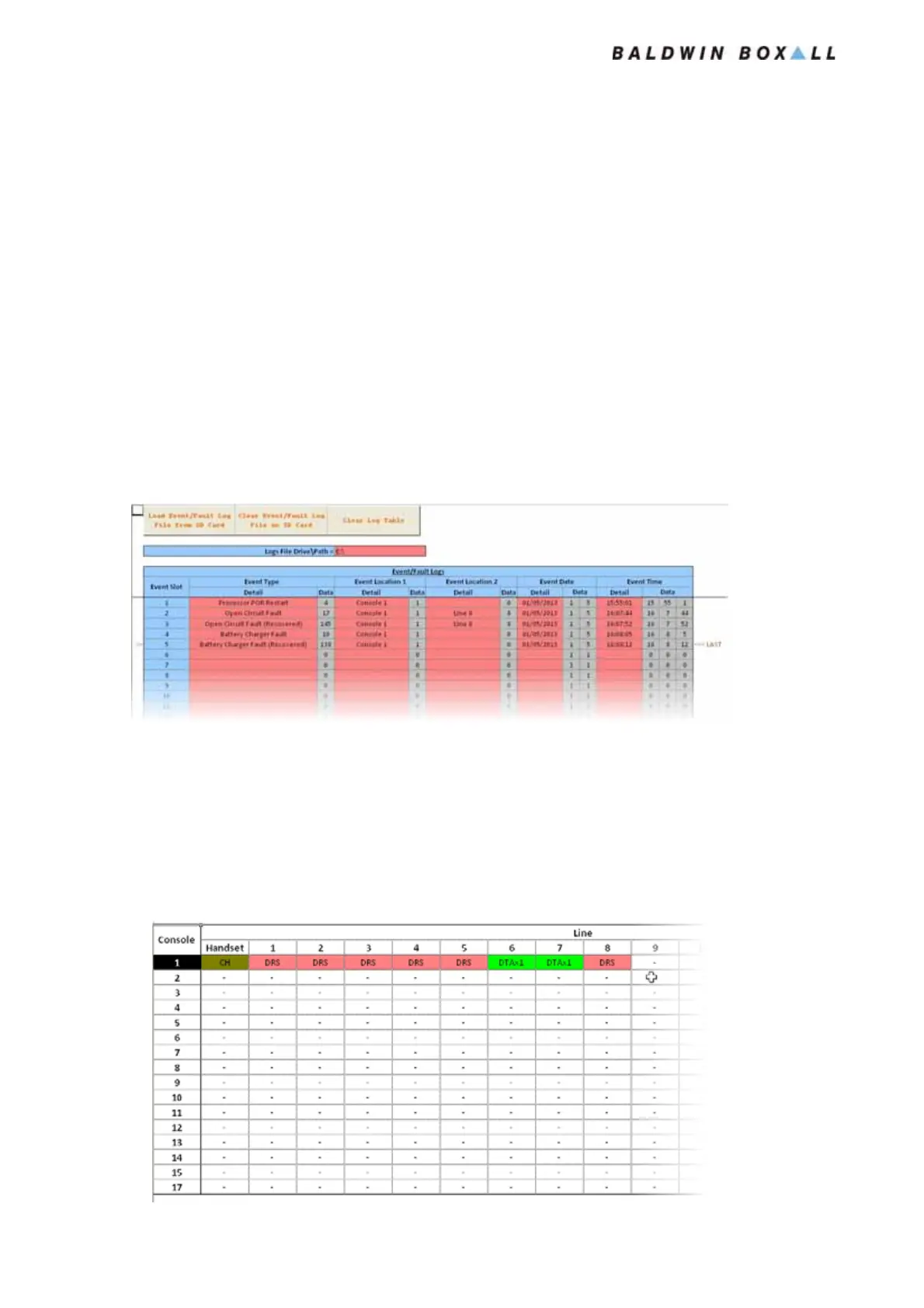
5.2.7 SD Card “Logs” Page
All Consoles store a Fault log for Local faults.
On networked systems, the Master console stores local faults and
also a copy of all faults reported by the NEP Consoles.
Press the “Load Event / Fault Log...” button to load the fault log
from the SD Card. This will overwrite the data currently
shown.
Press the “Clear Even / Fault Log file on the SD Card” button to
clear the fault log currently stored on the SD Card.
Press the “Clear Log Table” to clear the data being displayed.
Figure 5.9 — Typical Fault Log
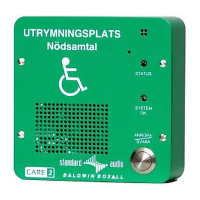
5.2.8 “OutstationSummary” Page
The OutstationSummary Page of the Configurator shows the
operator the Outstations that are set up on the System.
Figure 5.10 — Typical OutstationSummary Page
www.acornfiresecurity.com
www.acornfiresecurity.com


 To Next Page