Care2
Installation Instructions
44 Care2 issue 7
The progress bar indicates that the Console is searching for
Devices (Line Cards and Network Card).
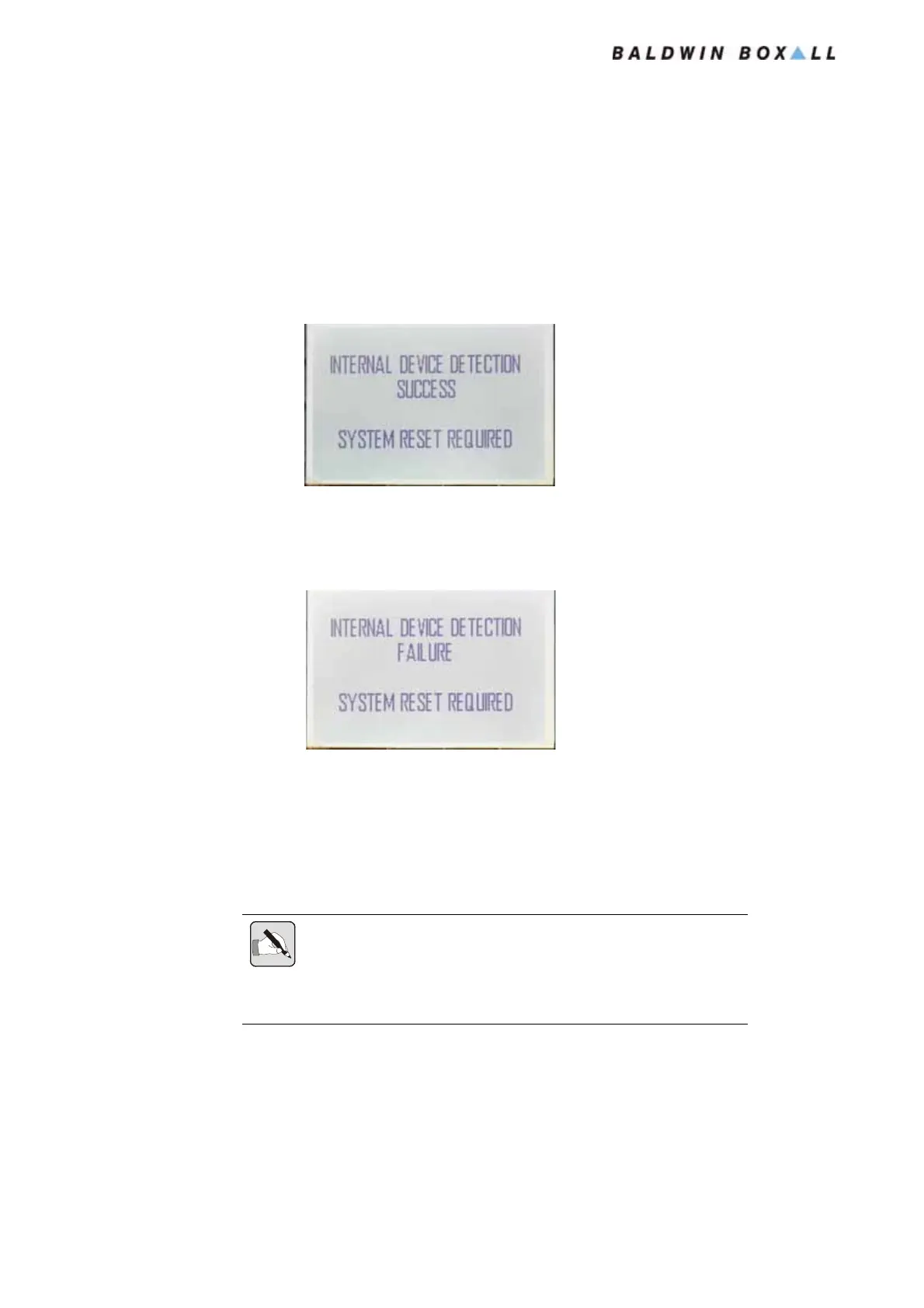
4. When the system has completed the Detection Routine the
display will change to show “System Reset Required” and
either “Success” or “Failure” as shown in
Figure 4.6 and
Figure 4.7.
Figure 4.6 — Device Detection Success
If the Device Detection was successful then perform a System
Reset and continue with the Commissioning procedure.
Figure 4.7 — Device Detection Failure
If the Device Detection failed then check all connections
between the Front Panel and the Line Cards (including Link
Leads), and ensure the Uplink & Downlink cables are
connected correctly. Restart the Device Detection
Procedure after checking all Connections.
NOTE: The C2CN Network card must be DISCONNECTED from theSite
Network Cabling before starting the Internal Device Detection procedure.
The C2CN may not be correctly detected if the Site Network Cabling is
left connected.
www.acornfiresecurity.com
www.acornfiresecurity.com


 To Next Page