12 Manual Documentation Number M3640D1598
B&B Electronics -- PO Box 1040 -- Ottawa, IL 61350
PH (815) 433-5100 -- FAX (815) 433-5104
Example: Store Polarity +/ - (with UP/DOWN)
⇒ SET/RESET ⇒
Store 1st Value
⇒ SET/RESET ⇒
Store 2nd Value
⇒ SET/RESET ⇒
Store 3rd Value
⇒ SET/RESET ⇒
Store 4th Value
⇒ SET/RESET ⇒
4. To exit
mode, press the function key or turn the rotary switch to
an adjacent range.
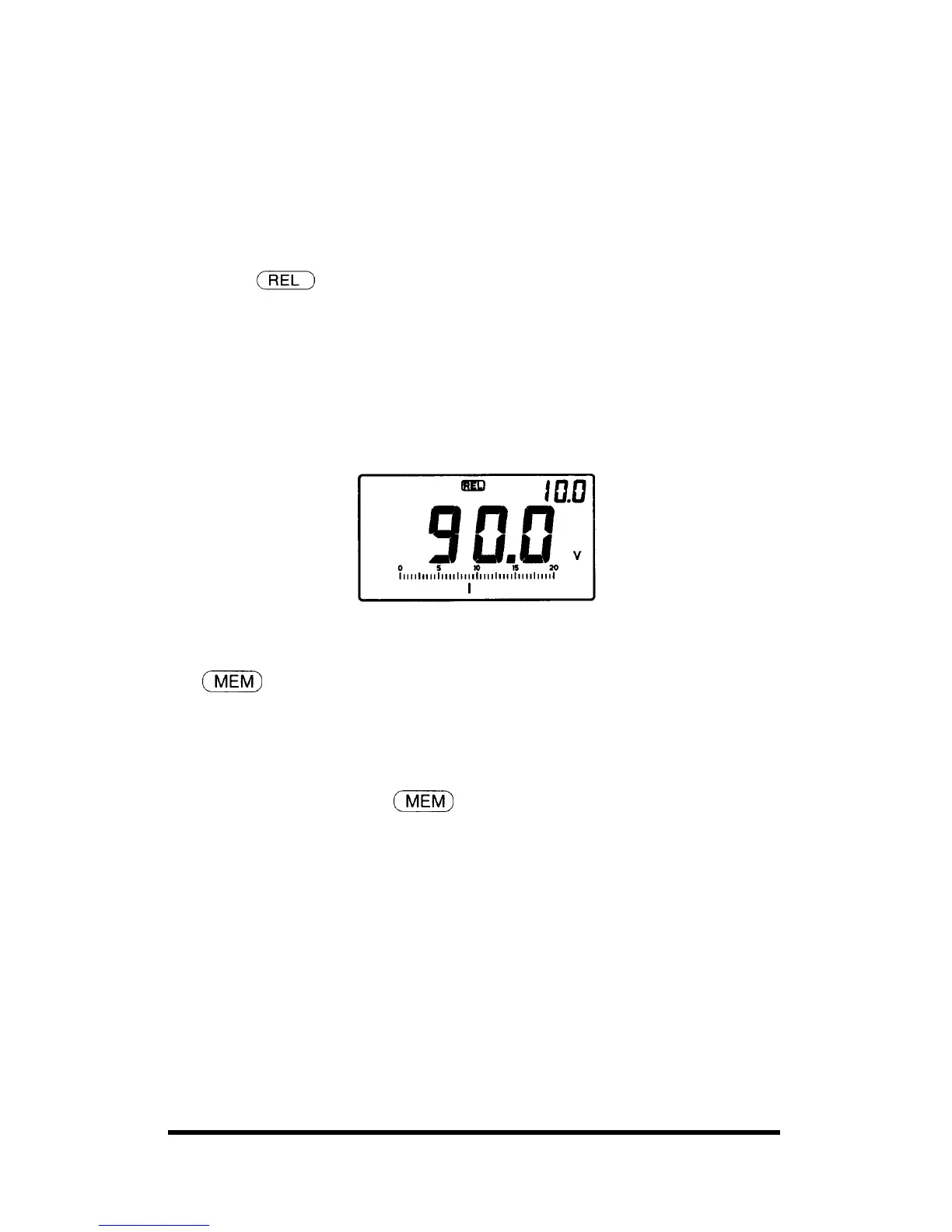
Your meter will display the difference between the stored
reference value and subsequent readings on the sub-display
while showing the present measurement on the main-display.
For example, if the stored reference value is 100.0V and the present
reading is 90.0V, the sub-display will indicate - 10.0 V and the main
display will indicate 90.0V
If the new reading is the same as the reference value, the display will be
zero. In this mode, the total range of relative offset is 1999 counts.
23.
Memory
Enable you to memorize the reference values up to 10 measurements in the
meter.
To memorize the reference value, follow these steps:
1. Set the function mode at
mode.
2. Press UP DOWN buttons to address the number from 0 to 9.
3. Press SET/RESET button to memorize the reference value you desire.
If you memorize the reference values continuously under the
same address number, then the previous reference value will be
cleared automatically.



 To Next Page