2. Introduction to ClickShare
Regional version
Contains
Accessories included
R9861005JP
• R9861006BJP
• 4x R9861006D01
• R9861006T01
• power c able JIS C8303
• wall/ceiling mounting brackets
• a DV I to VG A converter
R9861005CN
• R9861006BCN
• 4x R9861006D01
• R9861006T01
• power cable GB 2099
• wall/ceiling mounting brackets
• a DV I to VG A converter
R9861005NA
• R9861006BNA
• 4x R9861006D01
• R9861006T01
• power c able NEMA 5/15
• wall/ceiling mounting brackets
• a DV I to VG A converter
R9861005WW
• R9861006B EU
• 4x R9861006D01
• R9861006T01
• power cables CEE7 and BS 1363
• wall/ceiling mounting brackets
• a DV I to VG A converter
Contact your local sales representative for the correct regional variant to be used in your country.
Optional accessory: ClickShare Link
Order number: R9861001
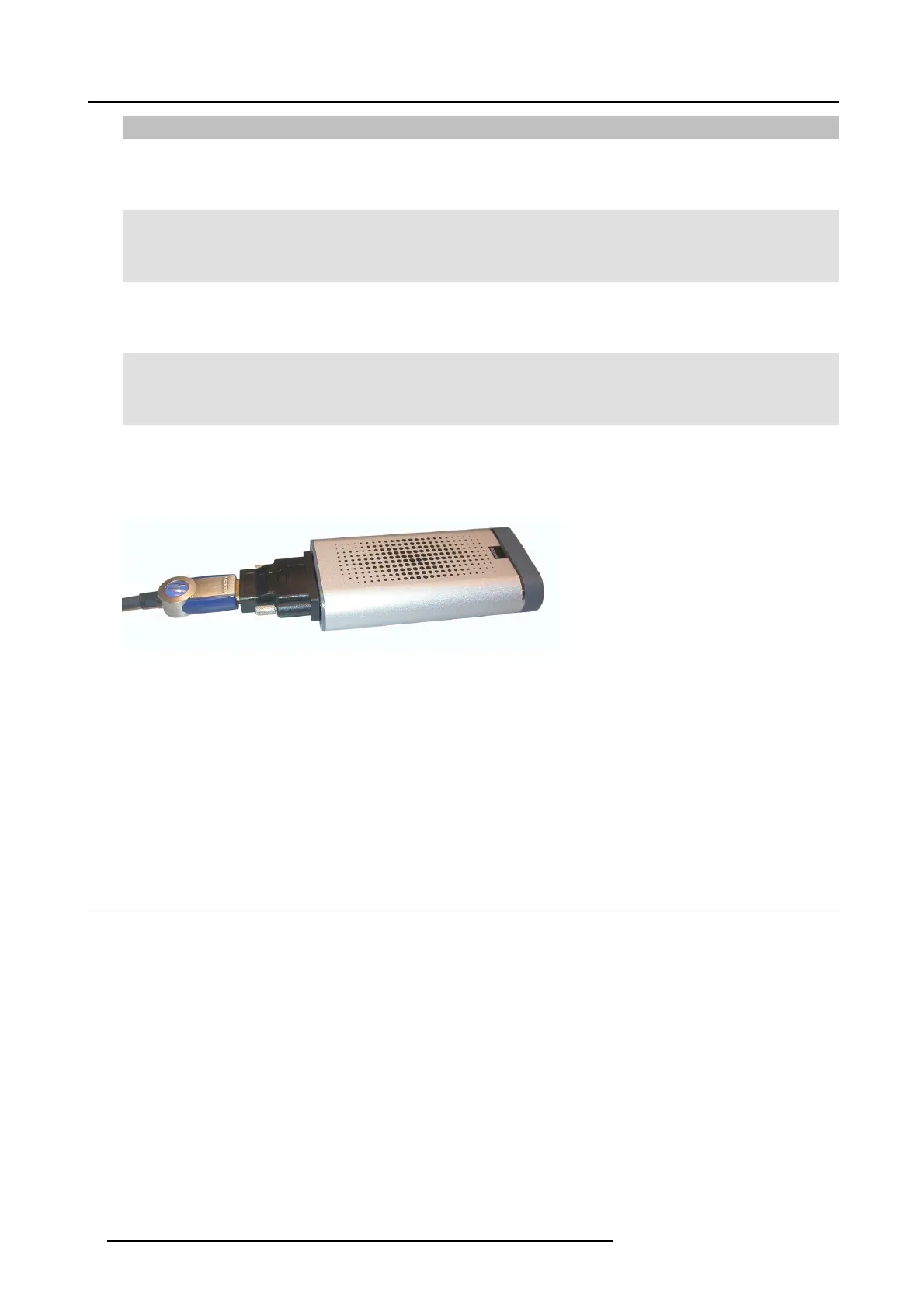
Image 2-2
ClickSh are L ink
Using the optional ClickShare Link allows you to use your iPad with ClickShare.
Via a cable or wire less via Apple TV, the complete content of your iPad touchscreen is trans ferred to the meeting room screen
A ClickShare Link kit contains:
• 1 ClickShar e Link unit
• 1 DVI to HDMI convertor
• 1 power adapter
• 4 power clips
• 1 USB c able
2.2 About the Base Unit
Base U nit functionality
The B ase Unit r eceives the wireless input from the Buttons and controls the content of the m eeting room display and the sound of
the meeting r oom’s audio s ystem.
The B ase Unit can be ins ide a ca binet in the meeting room, or put on the meeting room table or mou nted on a wall or ceiling. Check
the Installation Guide for instructions on how to install the Base Unit.
6
R5900001 CLICKSHARE 22/12/2014















 To Next Page