R5905752 /16 DP2K C130
Image 10–14
10.8 Close the sealed compartment
Required tools
3 mm Allen wrench.
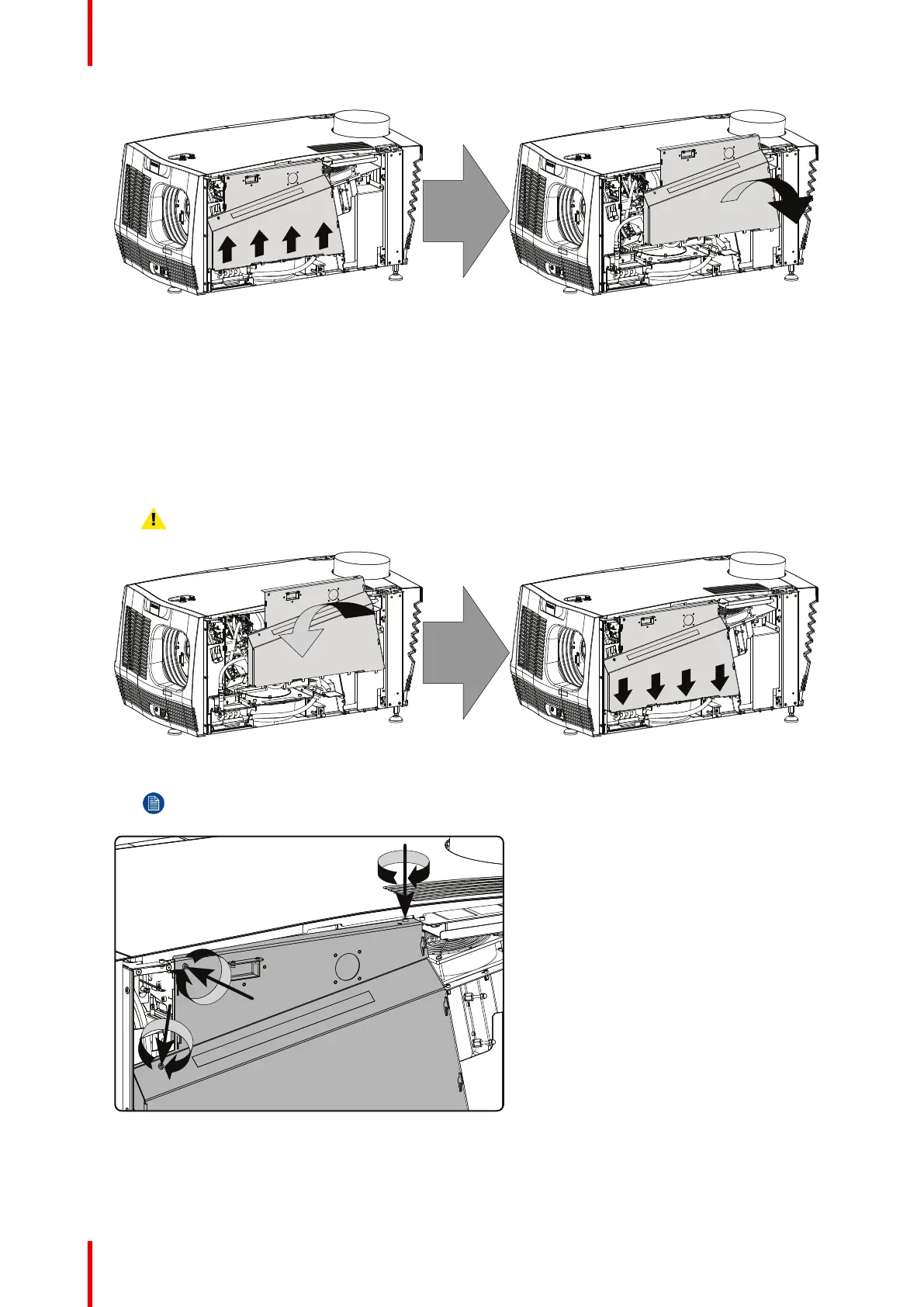
How to close the sealed compartment of the Light Processor Unit?
1. Place the cover plate in its place as illustrated.
Caution: Do not damage the micro switch at the top of the projector.
Image 10–15
2. Fasten the three hexagon head cap screws as illustrated. Use for that a 3 mm Allen wrench.
Note: Insert a washer between the each screw and the plate.
Image 10–16
Removal and installation of projector covers



 To Next Page
 Loading...