R5905752 /16 DP2K C66
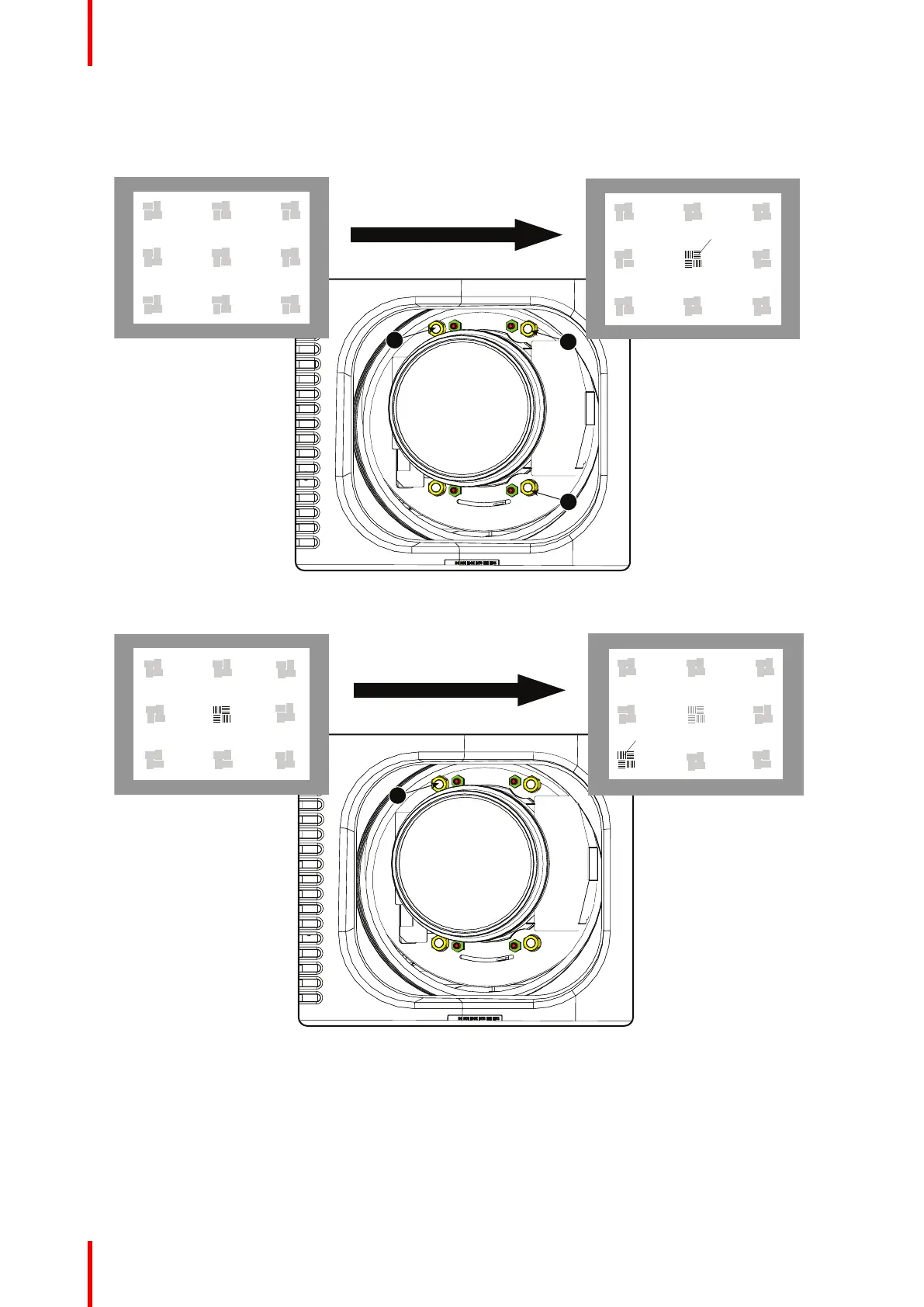
2. Place the zoom lens in WIDE position (largest projected image) and adjust the focus by turning equally
on nut 1, 2 and 3.
3. Repeat steps “a” and “b” until the projected image is as sharp as possible.
Image 5–20 Center focusing
6. Sharpen bottom left corner of the screen by adjusting nut 1.
Image 5–21 Left bottom focusing
7. Sharpen bottom right corner of the screen by adjusting nut 2.
Lenses & lens holder


 To Next Page
 Loading...