3. Physical installation
1
2
A
B
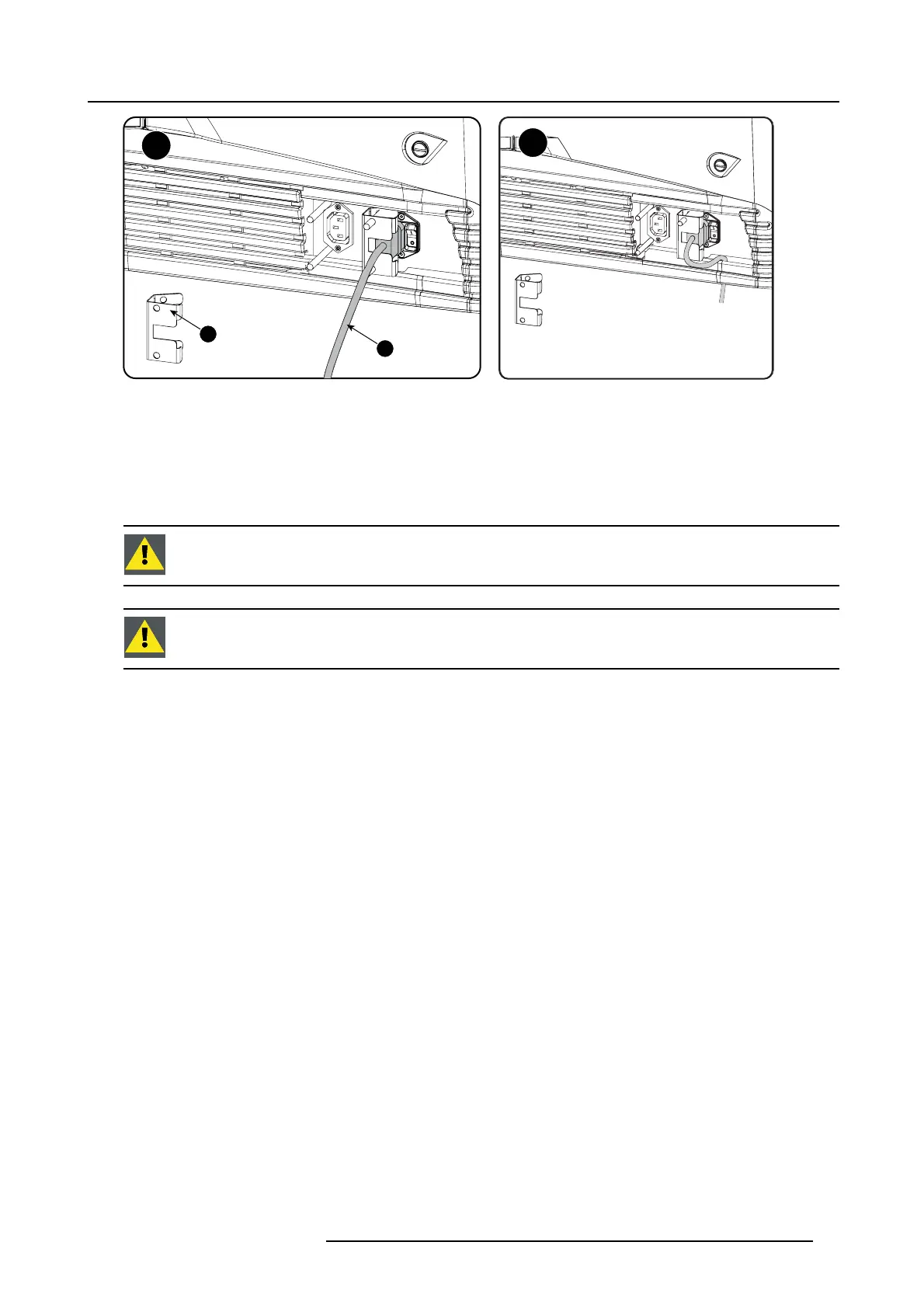
Image 3-12
UPS connection
3. S ecur e t he UPS inlet socket with a fixation spring. Handle as f ollow:
- Squeeze the fixation spring together.
-Slidethefixation spring on the fixation pins while squeezing together and push it agains t the pow er plug.
- Release the fixation spring.
4. Install on the power outlet the second fixation spring to prevent losing it (2).
CAUTION: T he electrical con nection w ith the UPS I NLET socket of t he projector must be done with a c ertified
AC power supply cord (minimum 0,75 mm² or 18 AWG and minimum 300V )
CAUTION: Do not use the power OUTLET socket of the projector to provide power to other equipment!
R5905067 DPXK-19B/23B/P 17/09/2012 25



 To Next Page