5. Lenses & lens holder
5. LENSES & L ENS HOLDER
About this cha pter
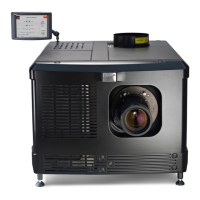
This chapter gives an overview of available lenses for the B-series projector and explains how you can select the best suited lens for
your specific situation using the lens calculator. Also, it is explained ho w to install and remove a lens from the projector lens holder
and how y ou c an shift, zoom and focus the lens. Furthermore, it is described how you can perform the Scheim pflug adjustment.
CAUTION: Never transport the projector with a Lens m ounted in the Lens Holder. Always remove the Le
ns
before transp orting the p rojector. Neg lecting this can d amag e the Lens Holder and Prism.
Each time a lens is manipulated (e.g. remo ved and installed in a p rojector), it needs to be homed and returned.
Overview
• Available lenses
• Lens selection
• Lens installation
• Lens removal
• Lens shift, zoom & focus
• Scheimpfl ug adjustmen t
5.1 Available lenses
Which lenses are available for my projector?
The table below is su bject to changes and was last updated on 01/06/2012. Con sult my.barco.com for the m ost
recent information about available lenses.
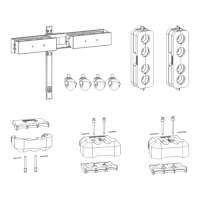
Product Number 2K zoom range 4K zoom range Image
R9855958 1,25 – 1,45 1,13 – 1,31 image 5-1
R9855942 1,45 – 2,05 1,32 – 1,86 image 5-2
R9855943 1,6 – 2,35 1,45 – 2,13 image 5-3
R9855963 1,6 – 2,35 1,45 – 2,13 image 5-4
R9855945 1,8 – 2,8 1,63 – 2,53 image 5-5
R9855964 1,8 – 2,8 1,63 – 2,53 image 5-6
R9855946 2,15 – 3,6 1,95 – 3,26 image 5-7
R9855947 2,8 – 5,5 2,53 – 4,98 image 5-8
R9856294 1,49 – 2,05 1,35 – 1,86 image 5-9
R9856297 1,61 – 2,31 1,46 – 2,10 image 5- 10
R9856300 1,82 – 2,86 1,65 – 2,60 image 5 -11
R5905067 DPXK-19B/23B/P 17/09/2012 45



 To Next Page