4. Lamp & Lamp House
Image 4-27
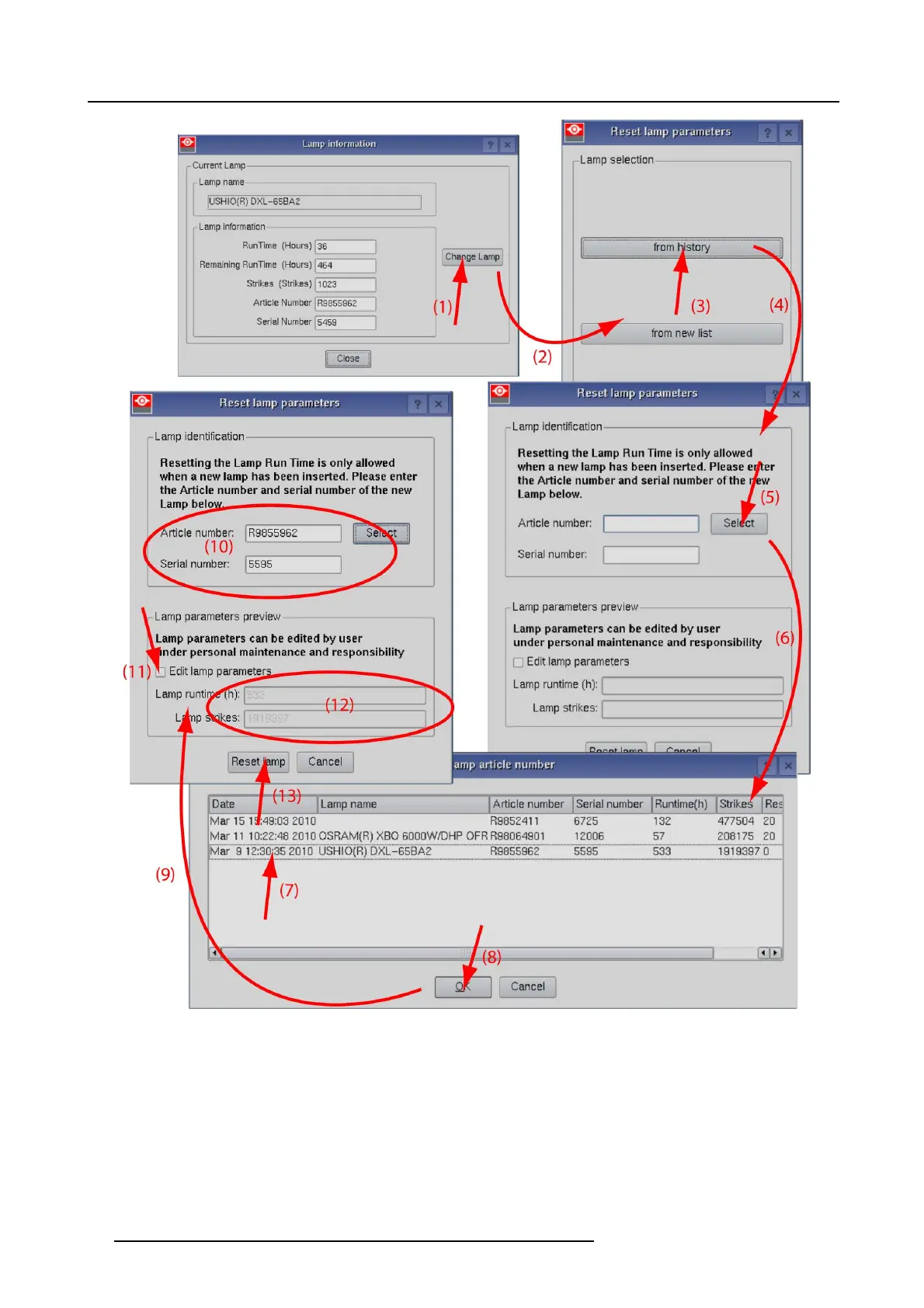
Reset lamp info, used lamp
A Reset lamp para meters window opens (2).
2. To get history of the used lamps, click from history (3).
The Reset lamp hist
ory s election window opens (4).
3. C lick on S elect (5) to d isplay a list of possible lam ps (6).
4. S elect the d esired lamp (7) and click OK (8 ).
The article number and serial number of the selected lamp is added to the Reset lam p param eters window (10). The lamp r un
time and num ber of strikes of this lamp are added in Lamp parameter pre view (12).
42
R5905067 DPXK-19B/23B/P 17/09/2012



 To Next Page