6. EM GUI orientation
1
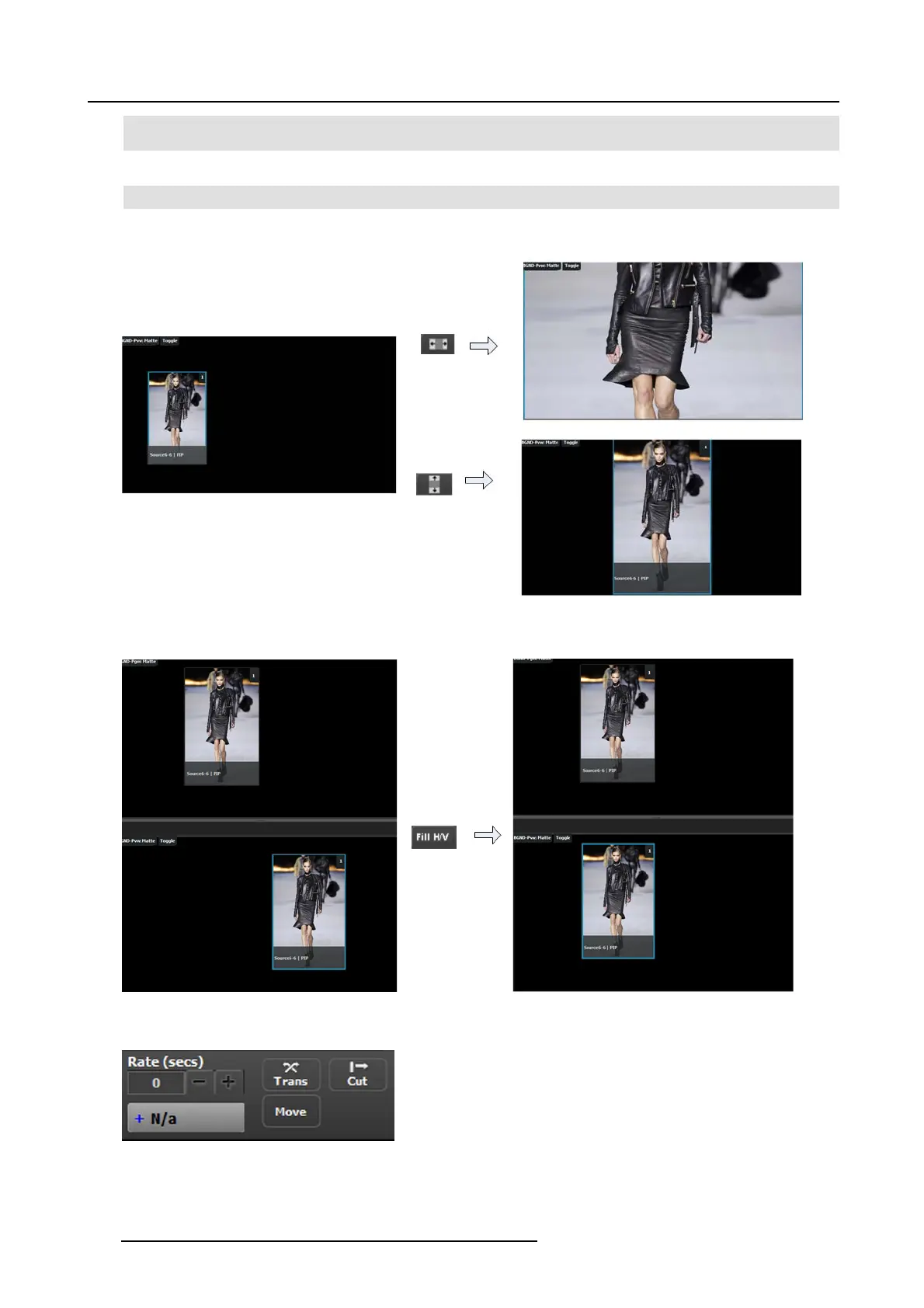
Full Screen Vertical takes the selected P IP(s) to full screen, using the source’s height as the guide. If borders are on,
they will be taken into ac count s o that they are visible.
2
Full Screen Horizontal takes the selected PIP(s) to full screen, using the source’s width as the guide. If borders are on,
they will be taken into account.
3
Fill H/V w ill stretch the selected layer over the whole destination size not re specting the aspect of the source.
Resize exam ple:
Image 6-53
Match ex ample:
Image 6-54
Transition
Image 6-55
Trans
168
R5905948 EVENT MASTER DEVICES 17/07/2017



 To Next Page