5. Front Panel Menu orientation
5.8 System menu > U SB device (Backup/Restore)
General
The unit’s front panel contains a USB port that you c an use to connec t a flash drive to the Ev ent Master unit.
The flash drive must be formatted to use the FAT32 file system. For formatting instructions, refer to section
Form a tting the flash drive in the chapter "Upgrading firmware using the U SB port", page 256.
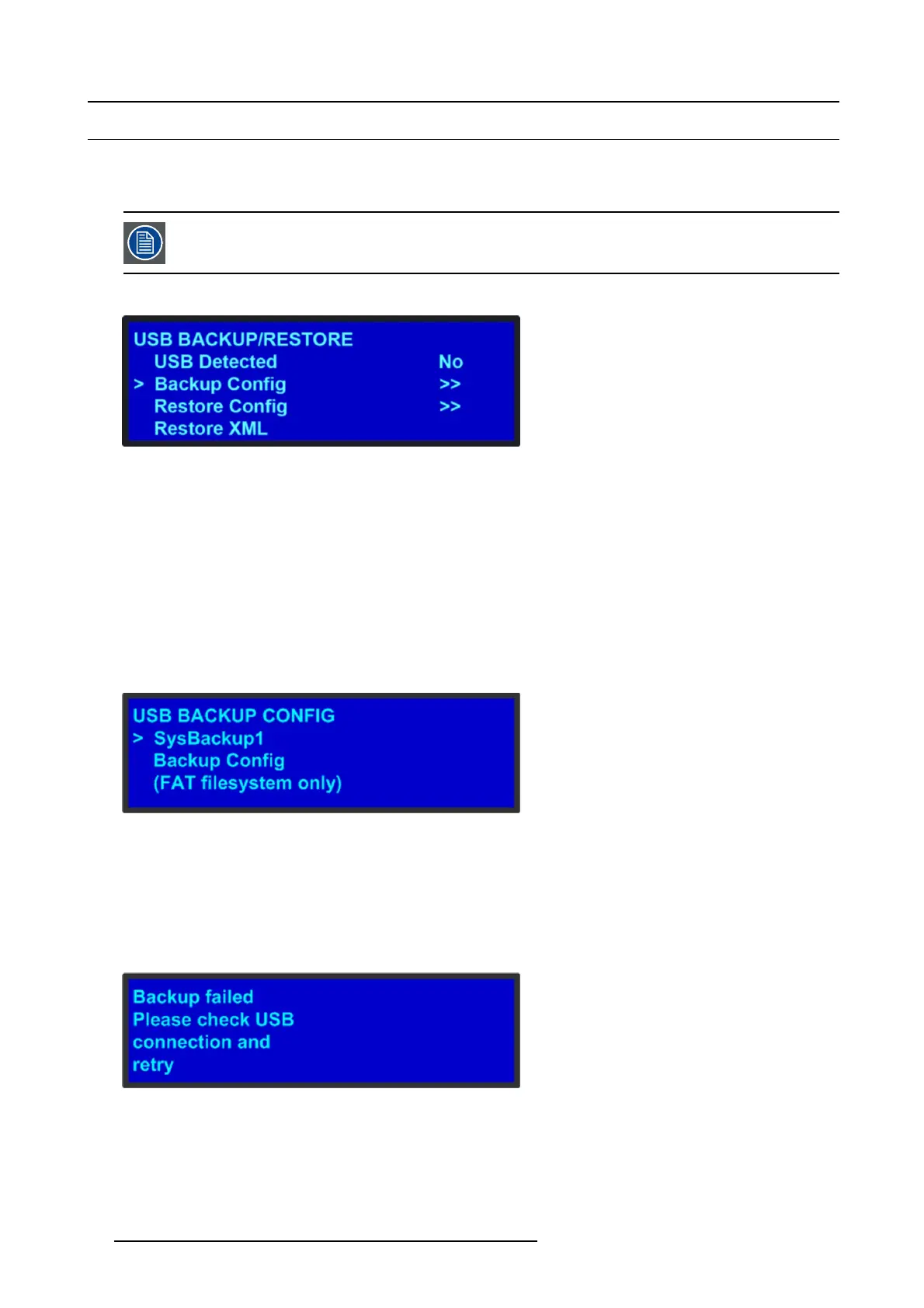
The following illustration shows the U SB Backup/Restore submenu, which you access from the System menu.
Image 5-9
USB submenu
Using this menu, you can:
• Detect the presence of a USB device.
• Backup and restore t he E vent Master unit configur ation files. When you connect a flash drive to the unit, the system creates a
directory titled E 2Backup on th e d rive. All con figuration filesaresavedtothisdirectory.
• Import an configuration created offline, via an XM L file on the USB dev ice.
Howtobackupaconfiguration file to a flash drive?
1. Insert a formatted flash drive in the unit’s front-panel USB port.
2. From the System men u, scroll to the US B Backup/Restore submenu. Select Backu p Confi g.
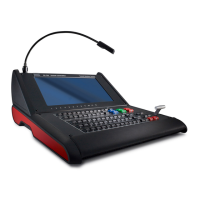
The US B Backup Config submenu appears , as shown in the following illustration. The navigation cursor appears at the default
name for the firs t backu p file.
Image 5-10
USB B ackup Config submenu
3. If y ou wish to change the default name of the backup configuration, press SEL.UsetheADJUST knob to ch ange the name, as
described in section "Using menu system", page 66 . Press SEL again when you complete the name change.
4. Scroll to Backup Config and press SEL.
Aconfirmation mes sage appears when the bac kup is complete.
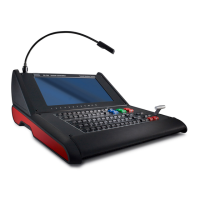
If the backu p operation fails, the message shown in the following illustration appears. C heck that the flash drive is properly
formatted and installed, a nd try again.
Image 5-11
How to restore a system configuration file that is stored on a fl ash drive?
1. Insert a formatted flash drive in the unit
’s front-panel USB port.
2. From the System men u, scroll to the US B Backup/Restore submenu. Select Restore Config .
72 R5905948 EVENT MASTER DEVICES 17/07/2017



 To Next Page