13. E2 Maintenance
13.33 Front Rack-Ears
Image 13-89
Concerned parts
R767268K R ack E ars kit
Necessary tools
1 x Phillips Screwdriver #2
How to remove Side R ack-Ears
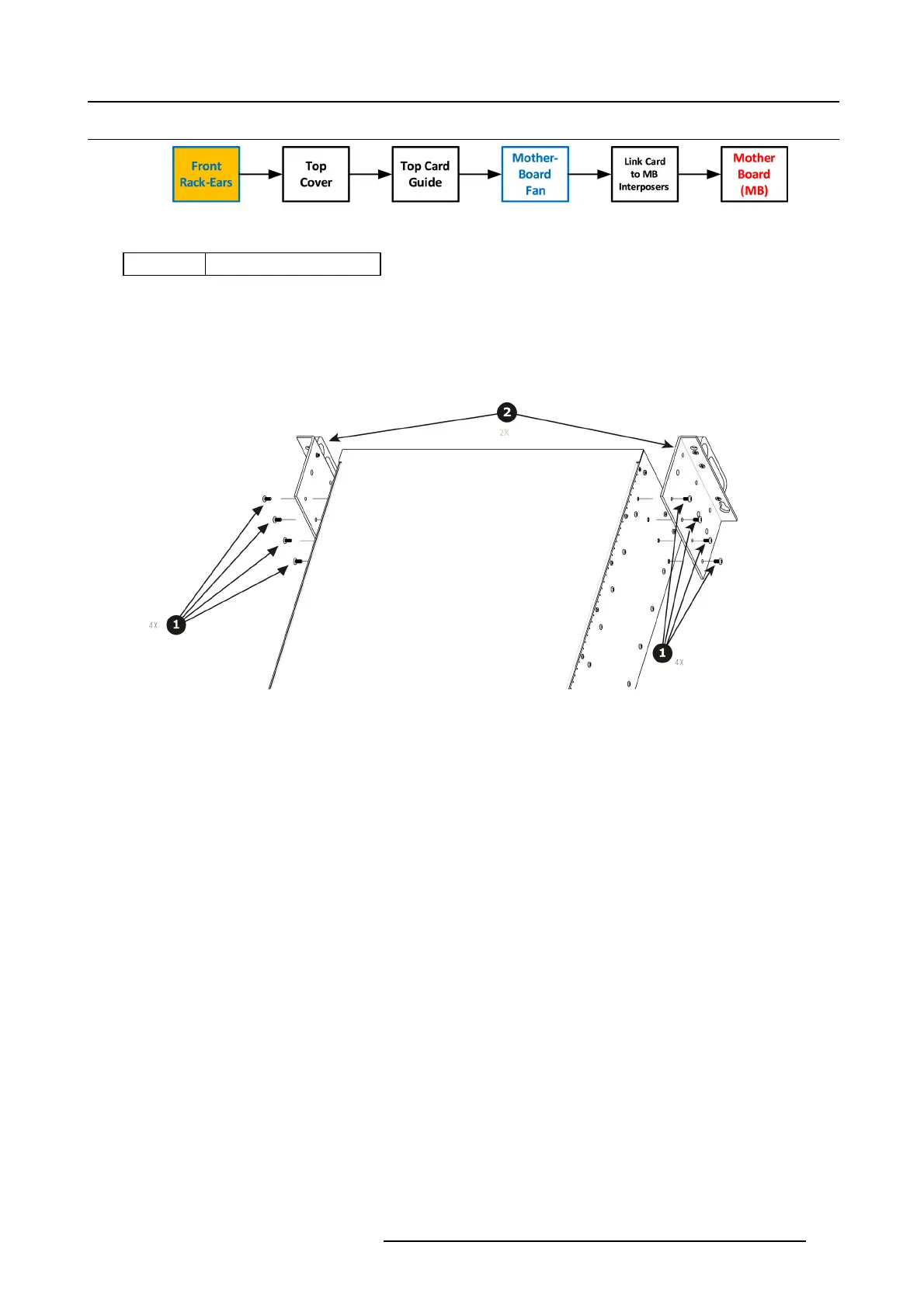
1. Loosening and removing the eight (four on each s ide) pan head screws that s ecure the brackets to the chassi
s sides.
Image 13-90
2. Remove the Rack-Mount Brackets from the Chassis.
How to install Side Rack-Ears
To install the Side Rack-Ears follow the sam e procedure in the reverse order.
R5905948 EVENT MASTER DEVICES 17/07/2017
409



 To Next Page