Table of contents
TABLE OF CON TENTS
1. Introduction ......................................................................................................... 7
1.1 About this guide ...................................................................................................................... 8
1.2 Record of changes . .................................................................................................................. 9
1.3 Symbols, pictures and fonts......................................................................................................... 11
1.4 The 4K screen m anageme nt system ............................................................................................... 12
2. Safety................................................................................................................13
2.1 General considerations..............................................................................................................14
2.2 Important safety instructions ........................................................................................................15
3. General..............................................................................................................17
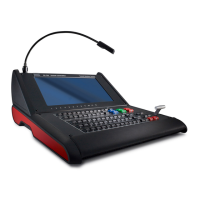
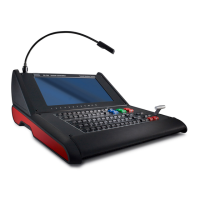
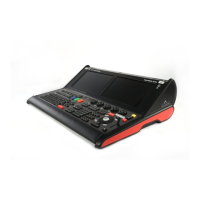
3.1 Event Master devices overview .....................................................................................................18
3.2 Event Master series processors features........................................................................................... 22
3.3 Event Master controllers features...................................................................................................27
3.4 Terms and definitions................................................................................................................ 29
3.5 Control overview.....................................................................................................................32
3.6 Presentation System overview...................................................................................................... 33
3.7 Installation requirements . . . .........................................................................................................34
3.8 Initial inspection......................................................................................................................35
3.9 Rack-Mount Pr ocedure..............................................................................................................38
4. Hardware orientation .............................................................................................41
4.1 Front panel.. . ........................................................................................................................ 42
4.2 Rear panel . . . ........................................................................................................................44
4.3 SDI Input C ard ....................................................................................................................... 49
4.4 Dual Link D VI Input Card. . . .........................................................................................................51
4.5 HDMI/DisplayPort Input Card .......................................................................................................53
4.6 Quad Channel DisplayPort Output C ard.. . . ........................................................................................55
4.7 HDMI Output Card...................................................................................................................57
4.8 SDI Output Card.....................................................................................................................58
4.9 Expansion L ink card ................................................................................................................. 60
4.10 VPU card............................................................................................................................. 61
5. Front Panel Menu orientation ...................................................................................63
5.1 Power-up initialization ............................................................................................................... 64
5.2 Front Panel m enu tree...............................................................................................................65
5.3 Using menu system ................................................................................................................. 66
5.4 About Status menu ..................................................................................................................68
5.5 About Setup menu................................................................................................................... 69
5.6 About the Sy stem menu.............................................................................................................70
5.7 System menu > Black Invalid ....................................................................................................... 71
5.8 System menu > USB dev ice (Back up/Restore) . ................................................................................... 72
5.9 System menu > Ethernet . . . ......................................................................................................... 75
5.10 System menu > VFD brightness ( display brightness) . . . ........................................................................... 77
5.11 System menu > Diagnostics ........................................................................................................78
5.12 System menu > Lock front panel. ...................................................................................................81
5.13 Using the Tech Support menu....................................................................................................... 82
5.14 Restoring Factory Default Settings ................................................................................................. 83
5.15 Firmware Upgrade...................................................................................................................84
5.16 Save All ..............................................................................................................................85
6. EM GUI orientation................................................................................................87
6.1 General requirements ...............................................................................................................89
6.2 Download of Event Master Toolset Software .......................................................................................90
6.3 Software installation .................................................................................................................91
6.4 Starting up ...........................................................................................................................92
6.5 Screen layout presentation..........................................................................................................93
6.6 Controls..............................................................................................................................95
6.7 Configuration Menu..................................................................................................................96
6.8 Configuration Menu > Network resource area......................................................................................98
6.9 Configuration Menu > System diagram area ......................................................................................100
6.10 Configuration M enu > System modifier area ......................................................................................103
6.11 Configuration Menu > Adjustment area............................................................................................104
6.12 Configuration M enu > Adjustment > Unit Con figuration...........................................................................105
6.13 Configuration M enu > Adjustment > Input Configuration..........................................................................107
6.14 Configuration M enu > Adjustment > Background C onfiguration..................................................................116
6.15 Configuration M enu > Adjustment > Output Configuration........................................................................118
6.16 Configuration M enu > Adjustment > Destination Configuration...................................................................126
6.17 Configuration Menu >Linking.......................................................................................................139
6.18 Programming Menu ................................................................................................................149
6.19 Programming Menu > Resources a rea . . . . . .......................................................................................150
6.20 Programming Menu > Diagram area...............................................................................................163
6.21 Programming Menu > Layer Modifier area ........................................................................................166
R5905948 EVENT MASTER DEVICES 17/07/2017
1



 To Next Page