Image is unstable or ickering y
Use “TIMINGS\H PHASE” to correct it. -
Change the monitor color setting on your computer. -
Image has vertical ickering bar y
Use “AUTO IMAGE” to make an adjustment. -
Check and recongure the display mode of your graphic card to make it compatible with the projector. -
Image is out of focus y
Adjust lens focus to t. -
Make sure the projection screen is between the required distance. -
The image is stretched when displaying 16:9 DVD title y
When you play anamorphic DVD or 16:9 DVD, the projector will show the best image when the projector -
display mode is set to 16:9 in the OSD.
If you play 4:3 format DVD titles, please change the format to 4:3 in the projector OSD. -
If the image is still stretched, you will also need to adjust the aspect ratio by referring to the following: -
Please setup the display format as 16:9 (wide) aspect ratio type on your DVD player. -
Image is too small or too large y
Adjust lens zoom to t. If it does not ll the screen properly, please change the correct lens or change the -
position of the projector.
Image has slanted sides y
Reposition the projector so that it is perpendicular to the screen. -
Lamp burns out or makes a popping sound y
When the lamp reaches its end of life, it will burn out and may make a loud popping sound. If this happens, -
the projector will not turn on until the lamp module has been replaced.
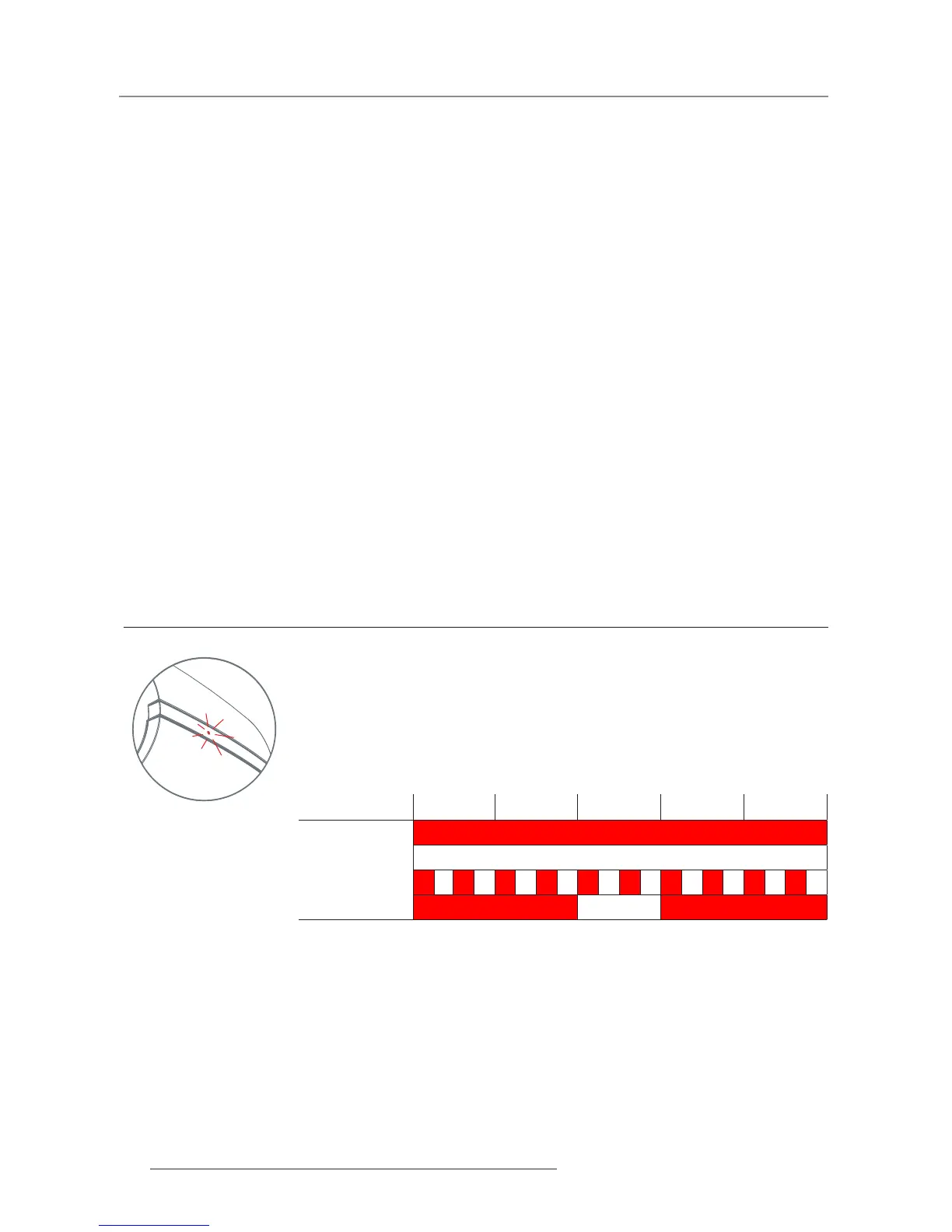
5.2 LED Indication Chart
1 sec 1 sec 1 sec 1 sec 1 sec
Off/STBY
On
Error
During Start-up
Status LED


 To Next Page
 Loading...