BARIGO – Makes the Difference
7.7.3 Viewing the saved logs
and altitude points
The altitude points and log data rec-
orded during your hikes are saved to
memory and can be viewed as follows.
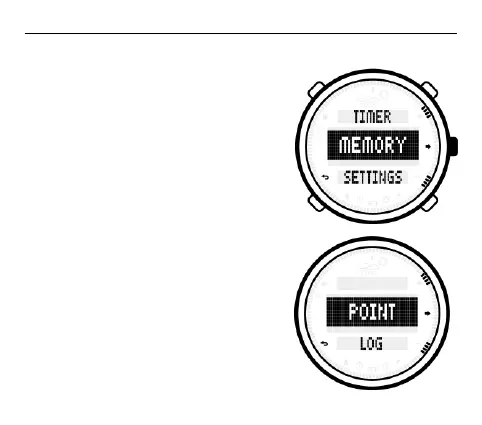
In normal mode (watch mode), keep
the S4 button pressed until the main
selection menu is displayed. Use the
S1 or S3 button to scroll to the
MEMORY menu item. Next, confirm
your selection by pressing the S2
button.
Viewing saved altitude points
If you selected MEMORY in the main
selection menu, afterwards, press the
S2 button again. Now press the S2



 To Next Page