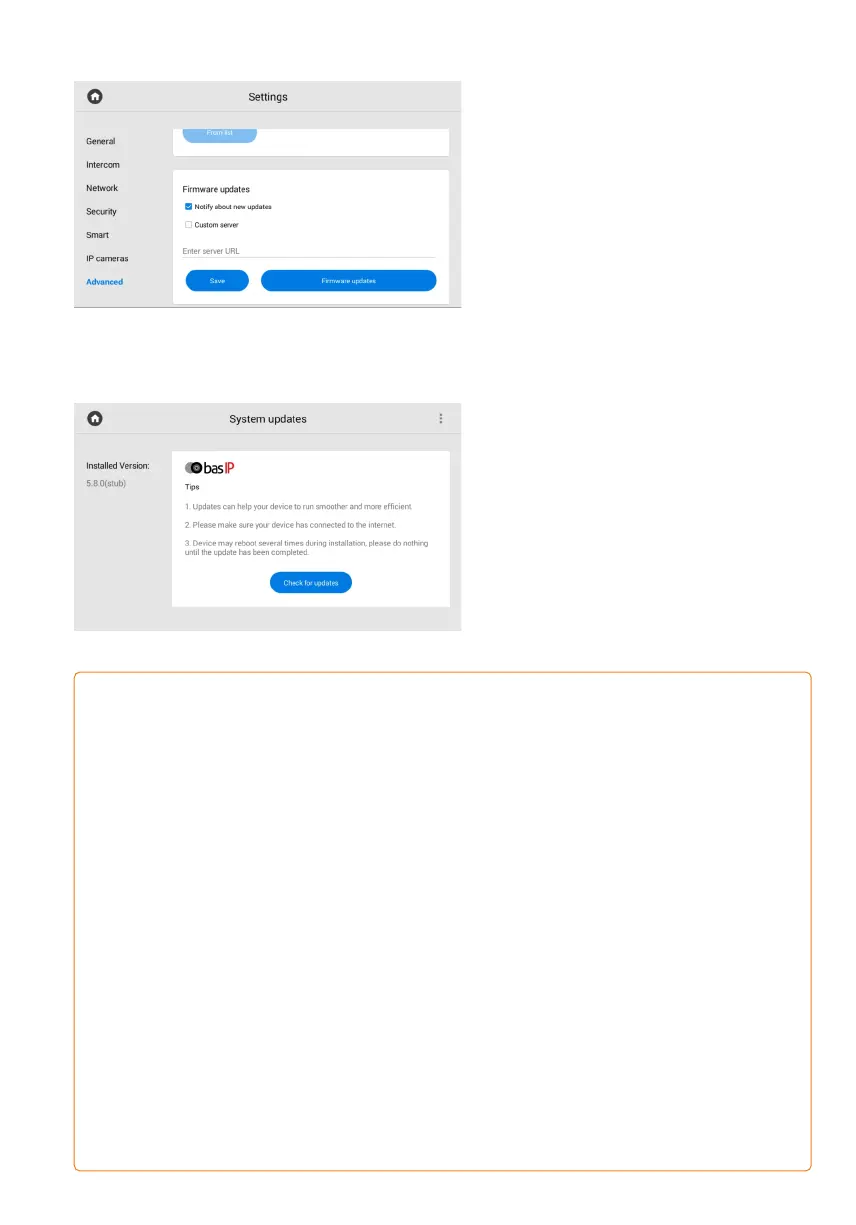
Firmware updates
The firmware update can be done both
automatically and manually.
In the section you can:
Enable / disable notifications about new•
updates (updates are checked once a day);
Enable/disable the use of a custom•
update server and specify its IP address
or domain (used in closed intercom
networks);
сheck for updates and install them.•
To update firmware automatically, press
сheck for software updates and if it is
released, press Update Firmware.
The process will take some time
and in the end, the monitor will reboot
several times.
You also can enable and enter a custom
server URL (used in closed intercom
networks) for firmware updates.
The custom server must meet certain conditions for its correct work: the server must
have the version.json file and the file with the necessary firmware.
The version.json file must contain information and structure as in the example:
firmware version;•
name (doubles the firmware version);•
firmware build date;•
device type: monitor_a6.•
description of changes;•
link to the firmware file.•
{
"version": "5.8.0",
"name": "5.8.0",
"date": "2021.12.02",
"device_type": "monitor_a6",
"description": "<ul> <li>Added missed call notification during panel viewing</li>
<li>Added exporting system logs feature for debugging</li>
<li>Added the ability to replace default apps with custom apps on the main screen</li>
<li>Added API endpoint that provides information about read/unread announcements</li>
<li>Fixed images displaying in announcement on AT-07L</li>
<li>Fixed recording video bug during incoming SIP call</li>
<li>Fixed a bug that occurred when trailing slash was used in Link server address</li>
"url_address": "192.168.1.11"
}



 To Next Page