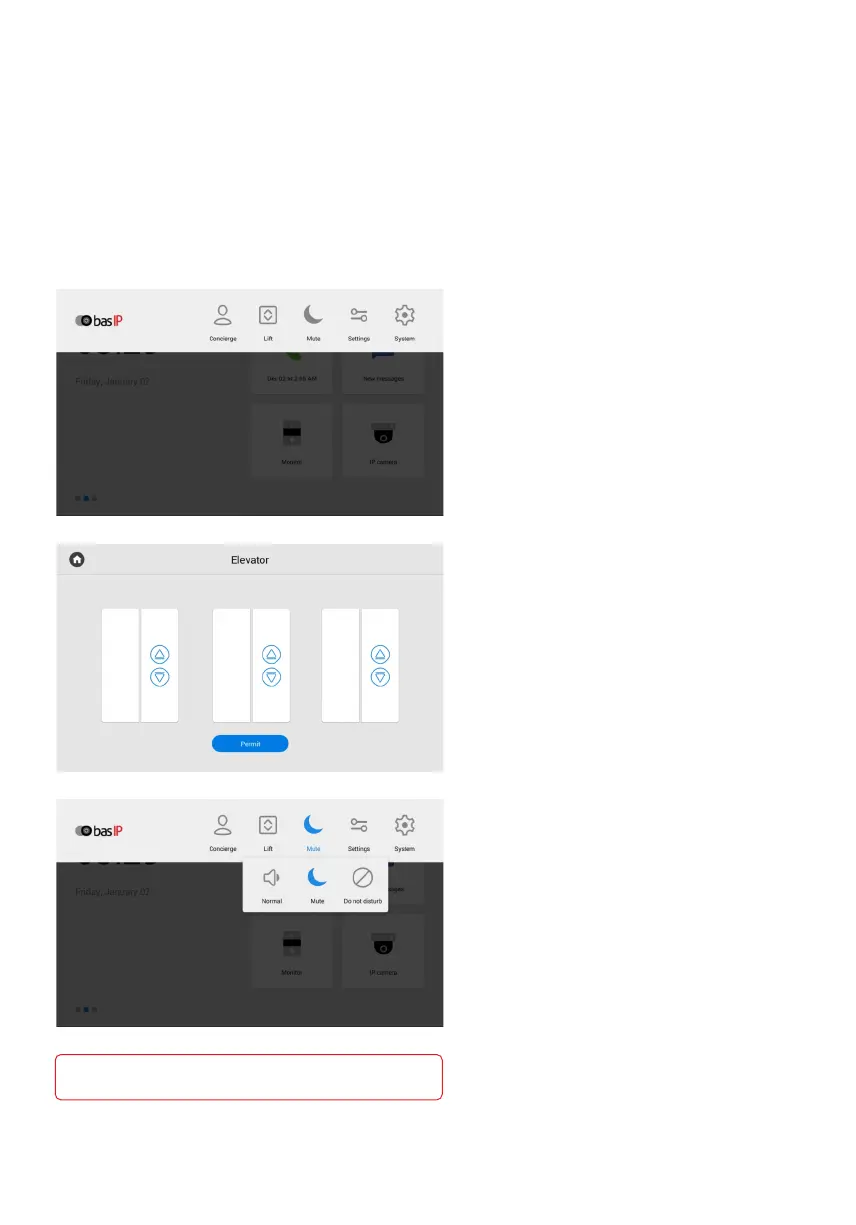
The navigation bar is used for quick access to some features.
To open the bar, you need to swipe down at the top of the screen
or press any empty space.
In the bar, you have access to the following features:
Call elevator
EVRC IP controller is required
for functioning.
Adjusting the sound modes
Normal - a mode in which all sounds
are turned on.
Mute - a mode in which all sounds except
the alarm are turned off. You can also
adjust the time while mute mode will
be enabled.
Do Not Disturb - a mode in which all
sounds except the alarm are turned off
and incoming calls from other devices
are not displayed on the screen.
Concierge quick call to specified number
of concierge, another monitor, or SIP
number of any other device.
You can enable the feature in the monitor
settings or via the web interface.
concierge quick call
For «system settings» access is possible only
after entering the admin password).
Navigation bar



 To Next Page