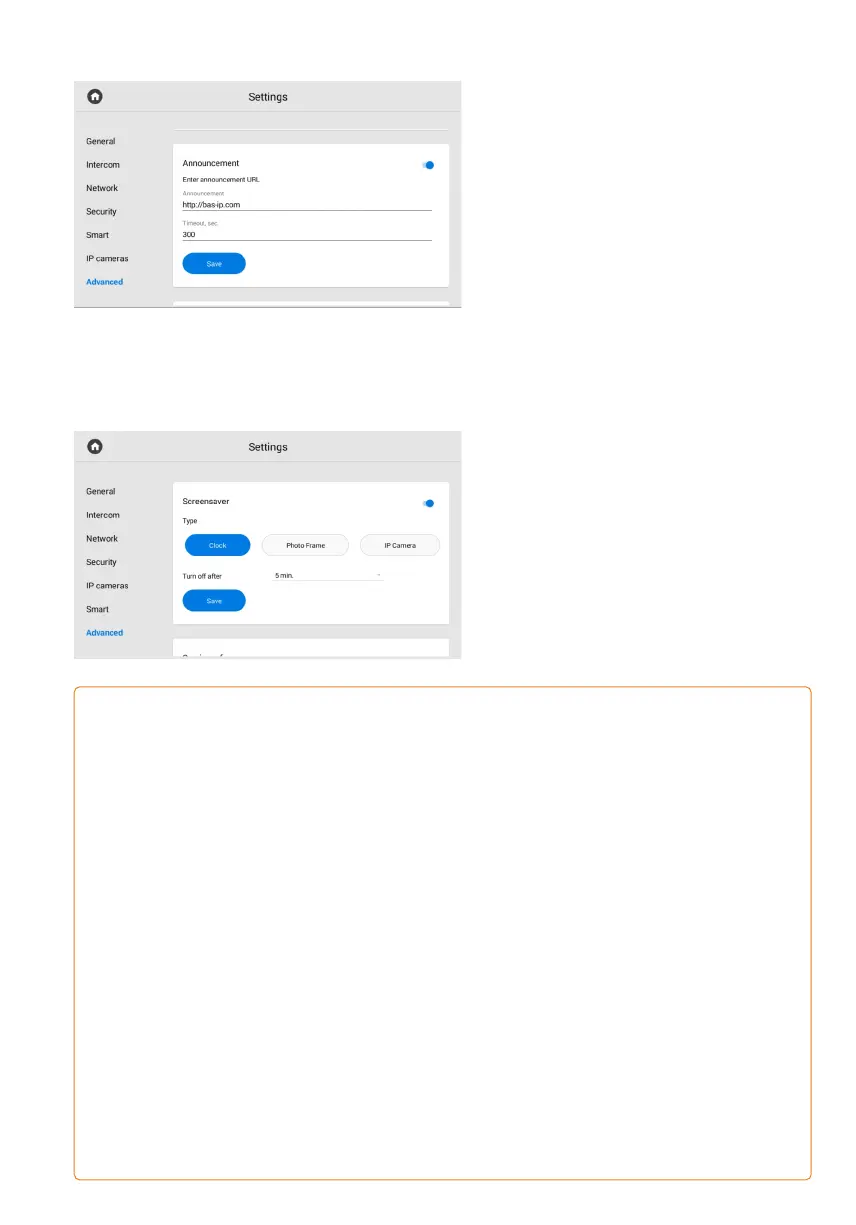
Announcement
When setting the standby mode,
you can enable/disable the display
of announcements or ads in the mode.
For the feature to work, you must:
Enable an announcement display.•
Enter a link to the announcement (it can•
be either an RTSP stream or a web page).
Set a timeout (period of time)•
for displaying.
Save settings.•
Screensaver
In addition to an announcement, you can
set other screensavers (clock, photo
frame, IP cameras) for standby mode:
Enable the screensaver for standby•
mode.
Select the desired type and enter•
the required data.
Save settings. •
SCREENSAVER TYPES:
Clock•
For the Clock screensaver, you must set the time after which it will be turned off.
A photo frame mode is a display of selected photos.•
For this screensaver you must:
enable / disable the clock display in photo frame mode;•
select a folder in the file system where the photos for display are located;•
set the time after which the screensaver will be turned off.•
IP camera mode is a display of one or several cameras RTSP stream.•
There are 3 variants:
single camera display. You must select one IP camera (from the previously added ones)•
for its stream display and set the screensaver off time;
in the tour mode selected IP cameras streams are displayed one by one.•
So, you must select cameras (from the previously added ones) for display, set the time
interval for switching between cameras, and the screensaver off time;
in the quad splitter mode, streams from 4 cameras are displayed at once.•
Accordingly, you must select 4 cameras for broadcasting and set the screensaver
off time.
You must specify the RTSP links of the additional camera stream with a resolution
of no more than 1280x720 for the correct display.



 To Next Page