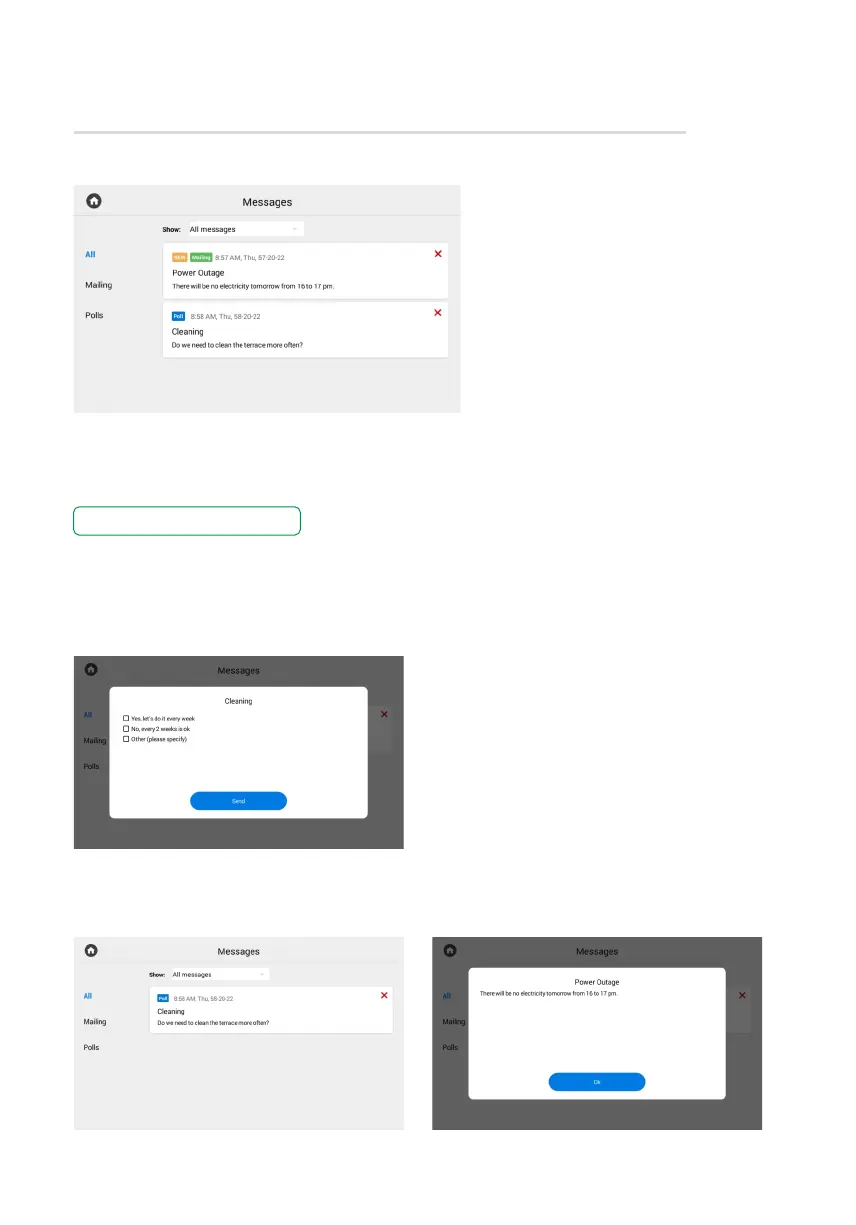
Messages menu
This menu displays messages received
from the concierge or management
company (via the Link). When a message
is got, you will hear a notification sound
and when unlocking the screen,
the counter above the application
icon will change.
If you go to the Messages menu,
the following interface will be displayed:
To read a message, double-tap it.
You can select showing all messages, only new or read ones at the top of the screen.
There are 2 types of messages:
• Info mail with information that does not require feedback.
• Poll with the help of which a management organization can gather feedback by giving
users a choice of options or the ability to enter their own reply.



 To Next Page