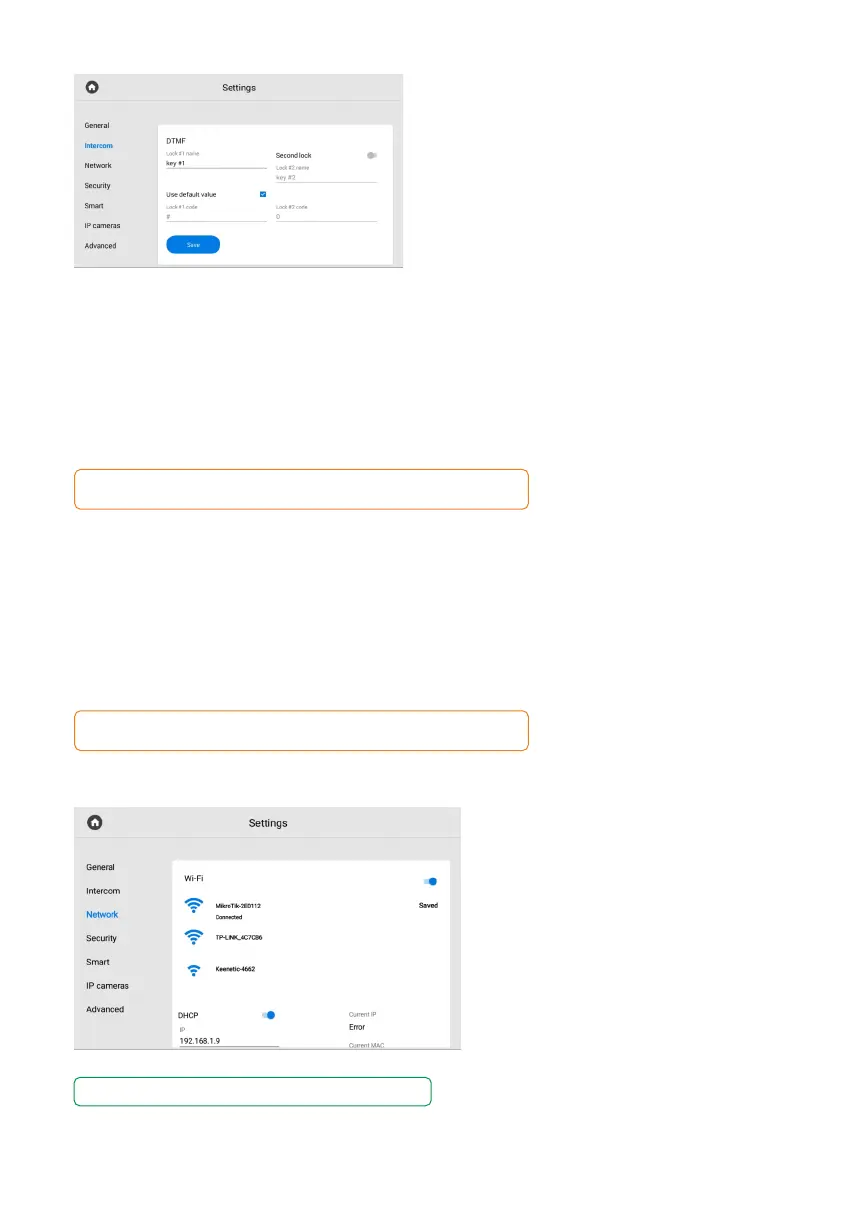
DTMF
In the menu, you can change the DTMF code,
entering which the lock will be opened.
Code length is up to 4 characters.
In the section you can configure:
• Lock #1 name that is displayed during a call.
enabling / disabling default value use when pressing the button to open the lock•
(internal protocol command to open the door).
set DTMF code for lock #1 (if default value is disabled). •
By default, all entrance panels are configured to receive the # DTMF code
to unlock the first lock.
If you have 2 locks (e.g. with the help of the SH-42 module).
You also can:
Enable / disable second lock functioning.•
• Enter lock #2 name that is displayed during a call.
• Set DTMF code for lock #2.
By default, all entrance panels are configured to receive the 0 DTMF code
to unlock the first lock.
You can enable and configure it
in the network settings section.
To use the WiFi connection you must:
Enable the Wi-Fi and wait until the•
search for an available network
is completed.
Select the desired network from the list•
and connect to it.
The connection status will be displayed•
next to the network name.
Network settings
If necessary, enter a password to connect to the network.
WI-FI



 To Next Page