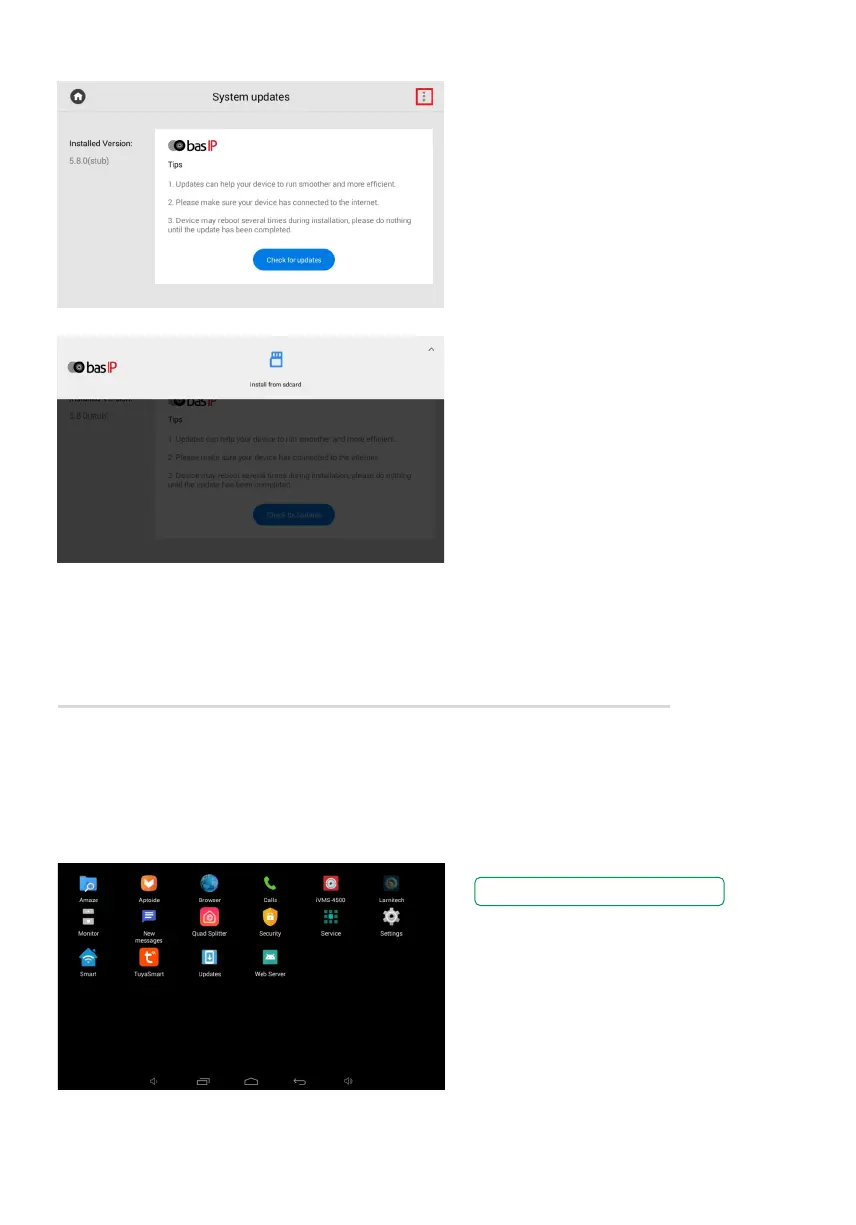
How to install an update from
an SD card
Also, you can update firmware via
the web interface and SD card.
For that you need:
Download the required firmware from•
the webpage to one of the folders
on the SD card.
On the page for updates checking,•
press the 3 dots in the upper right corner.
Press Install from the SD card.•
Select the previously downloaded file•
and click OK.
The process will take some time
and in the end, the monitor will reboot
several times.
System settings menu
To access the system settings menu, you must enter the admin password.
This menu displays installed applications and provide access to system settings. Here you can
find a step-by-step guide on how to install a third-party application.
The default admin password is 123456.



 To Previous Page