9440300990 21-13
DECS-250 BESTlogic™Plus
Name Description Symbol
Other
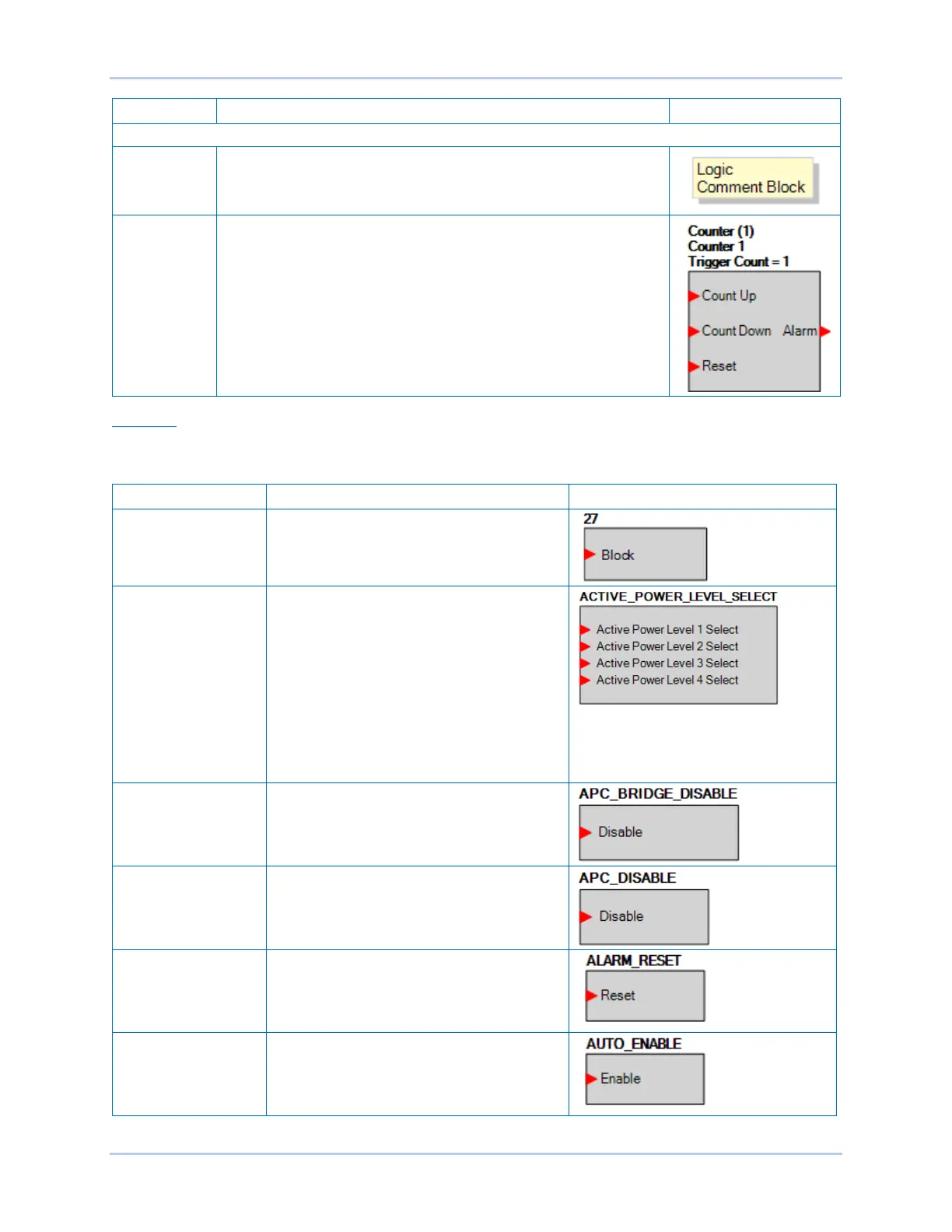
Comment
Block
Enter user comments.
Counter True when the count reaches a user-selected number.
COUNT_UP increments the count when a true is received.
COUNT_DOWN decrements the count when a true is received.
RESET resets the count to zero when a true is received.
OUTPUT is true when the count reaches the trigger count.
The trigger count is set by the user and is found in Settings Explorer,
BESTlogicPlus Programmable Logic, Logic Counters.
Elements
Table 21-3 lists the names and descriptions of the elements in the Elements group.
Table 21-3. Elements Group, Names and Descriptions
Name Description Symbol
27 When true, this element blocks, or disables,
the 27 undervoltage protection function.
ACTIVE POWER
LEVEL SELECT
This element allows selection of the active
power level.
When an input is true, the corresponding
active power level is selected.
When no inputs are true, the active power
level is 0.0.
When multiple inputs are true, the active
power level is selected in the following priority
order: 4 > 3 > 2 > 1. For example, if inputs 2
and 3 are true, active power level 3 is
selected.
APC BRIDGE
DISABLE
When true, this element disables APC Bridge
mode.
APC DISABLE When true, this element disables Grid Code
APC mode.
ALARM RESET When true, this element resets all active
alarms.
AUTO ENABLE When true, this element sets the unit in Auto
mode (AVR).



 To Next Page