8 | Functions Baumer
36 Operating Manual OM20/ OM30 RS485 with Modbus RTU | V1
8.8 Polarity
With the Polarity function, you can define the behavior of the switching outputs regarding the
output level.
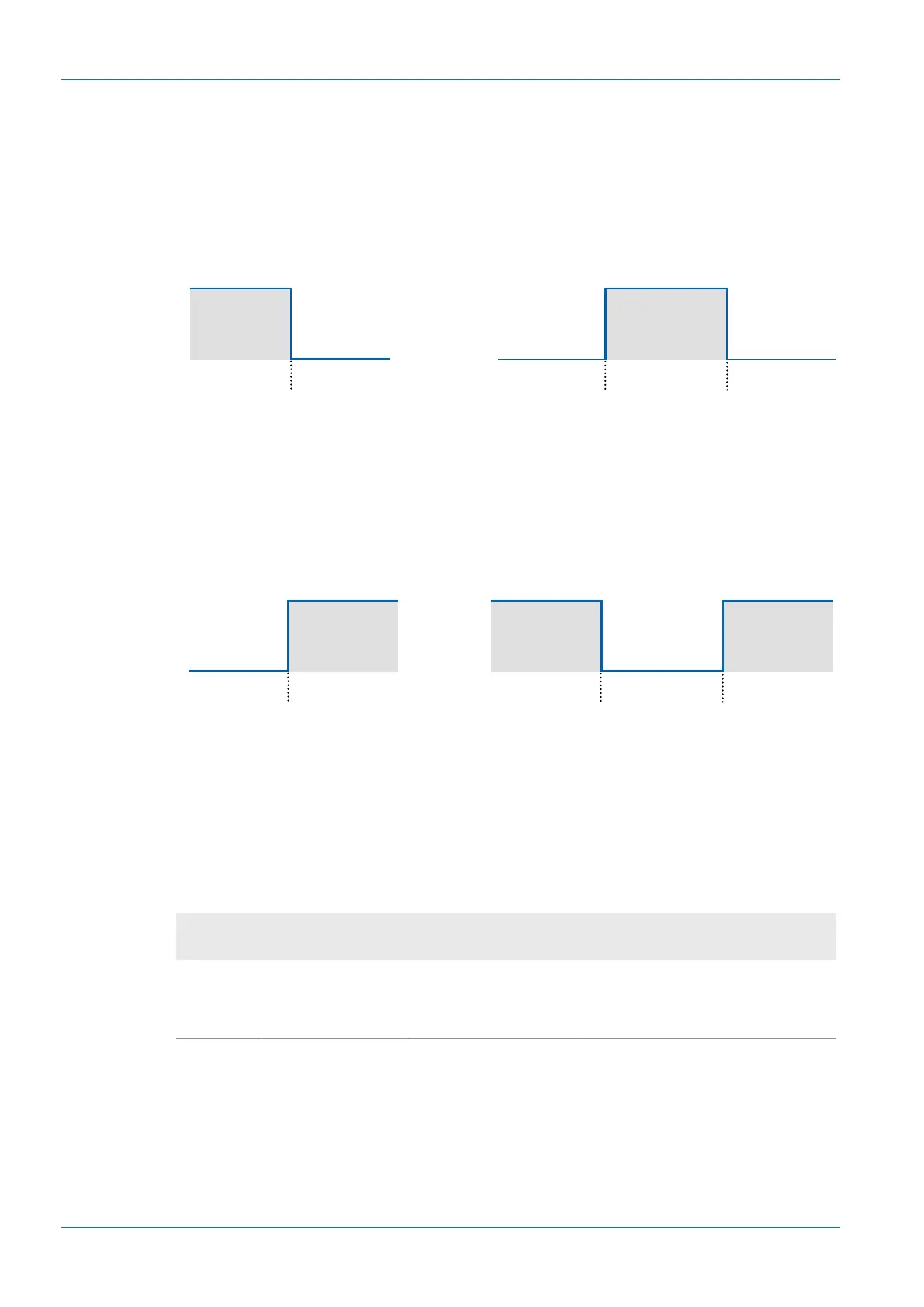
With parameterization you can choose between Active High and Active Low.
Active High
SP1 SP2SP1
Point mode Window mode
1
0
1
0
Ill.13: Polarity – Active High
n
Point mode: The switching output is activated as soon as the defined distance SP1 is not
reached.
n
Window mode: The switching output is activated as soon as the measured value is within
the window of SP1 and SP2.
Active Low
SP1 SP2SP1
Point mode Window mode
0
1
0
1
Ill.14: Polarity – Active Low
n
Point mode: The switching output is activated as soon as the defined distance SP1 is ex-
ceeded.
n
Window mode: The switching output is activated as soon as the measured value is outside
the window of SP1 and SP2.
Modbus RTU command – holding register: polarity
Address 38 – Polarity:
Address Access
Number of
registers Data type Description
308 Read/write 1 uint8_t Polarity of the switching output:
n
0 = Active low
n
1 = Active high



 To Next Page