66
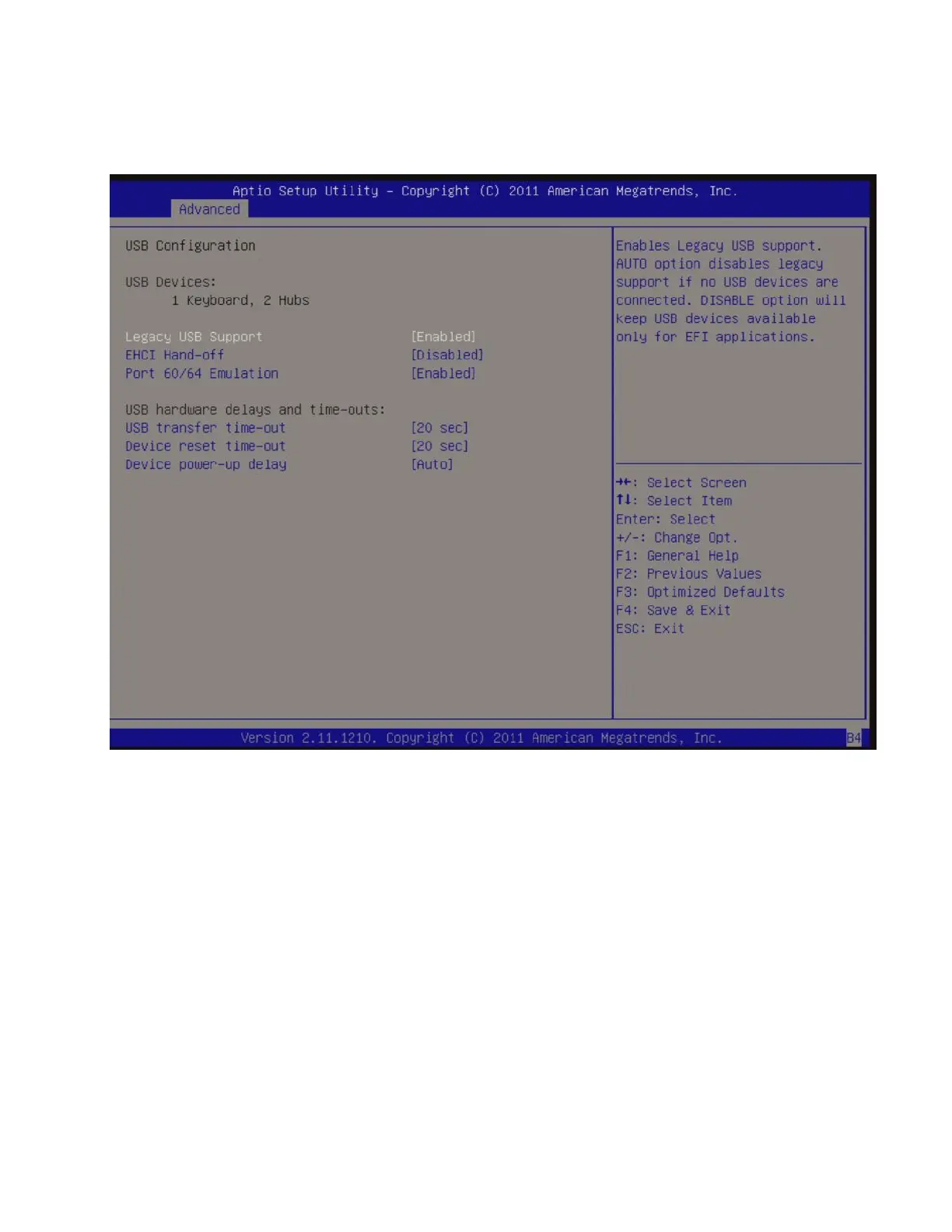
3.6.7 USB Configuration
USB Configuration Parameters
• USB Device
Display how many devices are connected.
• Legacy USB Support [Enabled]
Enables Legacy USB support. AUTO option disables legacy support if no USB devices are connected.
DISABLE option will keep USB devices available only for EFI applications.
Configuration options: [Enabled], [Disabled], [Auto]
• EHCI Hand-off [Disabled]
This is a workaround for OSes without EHCI hand-off support. The EHCI ownership change should be
claimed by EHCI driver.
Configuration options: [Disabled], [Enabled]



 To Next Page