BD FACSPresto Near-Patient CD4 Counter Instructions For Use86
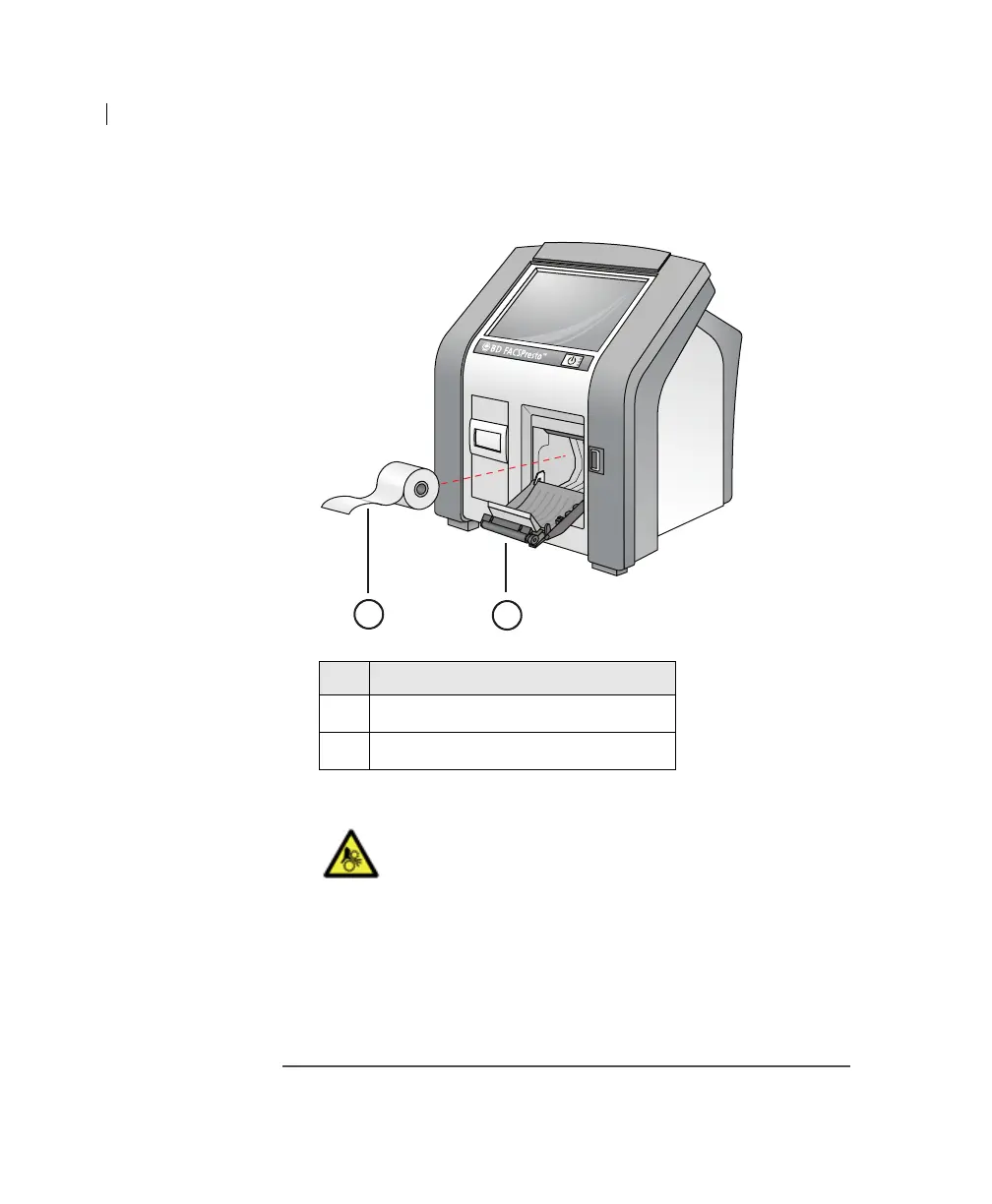
4. Insert the new paper roll into the printer, as shown in the
following figure.
5. Close the printer door.
6. Push the latch on the printer door.
The latch snaps in place and the light is green if the paper is
inserted into the printer correctly.
Transporting the
instrument
To transport the instrument, pack it in its original shipping box.
You can also use the carrying case, which is an optional accessory.
No. Component
1
Paper roll
2 Printer door
Caution: Mechanical! Use caution when opening or
closing the printer door. Do not place your fingers
or hands between the printer door and instrument.
The top of the printer door can injure your hands or
fingers.
2
1











 To Next Page