BEC MX-200 User Manual
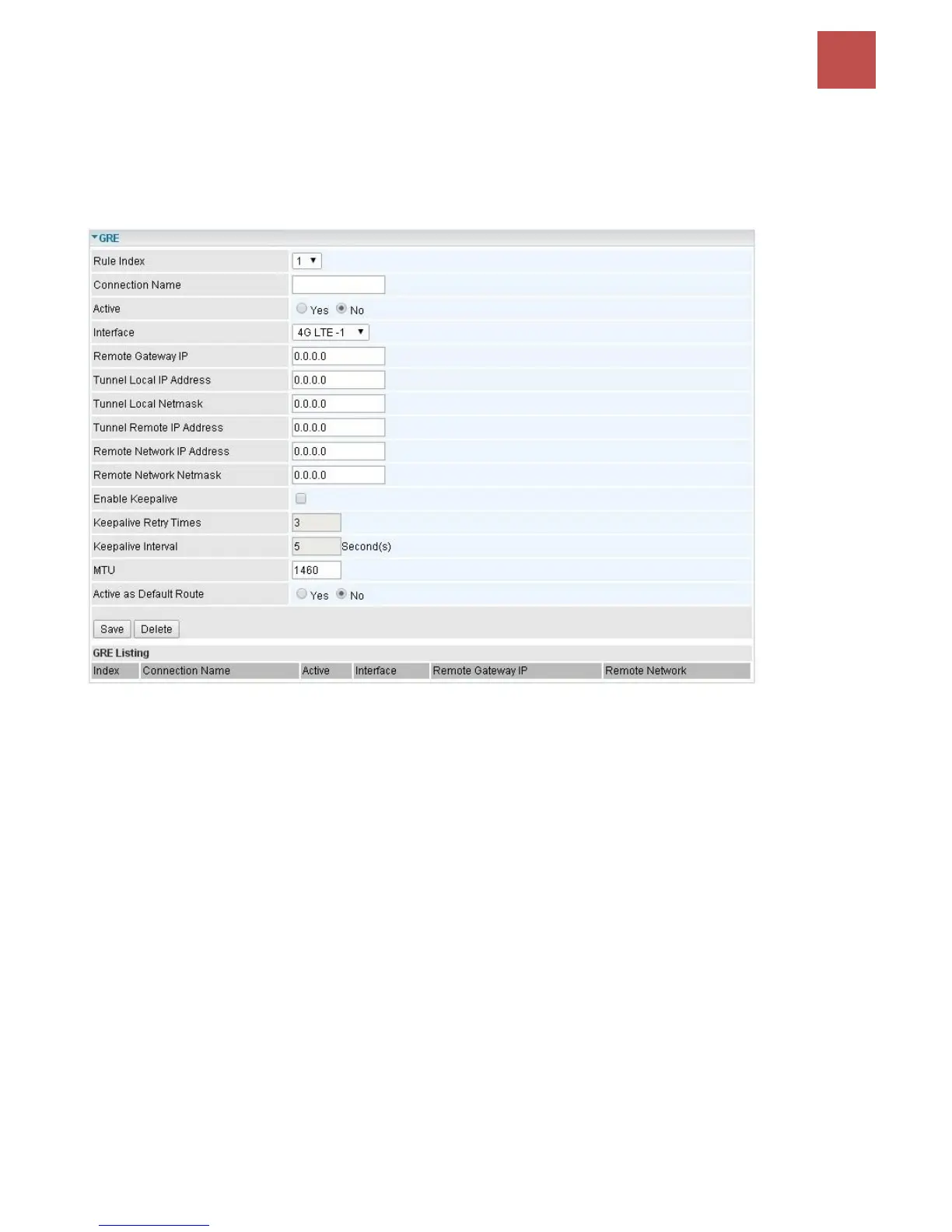
GRE Tunnel
Generic Routing Encapsulation (GRE) is a tunneling protocol that can encapsulate a wide variety of
network layer protocol packets inside virtual point-to-point links over an IP network.
NOTE: Up to 8 tunnels can be added.
Rule Index: The numeric rule indicator for GRE. The maximum entry is up to 8.
Connection Name: User-defined name for the connection.
Active: Select Yes to activate the GRE tunnel.
Interface: Select the exact WAN interface configured for the tunnel as the local IP.
Remote Gateway: The remote GRE gateway IP.
Tunnel Local IP: Please set the source IP for the local tunnel.
Tunnel Local Netmask: Please set the Netmask for the local tunnel.
Tunnel Remote IP Address: Set the peer IP address of the tunnel.
Remote Network IP Address: Please set the subnet IP for remote network.
Remote Network Netmask: Please set the Netmask for remote network.
Enable Keep-alive: Normally, the tunnel interface is always up. Enable keep-alive to determine when
the tunnel interface is to be closed. The local router sends keep-alive packets to the peer router, if
keep-alive response is not received from peer router within the allowed time (‘retry time’ multiply
‘interval’, based on default settings, the time interval can be 30 seconds), the local router will shut up
its tunnel interface.
Keep-alive Retry Times: Set the keep-alive retry times, default is 3.
Keep-alive Interval: Set the keep-alive Interval, unit in seconds. Default is 5 seconds.



 To Next Page