Basic Installation
Network Configuration – Windows 10 (IPv4)
BEC MX-200 User Manual
Network Configuration – IPv4
Configuring PC in Windows 10 (IPv4)
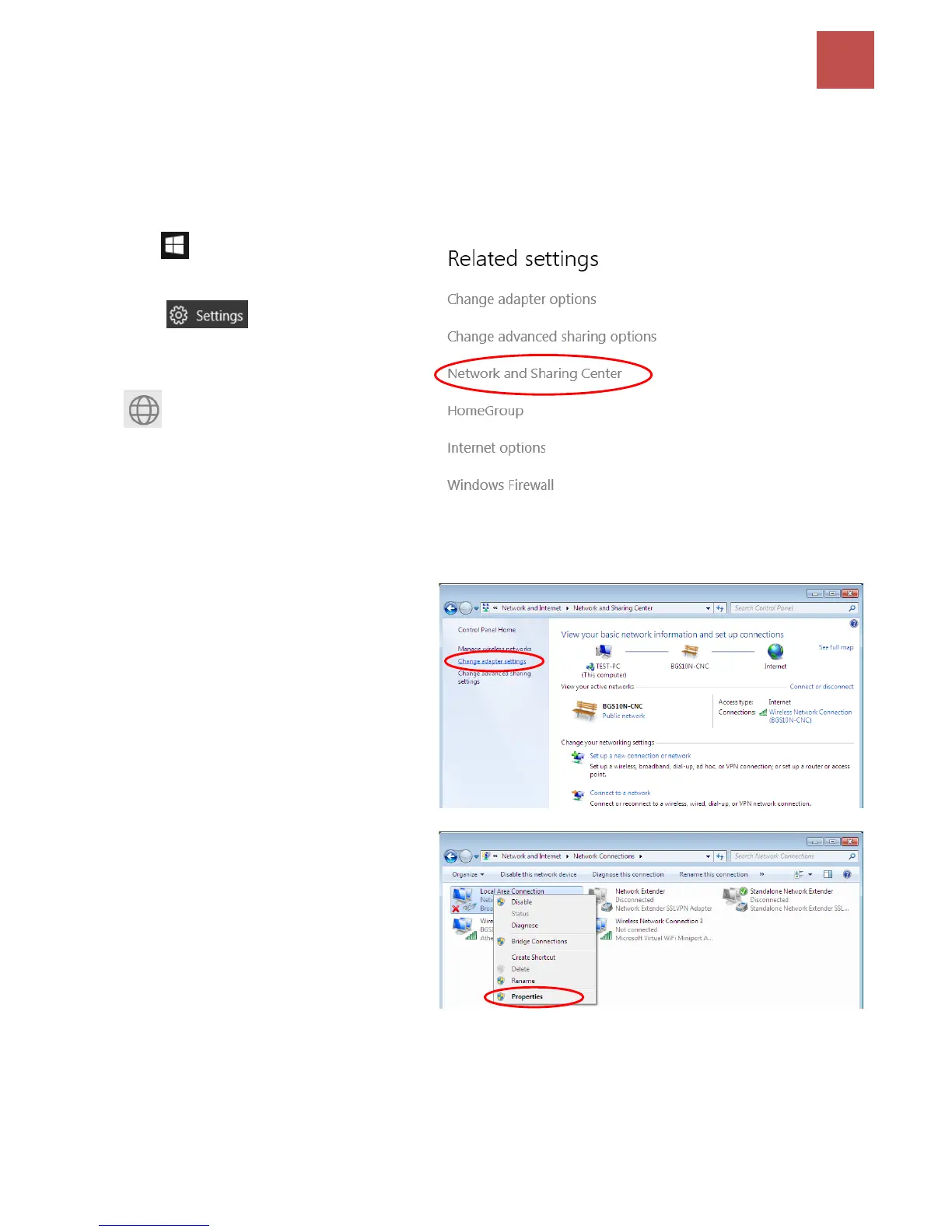
1. Click .
2. Click
3. Then click on Network and Internet.
4. Under Related settings, select
Network and Sharing Center
5. When the Network and Sharing
Center window pops up, select and
click on Change adapter settings on
the left window panel.
6. Select the Local Area Connection,
and right click the icon to select
Properties.



 To Next Page