BEC MX-200 User Manual
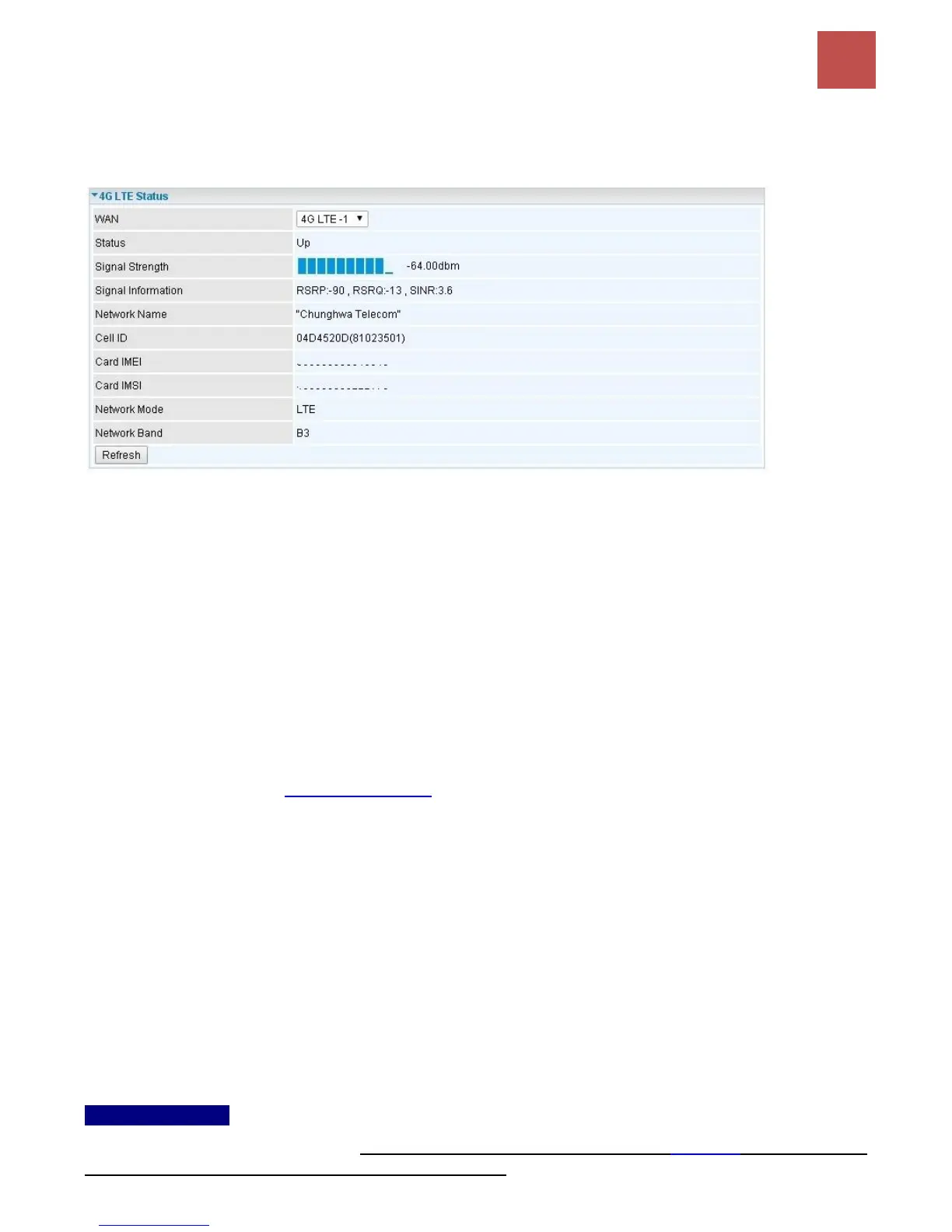
3G/4G-LTE Status
It contains 3G/4G-LTE connection information.
Status: The current status of the 3G/4G-LTE connection.
Signal Strength: The signal strength bar and dBm value indicates the current 3G/4G-LTE signal
strength. The front panel 3G/4G-LTE Signal Strength LED indicates the signal strength as well.
Signal Information: Shows important LTE signal parameters such as RSRP (Reference Signal
Receiving Power), RSRQ (Reference Signal Receiving Quality), SINR (Signal to Interference plus
Noise Ratio).
RSRP (Reference Signal Receiving Power): is the average power of all resource elements
which carry cell-specified reference signals over the entire bandwidth.
RSRQ (Reference Signal Receiving Quality): measures the signal strength and is calculated
based on both RSRP and RSSI.
RSSI (Received Signal Strength Indicator): parameter which provides information about total
received wide-band power (measure in all symbols) including all interference and thermal noise.
Please refer to the Device Description for details.
SINR (Signal to Interference plus Noise Ratio): is also a measure of signal quality as well. It is
widely used by the operators as it provides a clear relationship between RF conditions and
throughput.
NOTE: Some LTE modules do not provide this information.
Network Name: The name of the LTE network the router is connecting to.
Cell ID: The ID of base station that the device is connected to.
Card IMEI: The unique identification number that is used to identify the 3G/4G-LTE module.
Card IMSI: The international mobile subscriber identity used to uniquely identify the 3G/4G-LTE
module.
Network Mode / Band: Show the using network mode and LTE band.
Usage Allowance
To enable this feature, please go to Configuration >> Interface Setup >> Internet >> click “Usage
Allowance” >> enable “Save the statistics to ROM”



 To Next Page