BEC MX-200 User Manual
Configuration
Click to access and configure the available features in the following: Interface Setup, Dual WAN,
Advanced Setup, VPN, Access Management, and Maintenance.
These functions are described in the following sections.
Interface Setup
Here are the features under Interface Setup: Internet and LAN
Internet
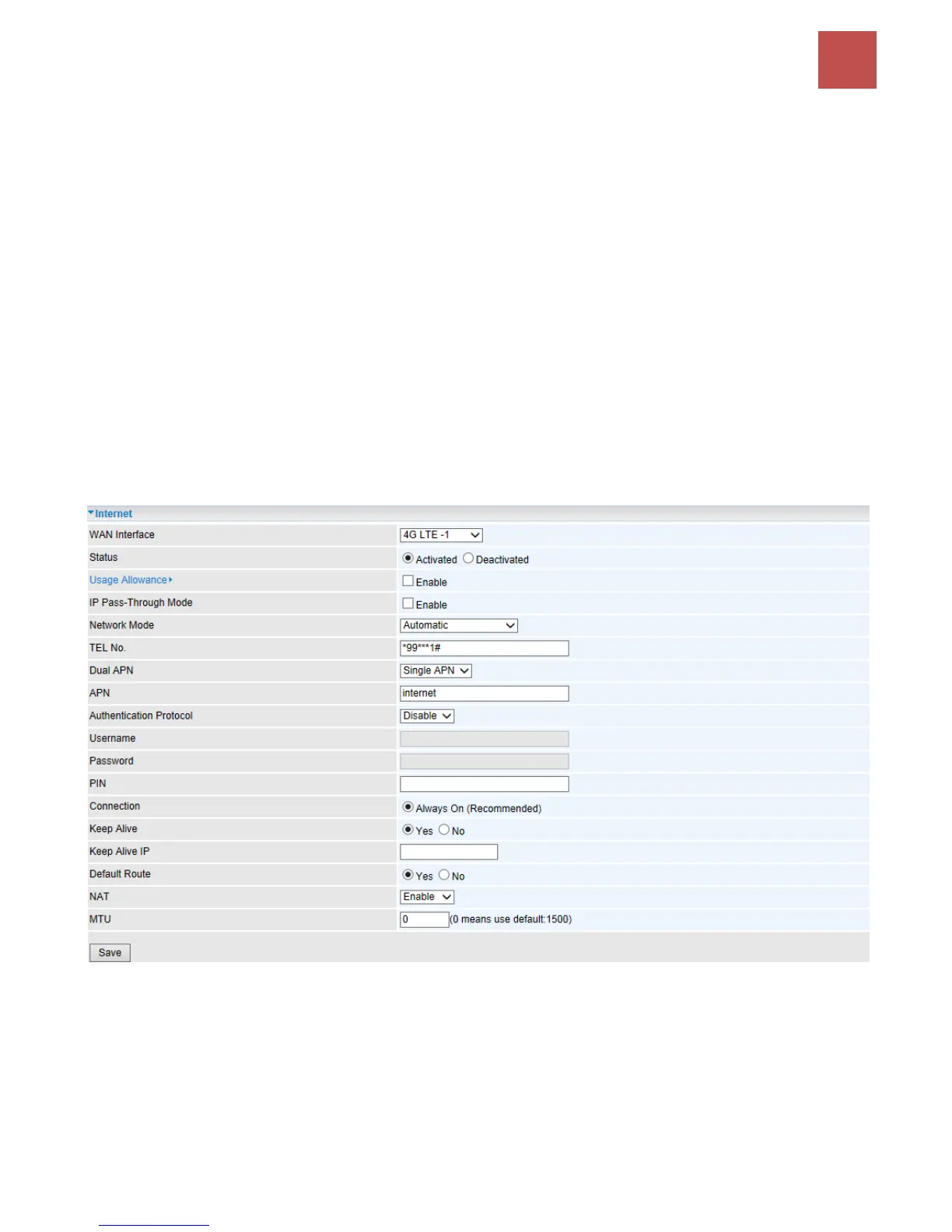
3G/4G-LTE
WAN Interface: List all available WAN interfaces. (In this section, you have selected to use
3G/4G-LTE)
Status: Choose Activated to enable the 3G/4G-LTE connection.
Usage Allowance: Enable and click “Usage Allowance” for further setting configuration of your
3G/4G-LTE data usage.



 To Next Page