BEC MX-200 User Manual
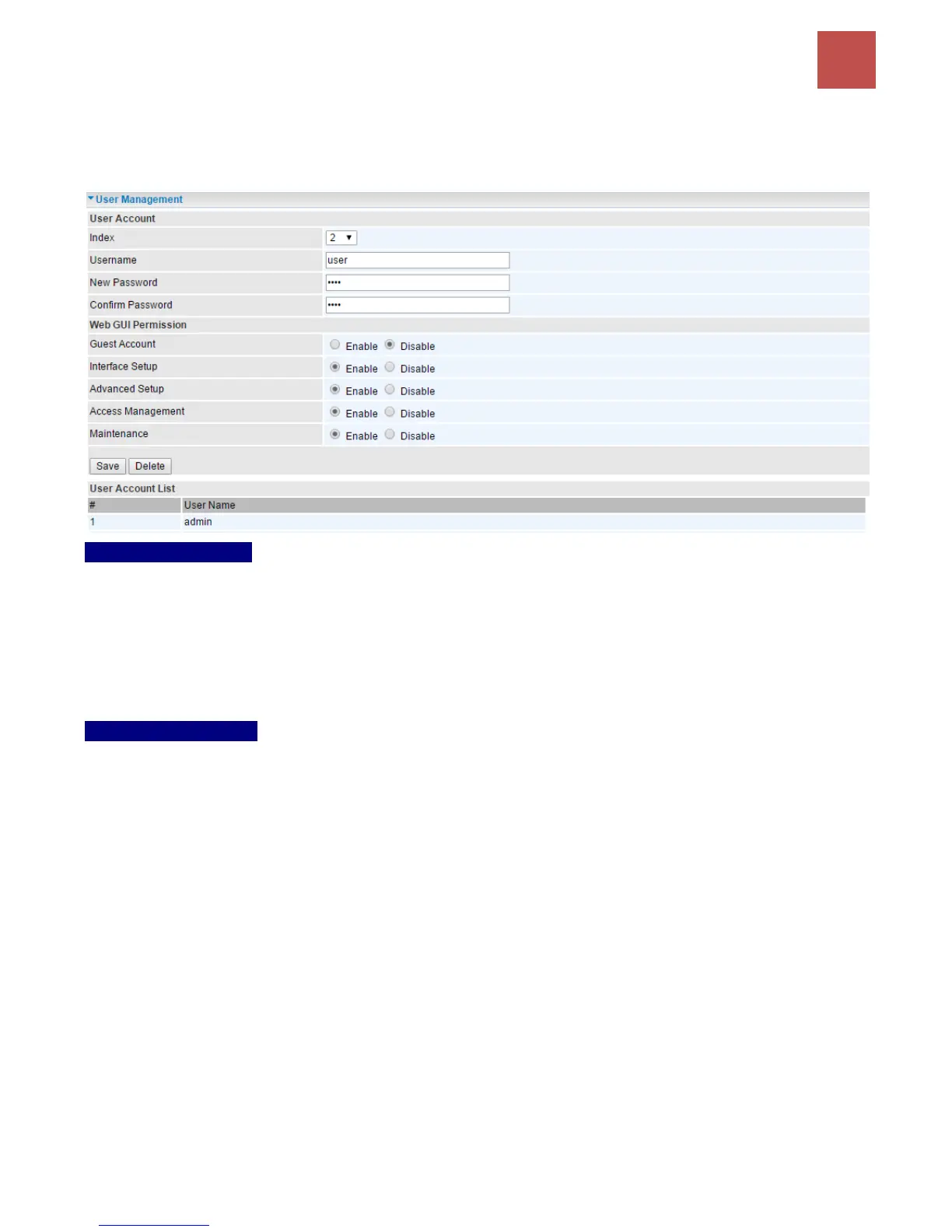
User Account
user/user is the default user account username and password
NOTE: This username / password may vary by different Internet Service Providers.
User Account Setup
Index #: The numeric account indicator. The maximum entry is up to 8.
Username: Create account(s) user name for GUI management.
New Password: Password for the user account.
Confirm Password: Re-enter the password.
Web GUI Permission
Guest Account: Enable to create this new guest account.
Interface Setup / Advanced Setup / Access Management Setup / Maintenances: Enable to grant
this user access to these features.
When someone accesses to the MX-200 using this “user” account, he/she can only manage and
configure the features that is pre-selected in Web GUI Permission for this account..
Click Save to apply the settings.



 To Next Page