40
Navigation mode
! Turn the rotary control/push button
and then press the rotary control/push
button to select each letter one after the
other.
Accept entry:
! In the data entry menu, select the
symbol.
or
! Press the rotary control/push button
and hold it down for at least 2 seconds.
! Turn the rotary control/push button
and then press the rotary control/push
button to select the required POI.
Route guidance to the selected point of
interest is initiated.
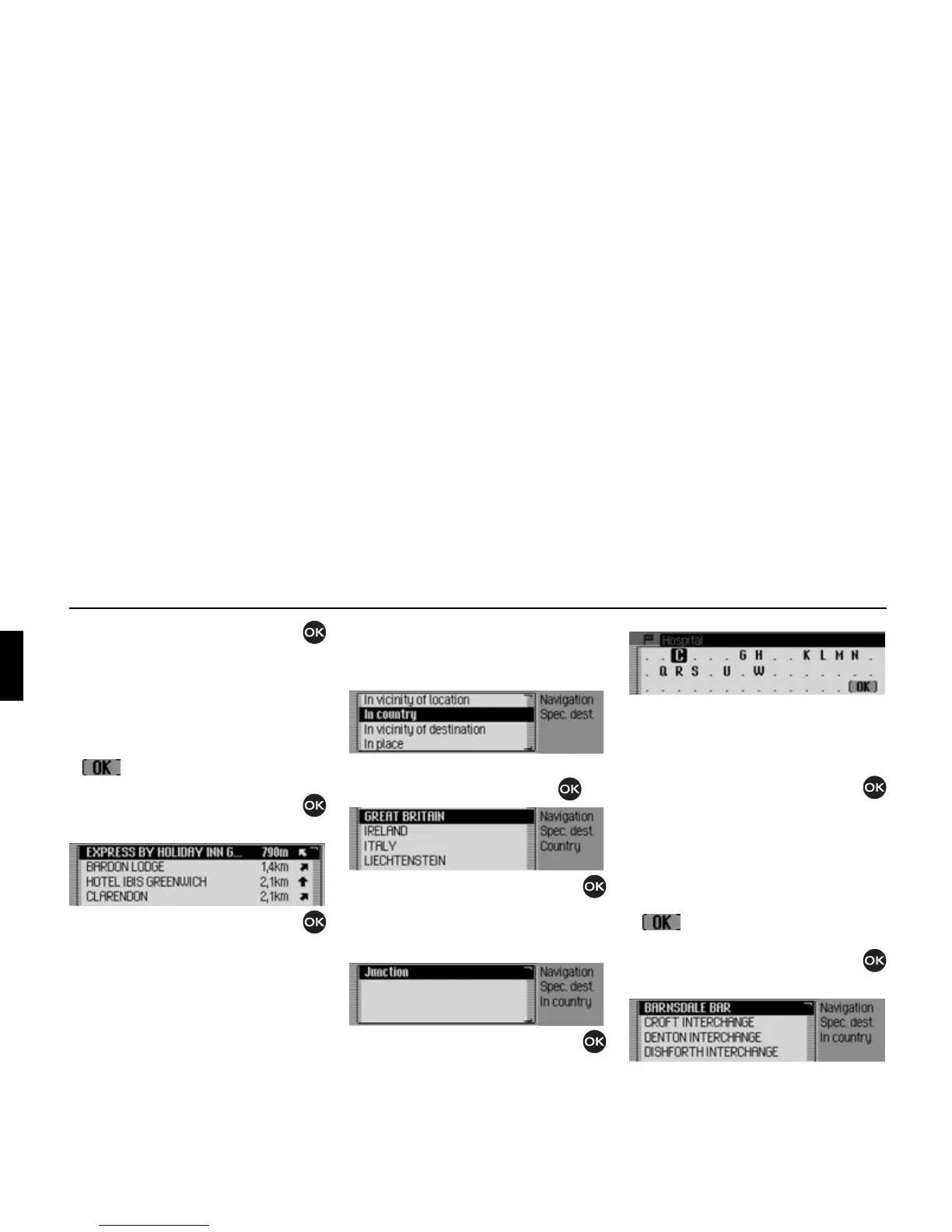
In country
! In the POI menu, select the In country
entry.
! Confirm your selection by pressing
the rotary control/push button .
! Turn the rotary control/push button
and then press the rotary control/push
button to select the country in which
you are looking for a national POI.
! Turn the rotary control/push button
and then press the rotary control/push
button to select the required POI cate-
gory.
The data entry menu for POIs appears
or, if fewer than 10 POIs are available in
the selected category, the unit switches
directly to the POI list.
! Turn the rotary control/push button
and then press the rotary control/push
button to select each letter one after the
other.
Accept entry:
! In the data entry menu, select the
symbol.
or
! Press the rotary control/push button
and hold it down for at least 2 seconds.
2044
2045
2046
2047
2053
2049















 To Next Page